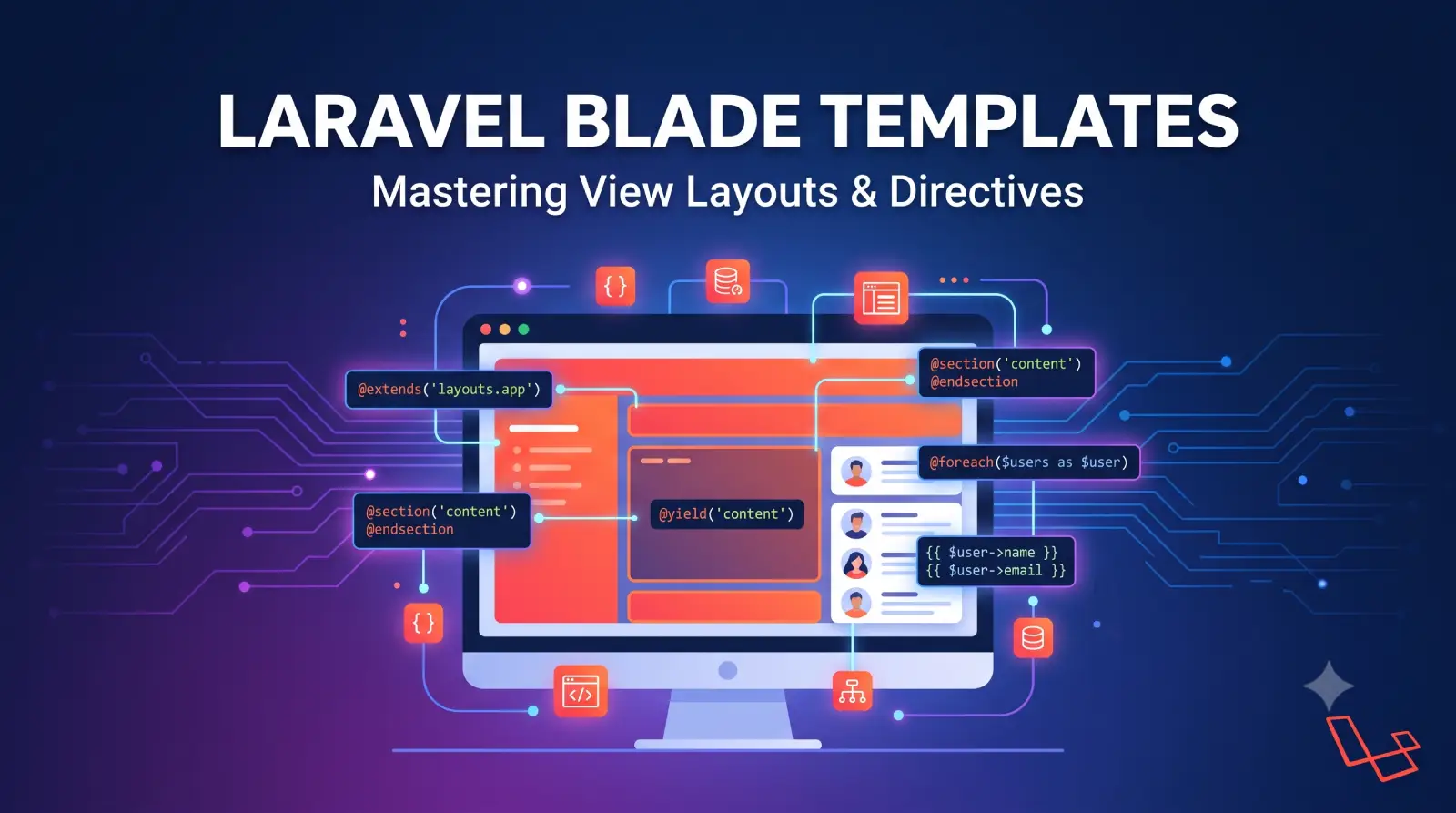
Laravel Blade Templates is one of the core features that makes Laravel development enjoyable. It provides a clean and expressive way to build HTML views while keeping presentation logic separate from application logic.
Table of Contents
If you are building a Laravel application with server-rendered HTML, Laravel Blade is likely to be one of the most important technologies you will use. From displaying database records and handling conditions to creating reusable components, layouts, forms, navigation menus, and dynamic interfaces, Laravel Blade provides syntax for almost every common view-layer requirement.
Unlike traditional PHP templates that can quickly become difficult to read because of embedded PHP code, Laravel Blade provides concise directives such as @if, @foreach, @include, @extends, @section, and @yield.
Laravel Blade also works particularly well with modern Laravel tools such as Livewire and Alpine.js, allowing developers to build interactive interfaces without necessarily introducing a full JavaScript framework. Laravel’s current frontend documentation continues to position PHP and Blade as one of the primary approaches for building Laravel frontends.
What Is Laravel Blade Templates?
Laravel Blade is the templating engine included with Laravel. It allows developers to write HTML templates with special Blade syntax for displaying data, controlling application flow, creating reusable components, and more.
Laravel Blade templates files normally use the .blade.php extension and are stored inside the resources/views directory. Laravel compiles Laravel Blade templates into PHP and caches the compiled result until the original template changes.
A simple Laravel Blade templates looks like this:
<!DOCTYPE html>
<html>
<head>
    <title>Laravel Blade</title>
</head>
<body>

    <h1>Hello, {{ $name }}</h1>

</body>
</html>
The important part is:
{{ $name }}
Laravel Blade replaces this expression with the value of $name and, by default, escapes the output for HTML safety.
For example, if the controller passes:
return view('welcome', [
    'name' => 'Umang'
]);
the Laravel Blade templates can display:
<h1>Hello, {{ $name }}</h1>
Blade allows you to keep HTML readable while still having access to Laravel and PHP functionality.
Why Use Blade in Laravel?
Blade exists to solve a common problem in server-side applications: how to combine dynamic data with HTML without making templates difficult to maintain.
Traditional PHP might look like:
<h1>
    <?php echo $name; ?>
</h1>
Blade simplifies this:
<h1>{{ $name }}</h1>
The difference becomes even more noticeable with conditions and loops.
Traditional PHP:
<?php if ($user): ?>

    <h1>Welcome, <?php echo $user->name; ?></h1>

<?php else: ?>

    <h1>Please log in</h1>

<?php endif; ?>
Blade:
@if ($user)

    <h1>Welcome, {{ $user->name }}</h1>

@else

    <h1>Please log in</h1>

@endif
Blade provides several advantages:
1. Clean syntax
Blade directives make templates easier to read.
2. Automatic escaping
The standard {{ }} syntax escapes HTML output.
3. Template inheritance
You can create a common application layout and reuse it across multiple pages.
4. Components
Blade components allow you to create reusable UI elements such as buttons, alerts, cards, modals, and form fields.
5. Laravel integration
Blade integrates naturally with Laravel routes, controllers, validation, authentication, sessions, CSRF protection, collections, and other framework features.
6. Excellent performance
Laravel Blade templates are compiled to PHP and cached, so Blade itself adds very little runtime overhead.
Laravel Blade File Structure
Laravel Blade templates are normally stored here:
resources/
└── views/
    ├── layouts/
    │   └── app.blade.php
    ├── components/
    │   ├── alert.blade.php
    │   └── button.blade.php
    ├── users/
    │   ├── index.blade.php
    │   └── show.blade.php
    └── home.blade.php
The naming convention is:
filename.blade.php
For example:
resources/views/home.blade.php
can be rendered as:
return view('home');
Notice that you do not specify:
.blade.php
when calling the view.
Creating a Laravel Blade View
You can manually create:
resources/views/about.blade.php
or use Laravel’s Artisan command:
php artisan make:view about
Laravel views documentation supports creating views using the .blade.php convention or the make:view Artisan command.
Add some HTML:
<!DOCTYPE html>
<html>
<head>
    <title>About Us</title>
</head>
<body>

    <h1>About Us</h1>

    <p>Welcome to our Laravel application.</p>

</body>
</html>
Rendering Laravel Blade Views
You can return a Blade view from a route:
Route::get('/about', function () {
    return view('about');
});
You can also return views from controllers:
public function index()
{
    return view('home');
}
Laravel’s view() helper is the standard way to render a view.
Passing Data to Laravel Blade Templates
One of the most common tasks in Blade is passing data from a controller to a view.
For example:
public function profile()
{
    $name = 'Umang';

    return view('profile', [
        'name' => $name
    ]);
}
Blade:
<h1>Welcome, {{ $name }}</h1>
You can pass multiple variables:
return view('dashboard', [
    'name' => $name,
    'email' => $email,
    'posts' => $posts
]);
Then:
<h1>{{ $name }}</h1>

<p>{{ $email }}</p>

@foreach ($posts as $post)
    <h2>{{ $post->title }}</h2>
@endforeach
Using the compact() Function
Another common approach is:
$name = 'Umang';
$posts = Post::latest()->get();

return view('dashboard', compact('name', 'posts'));
Then:
<h1>{{ $name }}</h1>

@foreach ($posts as $post)
    <h2>{{ $post->title }}</h2>
@endforeach
Both approaches are valid.
For larger applications, explicitly naming variables in the view() call can sometimes make the data flow easier to understand:
return view('dashboard', [
    'name' => $name,
    'posts' => $posts,
]);
Displaying Data in Blade
Blade provides several ways to display data.
Escaped Output
The most common syntax is:
{{ $name }}
For example:
<h1>{{ $user->name }}</h1>
Blade’s normal echo syntax escapes the output, which is important when displaying user-controlled content.
HTML Entity Encoding
Suppose a user submits:
<script>alert('Hacked')</script>
If you display it using:
{{ $comment }}
Blade escapes the HTML rather than treating it as executable markup.
This is one of the reasons you should generally prefer:
{{ $content }}
over:
{!! $content !!}
when displaying untrusted content.
Displaying Raw HTML
Sometimes you intentionally need to render trusted HTML.
Blade provides:
{!! $content !!}
For example:
{!! $post->body !!}
However, this should only be used when you trust or sanitize the content.
Never blindly render user-submitted content using raw output.
Bad:
{!! $request->comment !!}
This can introduce cross-site scripting vulnerabilities if the content has not been properly sanitized.
Prefer:
{{ $request->comment }}
unless HTML output is specifically required and safely sanitized.
Displaying Default Values
You can use the null coalescing operator:
{{ $user->name ?? 'Guest' }}
This displays Guest if $user->name is unavailable or null.
You can also use Laravel’s Blade helper syntax:
{{ $name ?? 'Guest' }}
Blade Conditional Statements
Blade provides several directives for conditional logic.
@if
@if ($user->isAdmin())
    <p>Administrator</p>
@endif
@if / @else
@if ($user)
    <p>Welcome {{ $user->name }}</p>
@else
    <p>Please log in.</p>
@endif
@elseif
@if ($status === 'active')

    <span>Active</span>

@elseif ($status === 'pending')

    <span>Pending</span>

@else

    <span>Inactive</span>

@endif
@unless
@unless is useful when you want to execute something when a condition is false.
@unless ($user->isAdmin())
    <p>You are not an administrator.</p>
@endunless
It is essentially the opposite of @if.
@isset
You can check whether a variable exists:
@isset($username)
    <p>{{ $username }}</p>
@endisset
@empty
You can check whether a variable is empty:
@empty($posts)
    <p>No posts found.</p>
@endempty
Conditional Classes
Dynamic CSS classes are common in modern applications.
For example:
<div class="{{ $isActive ? 'active' : '' }}">
    Profile
</div>
Laravel Blade also provides helpers and directives that make conditional class handling cleaner.
A common approach is:
<div @class([
    'p-4',
    'bg-green-100' => $isSuccess,
    'bg-red-100' => $hasError,
])>
    Message
</div>
This is particularly useful with Tailwind CSS.
Blade Loops
Blade provides convenient directives for iterating over arrays and collections.
@foreach
@foreach ($users as $user)
    <p>{{ $user->name }}</p>
@endforeach
You can access keys:
@foreach ($users as $id => $user)
    <p>{{ $id }} - {{ $user->name }}</p>
@endforeach
@forelse
@forelse is particularly useful when displaying database results.
@forelse ($posts as $post)

    <article>
        <h2>{{ $post->title }}</h2>
    </article>

@empty

    <p>No posts found.</p>

@endforelse
This is often cleaner than writing a separate @if check.
@for
Blade supports traditional loops:
@for ($i = 1; $i <= 10; $i++)
    <p>{{ $i }}</p>
@endfor
@while
You can also use:
@while ($count < 10)
    <p>{{ $count }}</p>
@endwhile
However, application logic generally belongs in controllers, services, or other application classes rather than inside templates.
The $loop Variable
Blade provides a special $loop variable inside loops.
Example:
@foreach ($users as $user)

    <p>
        {{ $loop->iteration }}.
        {{ $user->name }}
    </p>

@endforeach
Useful properties include:
$loop->index
$loop->iteration
$loop->remaining
$loop->count
$loop->first
$loop->last
$loop->even
$loop->odd
For example:
@foreach ($users as $user)

    @if ($loop->first)
        <strong>First user</strong>
    @endif

    <p>{{ $user->name }}</p>

@endforeach
Nested Loops
Blade also supports nested loops.
@foreach ($categories as $category)

    <h2>{{ $category->name }}</h2>

    @foreach ($category->products as $product)

        <p>{{ $product->name }}</p>

    @endforeach

@endforeach
For nested loops, $loop->parent allows you to access the parent loop.
Blade Comments
Blade comments are written using:
{{-- This is a Blade comment --}}
Unlike normal HTML comments, Blade comments do not appear in the generated HTML output.
This is useful for internal template notes.
Including Blade Views
You can include another Blade view using:
@include('shared.header')
For example:
resources/views/
├── home.blade.php
└── shared/
    ├── header.blade.php
    └── footer.blade.php
Then:
@include('shared.header')

<h1>Home Page</h1>

@include('shared.footer')
Laravel makes variables available to an included view from the parent view’s scope.
Passing Data to Included Views
You can explicitly pass data:
@include('users.card', [
    'user' => $user
])
Then in users/card.blade.php:
<div>
    <h2>{{ $user->name }}</h2>
    <p>{{ $user->email }}</p>
</div>
Conditional Includes
Blade also supports conditional includes.
For example:
@includeWhen($showSidebar, 'shared.sidebar')
You can also use:
@includeUnless($isAdmin, 'shared.user-menu')
These directives are useful when a partial should only be rendered under certain conditions.
Blade Layouts and Template Inheritance
One of Blade’s most useful features is template inheritance.
Instead of duplicating the entire HTML structure for every page, you can create a common layout.
For example:
resources/views/layouts/app.blade.php
Create:
<!DOCTYPE html>
<html>
<head>
    <title>@yield('title')</title>
</head>

<body>

    <header>
        Laravel Application
    </header>

    <main>
        @yield('content')
    </main>

    <footer>
        Copyright 2026
    </footer>

</body>
</html>
Then a page can extend this layout:
@extends('layouts.app')

@section('title', 'Home')

@section('content')

    <h1>Welcome to Laravel</h1>

    <p>This is the home page.</p>

@endsection
This prevents repeated HTML and makes site-wide changes much easier.
@yield
The layout defines a placeholder:
@yield('content')
The child template supplies the content:
@section('content')

    <h1>Hello Laravel</h1>

@endsection
You can also define a default value:
@yield('content', 'Default content')
Blade Components
Blade components are one of the preferred ways to create reusable UI elements.
For example, instead of repeatedly writing:
<div class="alert alert-danger">
    Something went wrong.
</div>
you can create:
<x-alert type="danger">
    Something went wrong.
</x-alert>
Laravel supports both class-based and anonymous Blade components. Components are automatically discovered in conventional application locations, so explicit registration is usually unnecessary for normal application components.
Creating a Blade Component
You can create a component using:
php artisan make:component Alert
Laravel creates a component class under:
app/View/Components
and its Blade view under:
resources/views/components
according to Laravel’s component conventions.
You can then use:
<x-alert>
    Something went wrong.
</x-alert>
Anonymous Blade Components
For simple components, you may not need a PHP class.
Create:
resources/views/components/button.blade.php
Then:
<button {{ $attributes->merge(['class' => 'btn']) }}>
    {{ $slot }}
</button>
Use it:
<x-button>
    Save
</x-button>
Laravel calls these anonymous components because they consist of a Blade view without an associated component class.
Passing Data to Components
You can pass static attributes:
<x-alert type="error" />
For PHP variables, use ::
<x-alert :message="$message" />
Laravel’s Blade documentation specifically distinguishes normal attribute strings from PHP expressions passed with the : prefix.
Example:
<x-user-card
    :user="$user"
    status="active"
/>
Blade Component Slots
Slots allow you to provide content to components.
Component:
<div class="card">

    <div class="card-body">
        {{ $slot }}
    </div>

</div>
Usage:
<x-card>
    <h2>Laravel Blade</h2>
    <p>This content is provided through the slot.</p>
</x-card>
For multiple sections, you can use named slots.
Example:
<x-card>

    <x-slot:title>
        Laravel Blade
    </x-slot:title>

    <p>Learn Blade templates.</p>

</x-card>
This makes components highly reusable.
Components vs @include
Both components and includes are useful, but they solve slightly different problems.
Use @include when you have a simple reusable view fragment:
@include('partials.navigation')
Use a component when you have a reusable UI element with attributes, slots, and a defined interface:
<x-button type="primary">
    Save
</x-button>
Laravel’s documentation notes that components provide benefits such as data and attribute binding compared with traditional includes.
A good modern approach is to use components for reusable UI building blocks and includes for simple view fragments.
Blade Forms
Blade works closely with Laravel forms.
A basic form:
<form method="POST" action="/users">

    @csrf

    <input
        type="text"
        name="name"
        value="{{ old('name') }}"
    >

    <button type="submit">
        Save
    </button>

</form>
The @csrf Directive
Laravel protects POST, PUT, PATCH, and DELETE requests against cross-site request forgery.
Inside a form, use:
@csrf
Laravel generates the hidden CSRF token field.
For example:
<form method="POST" action="/profile">

    @csrf

    <input type="text" name="name">

    <button type="submit">Update</button>

</form>
Do not manually create CSRF tokens when the Blade directive is available.
HTTP Method Spoofing
HTML forms traditionally support only GET and POST.
Laravel provides:
@method('PUT')
Example:
<form method="POST" action="/users/10">

    @csrf
    @method('PUT')

    <input type="text" name="name">

    <button type="submit">
        Update
    </button>

</form>
For deleting:
<form method="POST" action="/users/10">

    @csrf
    @method('DELETE')

    <button type="submit">
        Delete
    </button>

</form>
Displaying Validation Errors
Laravel makes validation errors easily accessible from Blade.
A simple error message:
@error('email')
    <span>{{ $message }}</span>
@enderror
You can also display all errors:
@if ($errors->any())

    <div>
        <ul>

            @foreach ($errors->all() as $error)

                <li>{{ $error }}</li>

            @endforeach

        </ul>
    </div>

@endif
This is especially useful when creating forms.
Preserving Form Input with old()
After validation fails, Laravel can redirect the user back with the previous input.
Use:
<input
    type="text"
    name="name"
    value="{{ old('name') }}"
>
For an email:
<input
    type="email"
    name="email"
    value="{{ old('email') }}"
>
You can specify a default:
{{ old('name', $user->name) }}
This is useful for edit forms because it displays the previous submitted value when available and otherwise falls back to the existing database value.
Blade and Authentication
Blade works naturally with Laravel authentication.
You can conditionally display content based on whether a user is authenticated:
@auth
    <p>Welcome back!</p>
@endauth
For guests:
@guest
    <a href="/login">Login</a>
@endguest
You can also check a particular authentication guard when your application uses multiple guards.
Blade and Authorization
For authorization checks, Laravel provides directives such as:
@can('update', $post)

    <a href="/posts/{{ $post->id }}/edit">
        Edit
    </a>

@endcan
You can also use:
@cannot('delete', $post)
    <p>You cannot delete this post.</p>
@endcannot
This helps keep authorization-aware UI clean.
Remember that hiding a button is not a replacement for server-side authorization. Your controller, policy, or backend action must still enforce permission checks.
Blade Stacks
Blade stacks are useful when child views need to add JavaScript or CSS to a layout.
In the layout:
<head>

    @stack('styles')

</head>

<body>

    @yield('content')

    @stack('scripts')

</body>
A child view can add CSS:
@push('styles')

<style>
    .custom-card {
        padding: 20px;
    }
</style>

@endpush
And JavaScript:
@push('scripts')

<script>
    console.log('Page loaded');
</script>

@endpush
This prevents scripts from being scattered throughout the page structure.
@once
Sometimes you have a component or partial that might be rendered multiple times but needs to register a script only once.
Blade provides:
@once

    <script>
        // Code that should only appear once
    </script>

@endonce
This is useful for reusable components that require supporting JavaScript.
Blade and JavaScript
Blade works well with JavaScript frameworks and libraries.
For example:
<div
    data-user-id="{{ $user->id }}"
    data-user-name="{{ $user->name }}"
>
</div>
Be careful when embedding dynamic data directly into JavaScript.
For JSON data, Laravel provides helpful JSON encoding approaches. A common example is:
<script>
    const user = {{ Js::from($user) }};
</script>
This approach is preferable to manually concatenating PHP data into JavaScript strings.
Blade and Livewire
Blade is particularly important when using Laravel Livewire.
Livewire allows developers to build reactive interfaces while continuing to use Laravel Blade templates instead of building a complete frontend application with React or Vue.
Laravel’s frontend documentation describes Livewire as an approach that allows developers to build dynamic interfaces while remaining primarily within the Laravel/PHP ecosystem.
A Livewire component may contain:
<div>
    <button wire:click="increment">
        +
    </button>

    <span>{{ $count }}</span>
</div>
Blade renders:
{{ $count }}
while Livewire handles the interactive behavior.
This combination is particularly useful for:
- Admin dashboards
- CRUD applications
- Forms
- Search interfaces
- Filtering
- Tables
- Notifications
- Modals
- Real-time UI
Blade Layouts vs Components
There are two common approaches for structuring a Blade application.
Traditional Template Inheritance
@extends('layouts.app')

@section('content')
    <h1>Dashboard</h1>
@endsection
This works well for page-level layouts.
Component-Based Layouts
You can also use a layout component:
<x-layout>
    <h1>Dashboard</h1>
</x-layout>
Component-based layouts can be particularly convenient in modern Laravel applications because the same component system can be used for both page layouts and smaller UI elements.
Laravel’s documentation supports layouts built using Blade components as well as traditional template inheritance.
Organizing Laravel Blade Templates
A well-organized resources/views directory might look like:
resources/views/
├── layouts/
│   ├── app.blade.php
│   └── guest.blade.php
│
├── components/
│   ├── alert.blade.php
│   ├── button.blade.php
│   ├── card.blade.php
│   └── input.blade.php
│
├── partials/
│   ├── header.blade.php
│   ├── footer.blade.php
│   └── navigation.blade.php
│
├── dashboard/
│   └── index.blade.php
│
├── users/
│   ├── index.blade.php
│   ├── create.blade.php
│   ├── edit.blade.php
│   └── show.blade.php
│
└── home.blade.php
This structure makes large Laravel applications much easier to maintain.
Keep Business Logic Out of Blade
Blade technically allows PHP code, but that does not mean you should put application logic everywhere inside your views.
Avoid:
@php

    $total = 0;

    foreach ($orders as $order) {
        $total += $order->price;
    }

@endphp
Instead, calculate data before rendering the view:
$total = $orders->sum('price');

return view('orders.index', [
    'orders' => $orders,
    'total' => $total,
]);
Then Blade simply displays:
<p>Total: {{ $total }}</p>
This separation makes your application easier to test and maintain.
Avoid Database Queries Inside Blade
Avoid doing this:
@foreach ($users as $user)

    {{ $user->posts()->count() }}

@endforeach
Depending on your application, this can result in an N+1 query problem.
Instead, prepare the required data in your controller or service:
$users = User::withCount('posts')->get();

return view('users.index', compact('users'));
Then:
@foreach ($users as $user)

    <p>
        {{ $user->name }} -
        {{ $user->posts_count }} posts
    </p>

@endforeach
Blade should primarily be responsible for presentation.
Blade Performance
Blade itself is designed to be lightweight.
Laravel compiles Laravel Blade templates into PHP and stores compiled templates in the application’s framework storage area.
In practice, performance problems are more commonly caused by:
- Excessive database queries
- N+1 queries
- Very large collections
- Expensive calculations
- Huge HTML responses
- Poor caching strategies
- Repeated API calls
- Unnecessary JavaScript
rather than the Blade syntax itself.
Blade Caching
For production environments, Laravel can cache views.
A commonly used Artisan command is:
php artisan view:cache
To clear compiled views:
php artisan view:clear
Laravel stores compiled Laravel Blade templates under the framework-generated storage area.
During development, Laravel automatically handles recompilation when templates change, so developers normally do not need to manually compile views after every edit.
Blade Security Best Practices
Security should always be considered when working with templates.
1. Prefer escaped output
Use:
{{ $content }}
instead of:
{!! $content !!}
unless raw HTML is intentional and trusted.
2. Use @csrf in forms
<form method="POST">

    @csrf

</form>
3. Do not trust client-side authorization
This is not enough:
@can('delete', $post)
    <button>Delete</button>
@endcan
Your backend must also enforce the authorization rule.
4. Avoid unnecessary raw PHP
Keep application logic outside templates whenever possible.
5. Be careful with JavaScript data
Do not manually concatenate untrusted strings into JavaScript.
Use Laravel’s safe JavaScript/data helpers where appropriate.
Common Blade Mistakes
Mistake 1: Forgetting the .blade.php extension
Wrong:
home.php
Correct:
home.blade.php
Mistake 2: Using the wrong view name
If your file is:
resources/views/users/profile.blade.php
use:
return view('users.profile');
not:
return view('users/profile.blade.php');
Mistake 3: Using raw output unnecessarily
Avoid:
{!! $user->name !!}
Use:
{{ $user->name }}
for normal text.
Mistake 4: Forgetting @csrf
Wrong:
<form method="POST" action="/users">
Correct:
<form method="POST" action="/users">

    @csrf

</form>
Mistake 5: Putting business logic in templates
Avoid making Blade responsible for complicated calculations, database queries, or application workflows.
Mistake 6: Overusing @include
If a piece of UI has its own data, attributes, slots, and reusable behavior, consider making it a component instead.
Blade vs Plain PHP
Blade is still PHP-based, but it provides a much cleaner syntax for common template operations.
Plain PHP
<?php if ($users): ?>

    <?php foreach ($users as $user): ?>

        <h2>
            <?php echo htmlspecialchars($user->name); ?>
        </h2>

    <?php endforeach; ?>

<?php endif; ?>
Blade
@if ($users)

    @foreach ($users as $user)

        <h2>{{ $user->name }}</h2>

    @endforeach

@endif
Blade is easier to scan and integrates directly with Laravel features.
Blade vs React and Vue
Blade and React/Vue are not necessarily competitors.
They solve frontend problems in different ways.
Blade
Blade is ideal when:
- Laravel handles server-side rendering
- You want simple HTML templates
- You want minimal JavaScript
- SEO-friendly server-rendered pages are important
- You are building CRUD applications
- You are building admin panels
- You want tight PHP/Laravel integration
React or Vue
A JavaScript framework may be more appropriate when:
- The frontend behaves like a complex SPA
- Client-side state is extensive
- The application has highly interactive interfaces
- You have a separate frontend/backend architecture
- Your team specializes in JavaScript/TypeScript
Laravel itself supports both approaches. Its frontend documentation describes PHP/Blade and JavaScript frameworks such as React, Svelte, and Vue as different approaches depending on application requirements.
Blade Best Practices for Modern Laravel Applications
Here are practical Blade best practices to follow.
Keep views focused on presentation
Controllers, services, actions, and models should handle application logic.
Use components for reusable UI
For example:
<x-button />
<x-alert />
<x-card />
<x-modal />
Use layouts for common page structures
Do not duplicate:
<html>
<head>
...
on every page.
Use escaped output by default
Prefer:
{{ $value }}
Use @forelse for collections
It makes empty states easier to handle.
Keep components small
A component should generally have a clear responsibility.
Avoid N+1 queries
Prepare database relationships and aggregates before rendering the view.
Use semantic HTML
Blade does not replace HTML fundamentals.
Use Tailwind or another CSS methodology consistently
Blade works particularly well with utility-first CSS systems.
Keep JavaScript organized
Use @push, @stack, Vite, Livewire, Alpine.js, or your chosen frontend tooling rather than scattering scripts throughout templates.
Example: Complete Laravel Blade Page
Here is a simple example combining several concepts.
Controller
public function index()
{
    $posts = Post::latest()->paginate(10);

    return view('posts.index', [
        'posts' => $posts,
    ]);
}
Layout
<!DOCTYPE html>
<html lang="en">

<head>

    <meta charset="UTF-8">

    <meta
        name="viewport"
        content="width=device-width, initial-scale=1.0"
    >

    <title>
        @yield('title', 'Laravel Application')
    </title>

    @stack('styles')

</head>

<body>

    <header>
        <nav>
            <a href="/">Home</a>
            <a href="/posts">Posts</a>
        </nav>
    </header>

    <main>

        @yield('content')

    </main>

    @stack('scripts')

</body>

</html>
Posts View
@extends('layouts.app')

@section('title', 'Latest Posts')

@section('content')

    <h1>Latest Posts</h1>

    @forelse ($posts as $post)

        <article>

            <h2>
                <a href="{{ route('posts.show', $post) }}">
                    {{ $post->title }}
                </a>
            </h2>

            <p>
                {{ $post->excerpt }}
            </p>

        </article>

    @empty

        <p>No posts found.</p>

    @endforelse

    {{ $posts->links() }}

@endsection
This relatively small example demonstrates one of Blade’s biggest strengths: application data, HTML, conditions, loops, routing, layouts, and pagination can work together without requiring a large amount of template code.
A Practical Blade Architecture
For a larger Laravel application, a useful architecture might look like:
resources/views/
│
├── layouts/
│   ├── app.blade.php
│   ├── admin.blade.php
│   └── guest.blade.php
│
├── components/
│   ├── alert.blade.php
│   ├── badge.blade.php
│   ├── button.blade.php
│   ├── card.blade.php
│   ├── input.blade.php
│   └── modal.blade.php
│
├── partials/
│   ├── header.blade.php
│   ├── footer.blade.php
│   └── navigation.blade.php
│
├── dashboard/
│   └── index.blade.php
│
├── users/
│   ├── index.blade.php
│   ├── create.blade.php
│   ├── edit.blade.php
│   └── show.blade.php
│
└── posts/
    ├── index.blade.php
    ├── create.blade.php
    ├── edit.blade.php
    └── show.blade.php
This organization becomes especially valuable as the application grows.
When Should You Use Blade?
Blade is an excellent choice for many Laravel applications.
Use Blade when you are building:
- Company websites
- Blogs
- News websites
- E-commerce websites
- Admin dashboards
- SaaS applications
- CRUD systems
- Internal business applications
- Authentication interfaces
- Content management systems
- Server-rendered Laravel applications
- Laravel applications using Livewire
For highly interactive applications, Blade can also be combined with Livewire and Alpine.js rather than replacing Blade with a full frontend framework.
When Should You Consider React or Vue?
Laravel Blade may not be the best choice when your application requires a heavily client-driven frontend.
Consider React, Vue, or another frontend approach when your application has:
- Complex client-side state
- Extensive drag-and-drop functionality
- Advanced real-time interactions
- Large client-side data models
- Highly interactive dashboards
- A dedicated frontend engineering team
- A separate frontend and backend architecture
Laravel supports both traditional Blade-based applications and modern JavaScript-driven applications, including React, Vue, and Svelte through approaches such as Inertia.
The important point is that choosing Laravel Blade does not mean your application cannot use JavaScript.
A modern Laravel application might use:
Laravel
   │
   ├── Blade
   │
   ├── Livewire
   │
   ├── Alpine.js
   │
   └── Tailwind CSS
or:
Laravel
   │
   └── Inertia
          │
          ├── React
          ├── Vue
          └── Svelte
The right architecture depends on the application’s requirements.
Frequently Asked Questions About Laravel Blade
What is Blade in Laravel?
Blade is Laravel’s built-in templating engine. It provides concise syntax for displaying data, conditions, loops, layouts, components, forms, and other view-related functionality.
Where are Laravel Blade templates stored?
Laravel Blade templates are normally stored inside:
resources/views
and use the:
.blade.php
extension.
What is the difference between .php and .blade.php?
A .blade.php file is processed by Laravel’s Blade templating engine. It supports Blade directives such as:
@if
@foreach
@extends
@section
@include
while still allowing normal PHP where necessary.
Is Blade a programming language?
No. Blade is a templating engine and syntax layer built into Laravel. Laravel Blade templates are compiled into PHP.
Is Blade faster than PHP?
Blade ultimately compiles into PHP, so the Blade syntax itself introduces very little overhead. Performance depends much more on database queries, application logic, caching, network requests, and the amount of HTML being generated.
Is Blade secure?
Blade’s normal {{ }} output is escaped, which helps protect against HTML injection and XSS when displaying untrusted text. However, developers must still use proper security practices and should be especially careful with raw output using {!! !!}.
Can Blade work with JavaScript?
Yes. Blade works with JavaScript, Alpine.js, Livewire, React, Vue, and other frontend technologies.
Can Blade be used with Tailwind CSS?
Yes. Blade and Tailwind CSS are commonly used together for server-rendered Laravel applications.
Should I use Blade components instead of includes?
For reusable UI elements with attributes, slots, or a defined interface, components are generally a better choice. Simple fragments can still be handled effectively with @include.
Can I use PHP inside Blade?
Yes. Blade does not prevent PHP usage. However, you should avoid putting significant business logic inside Laravel Blade templates.
Laravel Blade Cheat Sheet
| Requirement | Blade Syntax |
|---|---|
| Display escaped data | {{ $name }} |
| Display raw HTML | {!! $html !!} |
| If condition | @if |
| Else | @else |
| Else if | @elseif |
| Unless | @unless |
| Check variable | @isset |
| Check empty | @empty |
| Loop | @foreach |
| Loop with empty state | @forelse |
| Numeric loop | @for |
| Include view | @include |
| Extend layout | @extends |
| Define section | @section |
| Render section | @yield |
| CSRF token | @csrf |
| HTTP method | @method('PUT') |
| Validation error | @error |
| Authenticated user | @auth |
| Guest user | @guest |
| Authorization | @can |
| Push content | @push |
| Render stack | @stack |
| Blade comment | {{-- comment --}} |
| Component | <x-alert /> |
| Component data | <x-alert :message="$message" /> |
| Component slot | {{ $slot }} |
References
- Laravel Views Documentation: https://laravel.com/docs/views
- Laravel Blade Templates Documentation: https://laravel.com/docs/blade
- Laravel Frontend Documentation: https://laravel.com/docs/frontend
- Laravel Application Structure: https://laravel.com/docs/structure
The official Laravel documentation covers views, Laravel Blade templates, components, layouts, forms, stacks, and integration with modern frontend approaches.
Conclusion
Laravel Blade is much more than a simple PHP templating system. It provides a complete and expressive way to build Laravel application‘s presentation layer.
Its syntax makes common operations such as displaying variables, handling conditions, looping through collections, creating forms, displaying validation errors, and building reusable layouts straightforward.
The biggest strengths of Laravel Blade are its simplicity and its integration with the Laravel ecosystem.
You can start with a simple template:
<h1>{{ $title }}</h1>
and gradually build a complete component-driven application using:
@extends
@section
@yield
@include
@foreach
@forelse
@auth
@can
@csrf
@error
@push
@stack
Modern Laravel Blade applications can go even further with reusable components:
<x-button>
    Save
</x-button>
and dynamic interfaces powered by Livewire.
For developers building traditional Laravel applications, Laravel Blade remains one of the most practical ways to create server-rendered interfaces. Laravel’s current frontend guidance continues to support Laravel Blade as a first-class PHP-based frontend approach, while also providing options such as Livewire and Inertia with React, Vue, or Svelte for applications that require more client-side interactivity.
The key to writing maintainable Blade code is not simply learning every directive. It is understanding where Blade belongs in your application’s architecture.
Keep business logic in controllers, services, actions, models, and other application layers. Prepare the data your Laravel views need before rendering them. Use Laravel Blade for presentation. Use components to eliminate repeated UI code. Use layouts to maintain consistent page structures. Prefer escaped output for untrusted data. And combine Laravel Blade with Livewire, Alpine.js, or a JavaScript framework when your application’s requirements demand additional interactivity.
Once you understand these principles, Laravel Blade becomes a powerful foundation for building clean, maintainable, secure, and scalable Laravel applications.