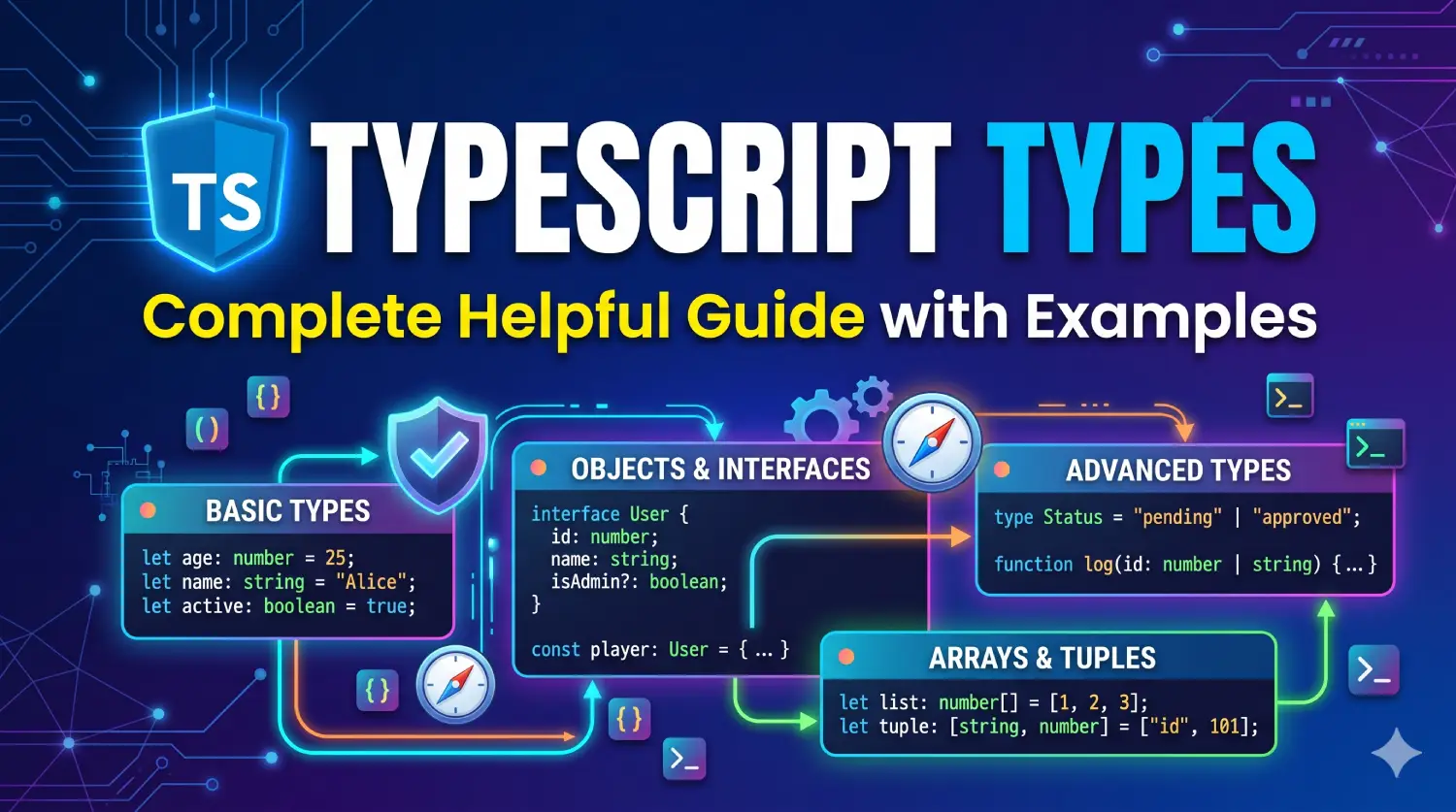
Learn TypeScript types with practical examples, including primitive types, interfaces, unions, generics, type narrowing, and utility types.
Table of Contents
TypeScript is a popular programming language that extends JavaScript with a powerful type system. It helps developers catch errors during development, improve code readability, build reliable applications, and work more efficiently with modern development tools.
Understanding TypeScript types is essential when building applications with React, Node.js, Angular, or other JavaScript-based technologies. Types help describe the data a variable can contain, the arguments a function accepts, the values it returns, and the structure of objects used throughout an application.
In this guide, you will learn TypeScript types step by step, including primitive types, arrays, objects, union types, literal types, typescript interfaces, type aliases, tuples, enums, Typescript generics, type narrowing, utility types, and practical examples.
The examples follow the concepts covered in the official TypeScript Handbook, with modern TypeScript 6.0 and the 2026 documentation landscape in mind.
1. What Are Types in TypeScript?
A type defines the kind of value a variable, parameter, property, or function can work with. For example, a variable may contain a string, number, Boolean value, array, or object.
JavaScript allows variables to hold values of different types during execution. TypeScript adds static type checking, which helps detect incompatible operations before the code runs.
Consider the following JavaScript example:
let age = 30;

age = "thirty";

console.log(age);
JavaScript permits this reassignment because variables are not restricted to their initial value type.
In TypeScript, you can explicitly specify the variable’s type:
let age: number = 30;

age = 35;

// TypeScript error:
// age = "thirty";
The annotation : number tells TypeScript that age must contain a number. Assigning a string to this variable produces a type-checking error.
How TypeScript types checking works
TypeScript analyzes your source code before execution. It checks whether variables, function arguments, return values, and other expressions are compatible with their declared or inferred Typescript types.
For example:
function add(a: number, b: number): number {
    return a + b;
}

console.log(add(10, 20));

// TypeScript error:
// add(10, "20");
The function accepts two numbers and returns a number. Passing a string as the second argument violates its declared contract.
Important: TypeScript types are primarily a compile-time feature. Most type annotations are removed when TypeScript is converted into JavaScript. They do not automatically validate external data at runtime.
For example, data received from an API still needs appropriate runtime validation if you cannot trust its structure.
2. Why Are TypeScript Types Important?
TypeScript types provide several practical advantages.
2.1 Catch errors early
Type checking can identify invalid assignments, incorrect function arguments, and missing required properties before your application executes.
interface User {
    id: number;
    name: string;
}

const user: User = {
    id: 1,
    name: "Umang"
};

// Error: email is not defined on User.
// console.log(user.email);
2.2 Improve code readability
Typescript Types make the expected data structure explicit.
type Product = {
    id: number;
    name: string;
    price: number;
    inStock: boolean;
};
Other developers can understand what a product contains without inspecting every function that uses it.
2.3 Improve editor support
Type information enables features such as autocomplete, navigation to definitions, and more accurate refactoring in editors such as Visual Studio Code.
2.4 Make refactoring safer
When a property or function signature changes, TypeScript can highlight many places that need updating.
2.5 Improve maintainability
In larger applications, types help define clear contracts between services, components, modules, and API layers.
3. Typescript Types Inference and Type Annotations
TypeScript can determine many types automatically. This capability is called type inference.
3.1 Type inference
let username = "Umang";
let age = 35;
let isDeveloper = true;
TypeScript infers these types:
// username: string
// age: number
// isDeveloper: boolean
You do not need to add a type annotation every time a type is obvious.
3.2 Typescript Types annotations
A type annotation explicitly declares the expected type.
let username: string = "Umang";
let age: number = 35;
let isDeveloper: boolean = true;
Both approaches are valid.
3.3 When should you use annotations?
Use annotations when they improve clarity or establish a useful contract, such as function parameters, public APIs, and variables whose initial values do not reveal their intended types.
let userId: number;

userId = 101;
Without an initializer, the annotation makes the intended type clear.
For ordinary local variables with obvious initial values, inference is usually sufficient.
4. Primitive Types in TypeScript
Primitive types represent basic JavaScript values.
4.1 String
The string type represents textual data.
let firstName: string = "Umang";
let greeting: string = `Hello, ${firstName}!`;

console.log(greeting);
Common uses include names, email addresses, titles, and messages.
4.2 Number
The number type represents integer and floating-point numbers.
let age: number = 35;
let price: number = 499.99;
let discount: number = 10;

console.log(price - discount);
TypeScript uses number for both integers and decimal values. It does not require separate int and float types.
4.3 Boolean
The boolean type represents true or false.
let isLoggedIn: boolean = true;
let hasPermission: boolean = false;
Booleans are useful for feature flags, permission checks, and conditional logic.
4.4 BigInt
The bigint type represents integers larger than the range safely represented by JavaScript’s number type.
const largeNumber: bigint = 9007199254740993n;

console.log(largeNumber);
BigInt literals use the n suffix. Your target runtime and TypeScript configuration must support BigInt.
4.5 Symbol
A symbol represents a unique primitive value.
const firstId: symbol = Symbol("id");
const secondId: symbol = Symbol("id");

console.log(firstId === secondId); // false
Symbols are sometimes used for unique object keys and library-level identifiers.
4.6 Null and undefined
JavaScript has two distinct values for representing the absence of a value: null and undefined.
let selectedUser: string | null = null;
let optionalValue: undefined = undefined;
With strictNullChecks enabled, these values cannot be assigned to ordinary Typescript types such as string or number unless the declared type permits them.
For example:
let email: string | null = null;

email = "user@example.com";
email = null;
The union type allows both values.
4.7 The object type
The lowercase object type represents non-primitive values.
let settings: object = {
    theme: "dark"
};
However, object alone does not describe the properties of the value. Use a more specific object type or Typescript interface when you need property checking.
type Settings = {
    theme: string;
};

const userSettings: Settings = {
    theme: "dark"
};
Best practice: Use lowercase primitive types such as string, number, and boolean. Avoid the boxed Typescript types String, Number, and Boolean for ordinary application code.
5. The any, unknown, void, and never Typescript Types
These Typescript types have special meanings and are important for writing safer TypeScript applications.
5.1 The any type
The any type disables most type checking for the value.
let data: any = "Hello";

data = 100;
data = true;

data.nonExistingMethod();
TypeScript generally allows these operations without reporting type errors.
This flexibility can be useful when migrating old JavaScript code, but excessive use of any removes many benefits of TypeScript.
5.2 The unknown type
The unknown type can represent a value whose type has not yet been established.
let response: unknown = "Hello";

if (typeof response === "string") {
    console.log(response.toUpperCase());
}
You must narrow or validate an unknown value before performing operations that require a more specific type.
Compare the two:
any: permits operations without requiring type checks.unknown: requires you to establish what operations are safe.
For external API responses, user input, or values from untyped libraries, unknown is often a safer starting point.
5.3 The void type
The void type is commonly used as the return type of functions that do not return a useful value.
function logMessage(message: string): void {
    console.log(message);
}
The function performs an action but does not return a meaningful result.
5.4 The never type
The never type represents values that cannot occur in a particular position, such as the return type of a function that always throws an exception.
function throwError(message: string): never {
    throw new Error(message);
}
Another use is exhaustive checking in conditional logic.
type Status = "pending" | "success" | "failed";

function getStatusMessage(status: Status): string {
    switch (status) {
        case "pending":
            return "Please wait";

        case "success":
            return "Operation completed";

        case "failed":
            return "Operation failed";
    }
}
With suitable strict settings, TypeScript can verify that every possible status is handled. An explicit never check can make this requirement more obvious:
function assertNever(value: never): never {
    throw new Error(`Unexpected value: ${value}`);
}
Add default: return assertNever(status); to the switch when you want a compiler error if a new status is added without a corresponding case.
6. Arrays and Tuples
Arrays store collections of values. Tuples describe arrays with a specific structure and known positions.
6.1 Typed arrays
An array of strings can be declared in two common ways.
let languages: string[] = [
    "PHP",
    "JavaScript",
    "TypeScript"
];

let scores: Array<number> = [80, 90, 95];
Both string[] and Array<string> describe arrays whose elements are strings.
6.2 Arrays of objects
type Product = {
    id: number;
    name: string;
    price: number;
};

const products: Product[] = [
    {
        id: 1,
        name: "Keyboard",
        price: 1500
    },
    {
        id: 2,
        name: "Mouse",
        price: 700
    }
];
TypeScript checks that each product has the required properties with compatible values.
6.3 Readonly arrays
A readonly array prevents mutation through that particular reference.
const technologies: readonly string[] = [
    "PHP",
    "Laravel",
    "TypeScript"
];

// Error:
// technologies.push("React");
Readonly Typescript types help communicate that a function or variable should not modify a collection.
They do not freeze the underlying JavaScript object at runtime.
6.4 Tuples
A tuple specifies the expected type at each position.
let userRecord: [number, string, boolean] = [
    1,
    "Umang",
    true
];
The first element is a number, the second is a string, and the third is a Boolean.
Tuples are useful for fixed-format values such as coordinates or structured return values.
type Coordinate = [number, number];

const location: Coordinate = [23.0225, 72.5714];
6.5 Optional and rest tuple elements
Tuples can also include optional or rest elements.
type UserDetails = [number, string, string?];

const user1: UserDetails = [1, "Umang"];
const user2: UserDetails = [2, "Amit", "amit@example.com"];
Use tuples when positions have specific meanings. Use arrays when elements form a general collection of the same type.
7. Object Typescript Types
Object types describe the properties and their types.
let user: {
    id: number;
    name: string;
    email: string;
} = {
    id: 1,
    name: "Umang",
    email: "umang@example.com"
};
This object must contain all three required properties.
For reusable object structures, type aliases and Typescript interfaces are usually easier to maintain than repeatedly writing inline object types.
7.1 Nested object Typescript types
type Address = {
    city: string;
    state: string;
    country: string;
};

type Customer = {
    id: number;
    name: string;
    address: Address;
};

const customer: Customer = {
    id: 101,
    name: "Amit",
    address: {
        city: "Ahmedabad",
        state: "Gujarat",
        country: "India"
    }
};
Nested types help organize complex data models.
7.2 Index signatures
Index signatures describe objects whose property names are not all known in advance.
type StringDictionary = {
    [key: string]: string;
};

const labels: StringDictionary = {
    save: "Save",
    cancel: "Cancel",
    delete: "Delete"
};
Every string-keyed property in this example must have a string value.
If a known property has a different type, the design must account for that difference. For many dynamic data structures, a Record utility type or a Map may be more appropriate.
8. Type Aliases
A type alias gives a name to a type.
type User = {
    id: number;
    name: string;
    email: string;
};

const user: User = {
    id: 1,
    name: "Umang",
    email: "umang@example.com"
};
The type keyword can describe objects, unions, intersections, tuples, function signatures, and other types.
8.1 Type aliases for unions
type PaymentStatus = "pending" | "completed" | "failed";

let paymentStatus: PaymentStatus = "pending";
Only the three specified string values are permitted.
8.2 Type aliases for function signatures
type Calculator = (a: number, b: number) => number;

const add: Calculator = (a, b) => a + b;
const multiply: Calculator = (a, b) => a * b;
This makes it easy to reuse a function contract.
9. Interfaces
An interface describes the expected shape of an object.
interface User {
    id: number;
    name: string;
    email: string;
}

const user: User = {
    id: 1,
    name: "Umang",
    email: "umang@example.com"
};
Interfaces are widely used for object contracts, class implementations, and public APIs.
9.1 Extending interfaces
An interface can extend another interface to reuse its properties.
interface Person {
    name: string;
    email: string;
}

interface Employee extends Person {
    employeeId: number;
    department: string;
}

const employee: Employee = {
    name: "Umang",
    email: "umang@example.com",
    employeeId: 101,
    department: "Development"
};
The Employee interface inherits the properties of Person and adds two more.
9.2 Implementing interfaces in classes
interface Logger {
    log(message: string): void;
}

class ConsoleLogger implements Logger {
    log(message: string): void {
        console.log(message);
    }
}
The class must satisfy the interface contract.
An interface does not provide a runtime implementation of the log() method. The class provides that behavior.
9.3 Interface versus type alias
Both can describe object structures, but they have different capabilities and conventions.
| Feature | Interface | Type alias |
|---|---|---|
| Describe object properties | Yes | Yes |
| Extend or compose object shapes | extends |
Intersections using & |
| Define union types | No, not directly | Yes |
| Define tuple types | No, not directly | Yes |
| Declaration merging | Supported | Not supported in the same way |
| Implemented by classes | Yes | Object-shaped aliases can be used as contracts |
Use whichever communicates your design most clearly. Interfaces are a natural choice for extensible object contracts; type aliases are particularly convenient for unions and complex type compositions.
10. Union Typescript Types
A Typescript union type allows a value to belong to one of several types.
let userId: number | string;

userId = 101;
userId = "USR-101";
This is useful when an identifier may be numeric or textual.
10.1 Typescript Union types in functions
function printId(id: number | string): void {
    console.log(id);
}

printId(101);
printId("USR-101");
The function accepts either type.
However, not every operation is available on every member of a union. You must narrow the type before performing operations that require a specific member.
function formatId(id: number | string): string {
    if (typeof id === "number") {
        return id.toFixed(0);
    }

    return id.toUpperCase();
}
The typeof check allows TypeScript to identify the relevant type in each branch.
11. Intersection Typescript Types
An intersection type combines multiple types into a single type that satisfies all of them.
type Person = {
    name: string;
};

type Employee = {
    employeeId: number;
};

type EmployeeDetails = Person & Employee;

const employee: EmployeeDetails = {
    name: "Umang",
    employeeId: 101
};
The resulting type requires both name and employeeId.
Intersections are useful when combining reusable object contracts.
Be careful when combining properties with incompatible Typescript types. For example, intersecting { id: string } with { id: number } produces an impossible id requirement rather than choosing one type.
12. Literal Typescript Types
Literal Typescript types restrict a value to specific literal values.
let direction: "left" | "right" | "up" | "down";

direction = "left";

// Error:
// direction = "forward";
Literal Typescript types are helpful for statuses, modes, configuration options, and other values with a known set of possibilities.
12.1 Literal inference with const
const status = "success";TypeScript infers the literal type "success" because the variable cannot be reassigned.
With let, TypeScript generally infers a broader string type:
let status = "success";You can explicitly declare a union when a variable must accept several known values.
type Status = "success" | "pending" | "failed";

let paymentStatus: Status = "pending";
12.2 The as const assertion
The as const assertion preserves literal Typescript types and makes object properties and array elements readonly in the inferred type.
const config = {
    theme: "dark",
    version: 1
} as const;
The inferred property types are “dark” and 1, rather than general string and number.
This is useful for immutable configuration objects and deriving types from constant data.
13. Enums in TypeScript
Enums define a set of named constants.
enum OrderStatus {
    Pending,
    Processing,
    Shipped,
    Delivered
}

const status: OrderStatus = OrderStatus.Pending;

console.log(status);
Numeric enums start at zero by default unless a starting value is specified. Consequently, Pending is 0, Processing is 1, and so on.
13.1 String enums
enum UserRole {
    Admin = "ADMIN",
    Editor = "EDITOR",
    Subscriber = "SUBSCRIBER"
}

const role: UserRole = UserRole.Admin;
String enums can make serialized values easier to understand.
13.2 Should you use enums?
Enums remain supported, but they are not always necessary.
A union of string literals is often simpler for application statuses:
type OrderStatus =
    | "pending"
    | "processing"
    | "shipped"
    | "delivered";
Choose based on the runtime representation you need and your project’s conventions. Unlike a type alias, a regular enum generates a JavaScript runtime construct.
14. Optional Properties and Readonly Properties
14.1 Optional properties
Use ? when an object property may be omitted.
interface User {
    id: number;
    name: string;
    phone?: string;
}

const user: User = {
    id: 1,
    name: "Umang"
};
The phone property is optional.
With strict null checking, accessing an optional property requires you to account for the possibility that it is undefined.
if (user.phone) {
    console.log(user.phone);
}
If empty strings are valid values, check explicitly for undefined instead of using a truthiness check.
14.2 Readonly properties
The readonly modifier prevents reassignment of a property through a reference typed with that declaration.
interface Product {
    readonly id: number;
    name: string;
}

const product: Product = {
    id: 1,
    name: "Keyboard"
};

product.name = "Mechanical Keyboard";

// Error:
// product.id = 2;
readonly is a compile-time restriction, not a guarantee of runtime immutability. It also does not automatically make nested objects immutable.
15. Function Types
TypeScript can describe the parameter and return types of functions.
function calculateTotal(price: number, quantity: number): number {
    return price * quantity;
}
Here, both parameters and the return value are numbers.
15.1 Optional parameters
function greet(name: string, title?: string): string {
    if (title) {
        return `Hello, ${title} ${name}`;
    }

    return `Hello, ${name}`;
}
An optional parameter may be omitted by the caller. Inside the function, its value may be undefined.
15.2 Default parameters
function greetUser(name: string = "Guest"): string {
    return `Hello, ${name}`;
}

console.log(greetUser());
console.log(greetUser("Umang"));
A default parameter is used when the argument is omitted or is undefined.
15.3 Rest parameters
function sum(...numbers: number[]): number {
    return numbers.reduce((total, number) => total + number, 0);
}

console.log(sum(10, 20, 30));
The rest parameter collects zero or more arguments into an array.
15.4 Function types
type Operation = (a: number, b: number) => number;

const subtract: Operation = (a, b) => a - b;
Function types are useful for callbacks, event handlers, reusable business logic, and dependency injection.
16. Type Assertions
A type assertion tells TypeScript to treat a value as a specified type.
const input = document.querySelector("#username") as HTMLInputElement;

console.log(input.value);
The assertion tells the compiler that the selected element should be treated as an HTMLInputElement.
However, an assertion does not perform runtime validation. If the element does not exist, the expression can still be null at runtime despite the assertion.
A safer approach is to check the value:
const element = document.querySelector("#username");

if (element instanceof HTMLInputElement) {
    console.log(element.value);
}
Avoid using assertions to silence errors without understanding why the compiler reports them.
16.1 The non-null assertion operator
The ! operator tells TypeScript that a value is not null or undefined.
const element = document.querySelector("#username")!;This is appropriate only when you have independently established that the value exists. It does not add a runtime check.
17. Type Narrowing and Type Guards
Type narrowing reduces a broad type to a more specific type based on conditions and control flow.
17.1 Using typeof
function displayValue(value: string | number): string {
    if (typeof value === "string") {
        return value.toUpperCase();
    }

    return value.toFixed(2);
}
Inside the first branch, TypeScript knows that value is a string. In the second branch, it knows that value is a number.
17.2 Using instanceof
function getDateValue(value: Date | string): string {
    if (value instanceof Date) {
        return value.toISOString();
    }

    return value;
}
instanceof can distinguish instances of classes and built-in constructors such as Date.
17.3 Using the in operator
type Admin = {
    name: string;
    permissions: string[];
};

type Customer = {
    name: string;
    loyaltyPoints: number;
};

function describeUser(user: Admin | Customer): string {
    if ("permissions" in user) {
        return `Admin with ${user.permissions.length} permissions`;
    }

    return `Customer with ${user.loyaltyPoints} points`;
}
The in operator checks whether a property exists in an object or its prototype chain.
17.4 Discriminated unions
A discriminated union uses a common property with distinct literal values to distinguish variants.
type ApiResult =
    | {
        status: "success";
        data: string[];
    }
    | {
        status: "error";
        message: string;
    };

function handleResult(result: ApiResult): void {
    if (result.status === "success") {
        console.log(result.data);
    } else {
        console.error(result.message);
    }
}
Checking status narrows result to the appropriate variant.
Discriminated unions are especially useful for API responses, application state, payment workflows, and form submission results.
18. Typescript Generics
Typescript Generics let you define reusable functions, classes, and types while preserving information about the types of the values they handle.
18.1 Generic functions
function identity<T>(value: T): T {
    return value;
}

const name = identity<string>("Umang");
const number = identity<number>(100);
Here, T is a type parameter. The function accepts a value of type T and returns the same type.
TypeScript can often infer the type argument:
const message = identity("Hello");
const score = identity(100);
Explicit type arguments are useful when inference is insufficient or when they improve readability.
18.2 Generic arrays
function getFirst<T>(items: T[]): T | undefined {
    return items[0];
}

const firstName = getFirst(["Umang", "Amit"]);
const firstNumber = getFirst([10, 20, 30]);
The return type reflects the element type and allows for an empty array.
18.3 Generic interfaces
interface ApiResponse<T> {
    success: boolean;
    data: T;
    message?: string;
}

const response: ApiResponse<string[]> = {
    success: true,
    data: ["PHP", "TypeScript", "Laravel"]
};
The same response structure can describe many different payload types.
18.4 Generic constraints
Constraints restrict the Typescript types that can be supplied as generic arguments.
function getLength<T extends { length: number }>(value: T): number {
    return value.length;
}

console.log(getLength("TypeScript"));
console.log(getLength([10, 20, 30]));
The constraint guarantees that the supplied value has a numeric length property.
Generics are useful when you want reusable code without losing the relationship between input and output types.
19. The keyof and typeof Operators
These operators help derive types from existing declarations.
19.1 The keyof operator
keyof produces a union of the keys of a type.
interface User {
    id: number;
    name: string;
    email: string;
}

type UserKey = keyof User;

// Equivalent to:
// "id" | "name" | "email"
You can use this to restrict a function to valid property names.
function getProperty<T, K extends keyof T>(object: T, key: K): T[K] {
    return object[key];
}

const user = {
    id: 1,
    name: "Umang"
};

const userName = getProperty(user, "name");
The result type corresponds to the selected property.
19.2 The typeof operator
In a type position, typeof obtains the type of an existing value.
const defaultSettings = {
    theme: "dark",
    pageSize: 20
};

type Settings = typeof defaultSettings;
This avoids duplicating a type definition when an existing value is the source of truth.
JavaScript also has a runtime typeof operator. In contrast, typeof in a TypeScript type expression is evaluated by the type system.
20. TypeScript Utility Types
TypeScript includes built-in utility types for transforming existing types. These utilities help reduce duplicated declarations.
20.1 Partial
Partial<T> makes all properties optional.
interface User {
    id: number;
    name: string;
    email: string;
}

type UserUpdate = Partial<User>;

const update: UserUpdate = {
    name: "Umang"
};
This is useful for partial updates, such as editing a subset of user fields.
20.2 Required
Required<T> makes all properties required.
interface User {
    name: string;
    email?: string;
}

type CompleteUser = Required<User>;
A CompleteUser must contain both properties.
20.3 Readonly
Readonly<T> marks all properties as readonly in the resulting type.
interface Product {
    id: number;
    name: string;
}

type ReadonlyProduct = Readonly<Product>;
This restricts reassignment through the resulting type.
20.4 Pick
Pick<T, K> selects specified properties.
interface User {
    id: number;
    name: string;
    email: string;
    password: string;
}

type PublicUser = Pick<User, "id" | "name" | "email">;
This is useful for defining public-facing data structures that exclude internal fields.
Remember that a type transformation alone does not remove fields from a runtime object or sanitize sensitive data.
20.5 Omit
Omit<T, K> excludes specified properties.
type UserWithoutPassword = Omit<User, "password">;This provides another way to derive a related object type.
20.6 Record
Record<K, T> creates an object type with keys K and values T.
type UserRole = "admin" | "editor" | "customer";

const roleLabels: Record<UserRole, string> = {
    admin: "Administrator",
    editor: "Content Editor",
    customer: "Customer"
};
TypeScript checks that all three required keys are present and have string values.
20.7 Exclude and Extract
Exclude<T, U> removes members of one union from another. Extract<T, U> keeps the members assignable to another type.
type Status = "pending" | "success" | "failed";

type ActiveStatus = Exclude<Status, "failed">;
// "pending" | "success"

type SuccessfulStatus = Extract<Status, "success" | "failed">;
// "success" | "failed"
These utilities are useful when refining unions.
20.8 NonNullable
NonNullable<T> removes null and undefined from a type.
type Value = string | number | null | undefined;

type ValidValue = NonNullable<Value>;
// string | number
20.9 ReturnType and Parameters
ReturnType<T> extracts a function’s return type, while Parameters<T> extracts its parameter types as a tuple.
function createUser(name: string, age: number) {
    return {
        name,
        age
    };
}

type CreateUserResult = ReturnType<typeof createUser>;
type CreateUserArguments = Parameters<typeof createUser>;
These utilities are particularly useful when building wrappers, reusable helpers, and strongly typed APIs.
20.10 Awaited
Awaited<T> models the value obtained by awaiting a promise-like type.
type Result = Awaited<Promise<string>>;
// string
It can help derive the resolved type of asynchronous operations.
21. TypeScript Types for API Responses
One of the most useful real-world applications of TypeScript types is describing data returned by APIs.
Suppose an application retrieves a list of products.
interface Product {
    id: number;
    name: string;
    price: number;
    inStock: boolean;
}

async function getProducts(): Promise<Product[]> {
    const response = await fetch("/api/products");

    if (!response.ok) {
        throw new Error("Unable to fetch products");
    }

    return response.json() as Promise<Product[]>;
}
This example communicates the intended return type, but the assertion does not validate the response body. If the server returns unexpected data, the runtime value may not match Product[].
A safer pattern is to treat external data as unknown and validate it before using it.
interface Product {
    id: number;
    name: string;
    price: number;
    inStock: boolean;
}

function isProduct(value: unknown): value is Product {
    if (typeof value !== "object" || value === null) {
        return false;
    }

    const product = value as Record<string, unknown>;

    return (
        typeof product.id === "number" &&
        typeof product.name === "string" &&
        typeof product.price === "number" &&
        typeof product.inStock === "boolean"
    );
}

async function getProduct(): Promise<Product> {
    const response = await fetch("/api/product");

    if (!response.ok) {
        throw new Error("Unable to fetch product");
    }

    const data: unknown = await response.json();

    if (!isProduct(data)) {
        throw new Error("Invalid product response");
    }

    return data;
}
The custom type predicate value is Product tells TypeScript that the function has checked the structure needed by the Product type.
For large or deeply nested API payloads, a runtime validation library can reduce the amount of manual checking. TypeScript itself does not automatically validate JSON at runtime.
22. Common TypeScript Mistakes
Understanding common mistakes can help you write more reliable code.
Mistake 1: Using any everywhere
let data: any;Problem: The compiler cannot provide meaningful protection for operations performed on data.
Better approach: Prefer a specific type or use unknown until the value has been validated.
Mistake 2: Using uppercase primitive types
// Avoid:
let name: String = "Umang";

// Prefer:
let name: string = "Umang";
Use the lowercase primitive type.
Mistake 3: Assuming type assertions validate data
const user = JSON.parse(jsonString) as User;Problem: This assertion does not verify that the JSON matches User.
Better approach: Validate untrusted data before treating it as a User.
Mistake 4: Ignoring null and undefined
const user = users.find(user => user.id === 10);The result may be undefined if no matching user exists.
Handle that possibility:
if (user) {
    console.log(user.name);
}
Mistake 5: Overusing explicit annotations
const count: number = 10;
const name: string = "Umang";
These annotations are valid but often unnecessary because TypeScript already infers the types.
Use annotations when they make a contract clearer, not simply on every declaration.
Mistake 6: Using an overly broad object type
function save(value: object): void {
    // ...
}
The object type does not tell you which properties are available.
Prefer a specific interface or type alias when the function expects a particular structure.
23. TypeScript Types Best Practices
Follow these practices when working on real-world TypeScript projects.
- Enable strict checking. Use
"strict": trueintsconfig.jsonfor new projects where practical. It enables several important checks, including strict null checking. - Prefer specific Typescript types. Describe the actual data structure rather than relying on
anyor a broadobjecttype. - Use type inference where appropriate. Let TypeScript infer straightforward local variables, and explicitly declare important function contracts and public APIs.
- Use Typescript union types for known alternatives. For states such as
"pending","success", and"failed", unions provide a clear and restricted set of values. - Use generics for reusable code. Preserve the relationship between inputs and outputs rather than losing useful information through broad types.
- Validate external data. Data from APIs, forms, files, and other untrusted sources requires runtime checks when correctness matters.
- Prefer readonly declarations where useful. Readonly arrays and properties communicate intent and help prevent accidental mutation during type checking.
- Use utility types to avoid duplication.
Pick,Omit,Partial, andRecordcan express common transformations without repeating entire interfaces. - Keep Typescript types understandable. Avoid complicated combinations of conditional types and intersections when a simpler design would be easier to maintain.
- Treat compiler errors as useful feedback. Fix the underlying mismatch instead of routinely suppressing errors with assertions or ignore comments.
Example: A practical tsconfig.json
For a modern browser application, a configuration could begin with:
{
  "compilerOptions": {
    "target": "ES2022",
    "module": "ESNext",
    "moduleResolution": "Bundler",
    "strict": true,
    "noEmit": true,
    "skipLibCheck": true
  },
  "include": ["src"]
}
This is an illustrative starting point for a bundler-based application, not a universal configuration. Your framework, build tool, runtime, and TypeScript version may require different settings.
TypeScript 6.0 introduced configuration changes and deprecations as part of the transition toward TypeScript 7.0. Review the official release notes before upgrading an existing project.
24. Frequently Asked Questions
What are types in TypeScript?
Typescript Types describe the values that variables, function parameters, return values, and object properties can contain. They allow TypeScript to identify many programming mistakes during static checking.
What is the difference between any and unknown?
Both can represent values of initially uncertain Typescript types. However, any largely disables type checking, while unknown requires you to narrow or validate the value before performing type-specific operations.
What is the difference between interface and type in TypeScript?
Both can describe object shapes. Interfaces support declaration merging and are often convenient for extensible object contracts. Type aliases can describe unions, tuples, intersections, and many other Typescript types.
What is a union type?
A union type allows a value to match one of several Typescript types.
type Id = number | string;The value can be either a number or a string.
What is an intersection type?
An intersection type combines multiple type requirements.
type Named = { name: string };
type Identified = { id: number };

type User = Named & Identified;
A value of type User must satisfy both object shapes.
What is a generic type?
A generic type lets you define reusable code that works with different types while preserving type information. Generics are commonly used in collections, API response models, and utility functions.
Does TypeScript check types at runtime?
TypeScript primarily performs static type checking. Type annotations are generally removed from the generated JavaScript, so runtime validation is necessary when dealing with untrusted input.
What is type inference?
Type inference is TypeScript’s ability to determine types from initial values, expressions, function return values, and contextual information without requiring explicit annotations everywhere.
Which TypeScript types should beginners learn first?
Start with string, number, boolean, arrays, objects, function Typescript types, unions, interfaces, and type aliases. Next, learn unknown, type narrowing, generics, and utility types.
What is the never type used for?
never represents values that cannot occur. It is useful for functions that never complete normally and for exhaustive checks that ensure every member of a union has been handled.
References
These authoritative sources should be used to verify examples and keep the article updated.
25. Conclusion
TypeScript types are the foundation of writing reliable, maintainable JavaScript applications. They help developers describe data structures, define function contracts, prevent incompatible assignments, and understand how different parts of an application interact.
Begin with primitive Typescript types, arrays, objects, functions, interfaces, and type aliases. Then learn union and intersection Typescript types, literal Typescript types, type narrowing, Typescript generics, and Typescript utility types. These concepts cover a large portion of everyday TypeScript development.
For practical experience, build a small application such as a product catalogue, task manager, or API dashboard. Define the data models, type the API responses, handle loading and error states, and use strict checking to identify mistakes as you develop.
Finally, remember that static Typescript types and runtime validation solve different problems. TypeScript helps you write code that is consistent with declared contracts, while runtime validation checks whether actual external data satisfies those contracts.
Continue learning with the official TypeScript Handbook and release notes to keep your projects aligned with current language features and compiler recommendations.