
Lit Framework is yet another of the top web development frameworks among developers for using lit-HTML to render into shadow DOM.
Table of Contents
Web development in 2026 continues to evolve rapidly, with developers prioritizing performance, scalability, and maintainability. While large frameworks still dominate, lightweight and standards-based solutions are gaining massive popularity.
One such powerful solution is the Lit Framework — a modern, minimal, and efficient way to build reusable web components using native browser capabilities.
In this article, we’ll explore what Lit is, why it’s popular in 2026, its features, installation, examples, and real-world use cases, along with SEO-optimized insights to help developers make informed decisions.
What is Lit Framework
Lit Framework is a lightweight, fast, and efficient framework designed to build web components with minimal boilerplate. Developed by Google, it leverages modern web standards, ensuring compatibility and performance across all major browsers.
Lit Framework is built on top of the Web Components standard, providing a simple and expressive way to create custom elements and reusable components.
Lit’s main feature is the LitElement base class, a convenient and versatile extension of the native HTMLElement. You extend from it to define your own components.
Lit framework doesn’t require compilation or building during development, so it can be used virtually tool-free if you prefer. First-class IDE support (code-completion, linting, etc.) and tooling for production (localization, template minification, etc.) are readily available.
Lit framework provides APIs to simplify common Web Components tasks like managing properties, attributes, and rendering.
Why Lit Framework is Popular in 2026
Lit has become a top choice in 2026 due to the shift toward:
- Framework-agnostic development
- Micro frontends
- Performance-first applications
Unlike traditional frameworks, Lit focuses on using the browser itself as the framework, reducing dependency bloat.
Why use Lit
See below for a list of features:
- Lightweight: One of the most compelling features of Lit is its minimal footprint. With a core library size of just a few kilobytes, Lit ensures your applications remain fast and responsive.
- Fast Rendering: Lit uses a highly optimized rendering engine that updates the DOM efficiently. This results in faster UI updates and better overall performance.
- Declarative Templates: Lit utilizes HTML templates for defining UI components, making it easy to understand and use. The templates are simple yet powerful, enabling developers to write clean and maintainable code.
- Reactive Properties: Lit’s reactive properties system ensures that the UI automatically updates when data changes, reducing the need for manual DOM manipulation.
- Standards-Based: Since Lit is built on Web Components, it adheres to modern web standards. This ensures that your components will work seamlessly across different browsers and frameworks.
- Interoperability: Lit components can be used with any JavaScript framework, such as React, Angular, or Vue. This flexibility allows developers to integrate Lit components into existing projects without hassle.
- No Compilation Required: Unlike many other frameworks, Lit doesn’t require compilation or building during development. This means you can use it virtually tool-free if you prefer, making the development process faster and more straightforward.
Lit Framework Installation:
Before starting installation, make sure that Node.js and npm (or yarn) are installed on your system. You can check their installation by running node -v and npm -v (or yarn -v) in your terminal. If they are not installed, download them from the official websites https://nodejs.org/en and https://www.npmjs.com/.
1). Open your terminal and create a new directory for your project. Let’s call it lit-example:
mkdir lit-example
cd lit-example
2). While not strictly necessary for using Lit Element, it’s good practice to initialize a basic project structure. You can use npm init -y to create a basic package.json file:
npm init -y
3). Now, install Lit Element using npm:
npm install lit
4). Create a new file named my-element.js inside your project directory. This file will contain your custom Lit Element code. Add the following code to my-element.js:
import {LitElement, html, css} from 'lit';
class MyElement extends LitElement {
    static properties = {
        message: { type: String },
    };
    constructor() {
        super();
        this.message = 'Hello from Lit Element!';
    }
    render() {
        return html`<h1>${this.message}</h1>`;
    }
}
customElements.define('my-element', MyElement);
<!DOCTYPE html>
<html lang="en">
<head>
<meta charset="UTF-8">
<meta name="viewport" content="width=device-width, initial-scale=1.0">
<title>Lit Element Example</title>
</head>
<body>
<my-element></my-element> <script type="module" src="./my-element.js"></script>
</body>
</html>
npm i @web/dev-server --save-dev
7). Add a command to your package.json file:
"scripts": {
  "start": "web-dev-server"
}
8> And a web-dev-server.config.js file:
export default {
  open: true,
  watch: true,
  appIndex: 'index.html',
  nodeResolve: {
    exportConditions: ['development'],
  },
};
9). Update package.json like below
{
  "name": "lit-example",
  "version": "1.0.0",
  "description": "",
  "main": "index.js",
  "type": "module",
  "scripts": {
    "start": "web-dev-server",
    "test": "echo \"Error: no test specified\" && exit 1"
  },
  "keywords": [],
  "author": "",
  "license": "ISC",
  "dependencies": {
    "lit": "^3.1.4"
  },
  "devDependencies": {
    "@web/dev-server": "^0.4.6"
  }
}
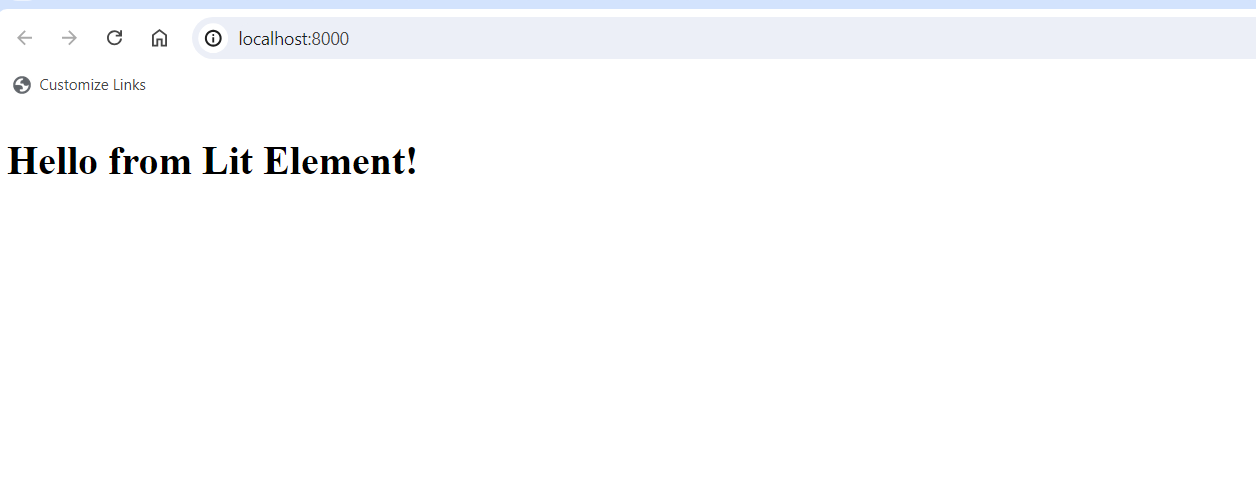
10). That’s it. now, Run the dev server by “npm run start” and you will see output like the one below
Core Concepts in Lit framework (2026 Edition)
1. Reactive Properties
Automatically update UI when state changes.
2. Templates
Use html tagged literals for rendering.
3. Styling
Use css for scoped styles.
4. Lifecycle Methods
- connectedCallback
- updated
- firstUpdated
5. Directives (Advanced)
Built-in helpers like:
- repeat() → loops
- ifDefined() → conditional rendering
Real-World Use Cases
Lit is widely used in:
- Design systems
- UI component libraries
- Micro frontends
- Progressive Web Apps (PWAs)
- Enterprise dashboards
Advantages and Disadvantages
Advantages
- Extremely lightweight
- High performance
- Native browser support
- Reusable components
- No framework lock-in
Disadvantages
- Smaller ecosystem compared to React
- Learning curve for Web Components
- Limited built-in routing/state tools
Lit framework vs Other Frameworks (2026)
| Feature | Lit | React | Angular |
|---|---|---|---|
| Bundle Size | Small | Medium | Large |
| Performance | High | High | Medium |
| Learning Curve | Medium | Easy | Hard |
| Native APIs | Yes | No | No |
Lit is best when you want performance + flexibility + standards
References
- Official Documentation: https://lit.dev/docs/
- GitHub Repository: https://github.com/lit/lit
- Web Components Guide: https://developer.mozilla.org/en-US/docs/Web/Web_Components
Conclusion:
In summary, the Lit framework embodies a contemporary method for web development by seamlessly integrating performance, simplicity, and compatibility. Its lightweight design and commitment to web standards make it the perfect option for constructing scalable and sustainable web applications.
Whether you are embarking on a new project or seeking to improve an existing one, Lit provides the necessary tools and adaptability to ensure your success. Embrace the future of web development with Lit and witness the seamless creation of extraordinary web experiences.