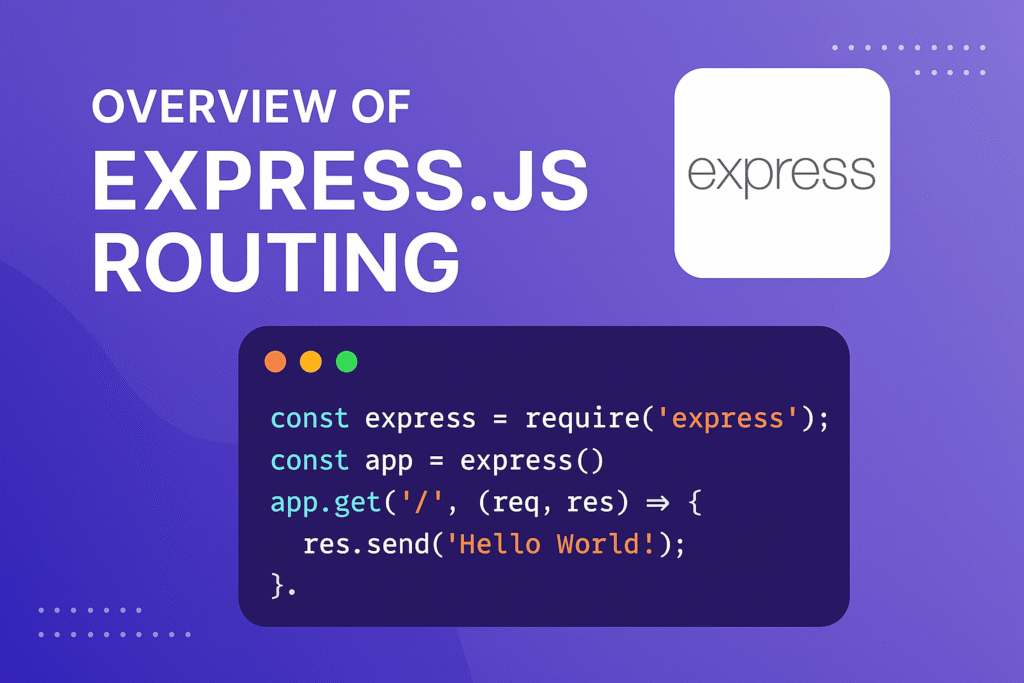
In this article, we’ll see ExpressJS Overview.
Table of Contents
In today’s fast-paced web development landscape, building scalable and high-performance backend applications is essential. This is where ExpressJS plays a crucial role.
Express.js is one of the most widely used frameworks in the Node.js ecosystem, powering thousands of web applications and APIs worldwide. Whether you’re building a simple website or a complex REST API, Express provides a minimal yet powerful foundation to get started quickly.
In this article, we will explore ExpressJS in 2026, including its features, installation, use cases, advantages, and best practices.
What is ExpressJS
Express.js is a web application framework for Node.js, released as free and open-source software under the MIT License. It is designed for building web applications and APIs.
Many popular node.js frameworks are built on express.js. see list here: https://expressjs.com/en/resources/frameworks.html
Express is a minimal and flexible Node.js web application framework that provides a robust set of features for web and mobile applications.
ExpressJS is a NodeJS framework. It uses the Model-View-Controller pattern typical of Frameworks like Ruby on Rails, Django, and Joomla. It is a backend framework.
Why ExpressJS is Still Popular in 2026
Even with the rise of newer frameworks, Express remains highly relevant because:
- Minimal and unopinionated (full flexibility)
- Huge ecosystem and community support
- Easy integration with frontend frameworks (React, Angular, Vue)
- Ideal for microservices architecture
- Strong compatibility with modern tools like Docker, serverless, and cloud platforms
Features of Express.js
- Server-side programming language for the web and for mobile
- Templating designs
- Express can build single-page websites, multipage websites, and hybrid mobile apps.
- It can build a common backend for web applications
- It can also be used to build APIs (Application Programming Interfaces)
- It comes with two templating engines Jade and EJS that are responsible for managing the flow of data into the website structure.
- MVC pattern – Express.js supports the Model-View-Controller architecture and is really helpful when it comes to developing websites in the model-driven format
- It’s a cross-platform language so is not limited to any one particular operating system platform.
- It helps you create complex applications quickly.
Express.js Installation
You should have preinstalled Node.js
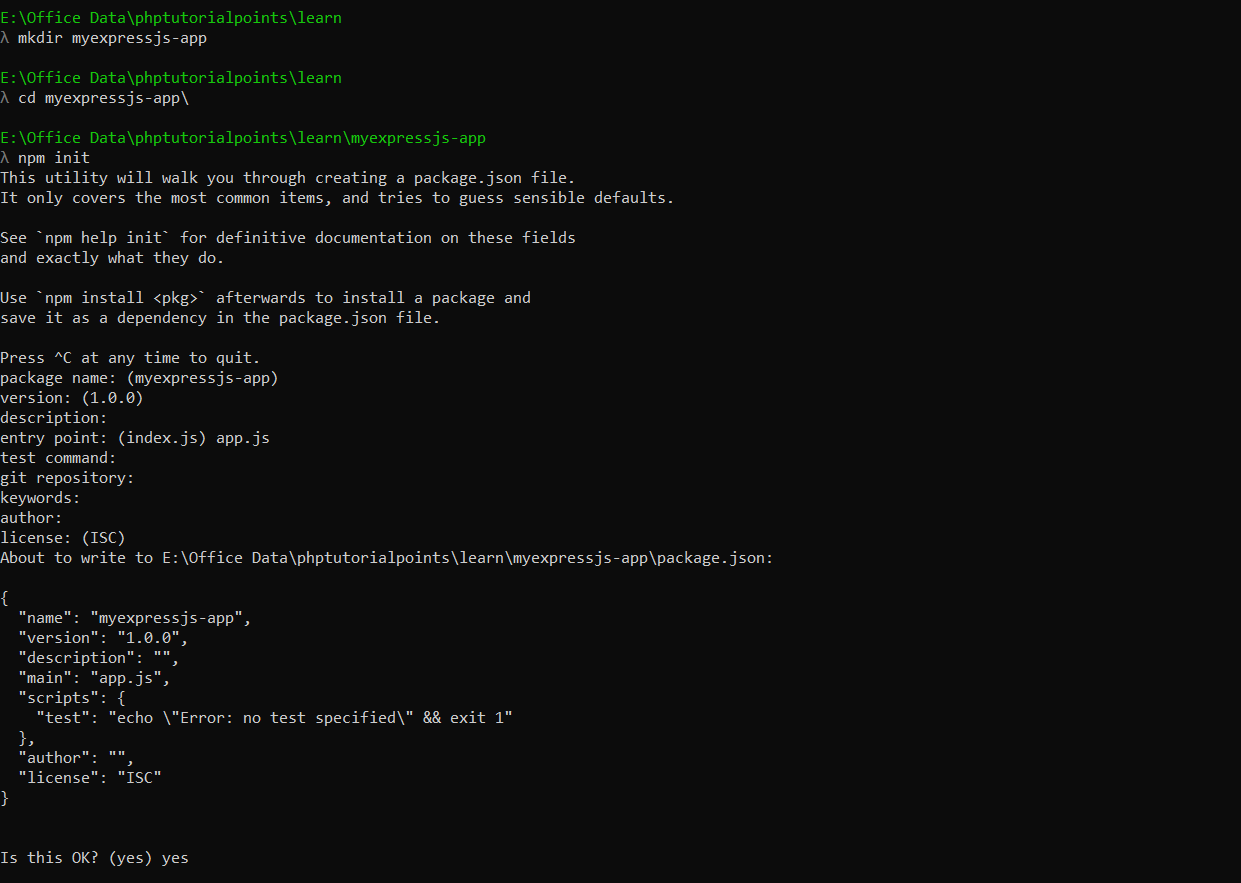
Step 1: Create an application directory and go to the directory path in your terminal. Run the “mkdir myexpressjs-app” in your
terminal to create a directory and run “cd myexpressjs-app” to go to that directory
Step 2: Run the “npm init” command in your terminal to create a package.json file for your application. It will ask you for
a number of things, such as the name and version of your application. you can keep default names.
but, on the “entry point: (index.js)” step, Enter app.js, or whatever you want the name of the main file to be.
If you want it to be index.js, hit RETURN to accept the suggested default file name.
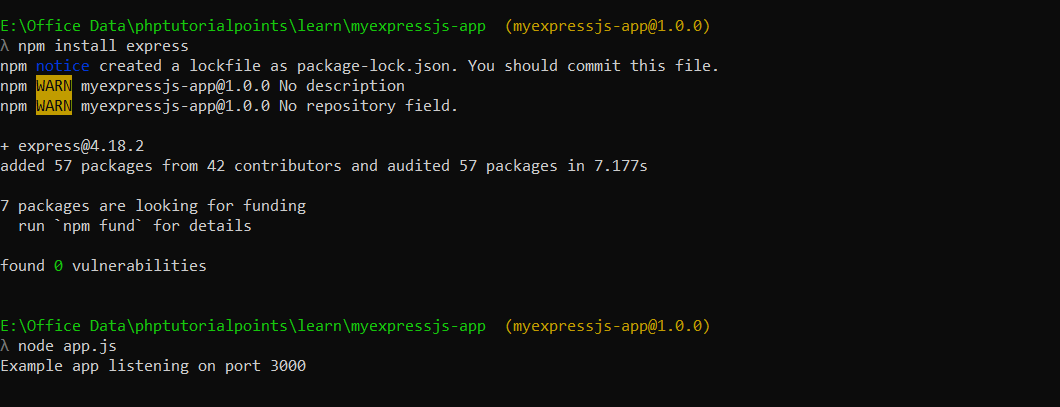
Step 3: After completing the above step, the package.json file is created. Now, run the “npm install express” command to install
express.js. see below screenshot
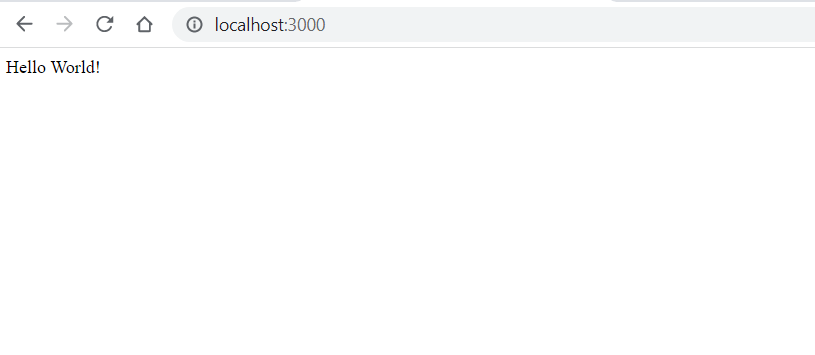
Step 4, After installing express.js, add the following code to the app.js file to create a basic “hello world” application
const express = require('express')
const app = express()
const port = 3000

app.get('/', (req, res) => {
res.send('Hello World!')
})

app.listen(port, () => {
console.log(`Example app listening on port ${port}`)
})
Step 5: Run the “node app.js” command to run your application and open “http://localhost:3000/” in your browser to
see the output. see below screenshot
That’s it.
If you have any trouble, then you can watch the express.js installation video here:
Advantages and Disadvantages of Express.js
Advantages
- You would be able to get fast application development experience with Express.js.
- You would be able to handle requests efficiently as it offers you the support of I/Q request handling.
- Express.js has a vast, highly supportive open-source community.
- You would be able to integrate several third-party applications and services with Express.js.
Disadvantages
- Event-driven nature (callbacks)
- Code organization
- It’s not big on security
- Its error messages are usually unhelpful
Use Cases of ExpressJS
ExpressJS is widely used for:
- Building RESTful APIs
- Developing backend for web applications
- Creating microservices
- Real-time applications (with Socket.io)
- Single Page Applications (SPA) backend
- Server-side rendering apps
References:
- https://www.techomoro.com/what-are-the-benefits-of-using-express-js-for-backend-development/
- https://expressjs.com/
ExpressJS vs Other Frameworks (2026)
| Feature | ExpressJS | NestJS | Fastify |
|---|---|---|---|
| Learning Curve | Easy | Medium | Easy |
| Performance | Good | Good | Very Fast |
| Structure | Flexible | Strict | Flexible |
| TypeScript | Optional | Built-in | Optional |
Conclusion
ExpressJS continues to be a top choice for backend development in 2026 due to its simplicity, flexibility, and powerful ecosystem.
Whether you’re a beginner learning backend development or an experienced developer building scalable APIs, Express offers everything you need to create modern web applications efficiently.