Laravel AI SDK: Building AI-Powered Applications – Complete Helpful Guide (2026)
PythonNov 07, 2026
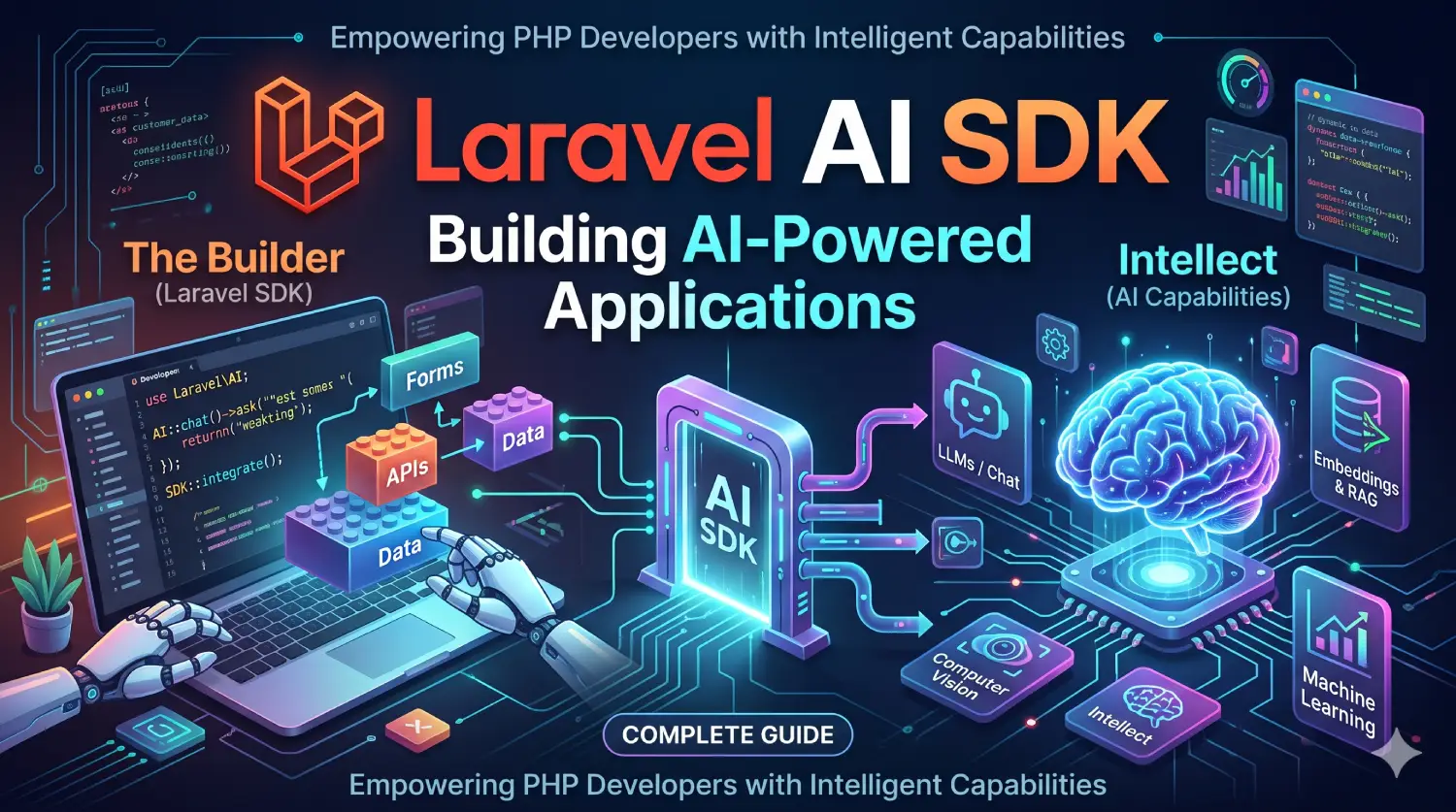
Learn Laravel AI SDK with practical examples. Explore AI agents, OpenAI integration, structured output, tool calling, embeddings, streaming, and RAG
Table of Contents
Artificial Intelligence (AI) is becoming an important part of modern web application development. From intelligent chatbots and automated customer support to document analysis, content generation, recommendation systems, and semantic search, AI-powered features are changing how developers build applications.
Laravel developers can now integrate these capabilities using the Laravel AI SDK, an official Laravel package that provides a unified interface for working with multiple AI providers.
Previously, developers often needed to install different PHP packages, configure separate API clients, manage provider-specific request formats, and write custom code for handling AI responses. Switching from one AI provider to another could also require significant changes to the application.
The Laravel AI SDK simplifies this process by providing a consistent, Laravel-friendly API for interacting with AI services such as OpenAI, Anthropic, Google Gemini, and other supported providers.
It also introduces an agent-based architecture that allows developers to create specialized AI assistants with custom instructions, conversation history, structured responses, and tools.
In this tutorial, we will explore the Laravel AI SDK, understand its architecture, install and configure it, and build practical AI-powered features using PHP and Laravel.
What Is Laravel AI SDK?
The Laravel AI SDK is an official Laravel package that provides a unified API for integrating artificial intelligence capabilities into Laravel applications.
It allows developers to communicate with different AI providers without writing separate integration code for every provider.
The package supports several AI capabilities, including:
- Text generation
- AI agents
- Structured output
- Conversation management
- Tool calling
- Image generation
- Text-to-speech
- Speech-to-text
- Text embeddings
- Reranking
- Classification
- File management
- Vector stores
For example, suppose you want to create an AI-powered customer support application.
Without a unified SDK, you might need to integrate an individual provider’s API, handle authentication, prepare request payloads, process responses, and manage conversation history manually.
With Laravel AI SDK, you can create an agent class, define its instructions, and use a consistent interface to generate responses.
The SDK handles much of the provider-specific implementation behind the scenes.
Understanding the Laravel AI SDK Architecture
The Laravel AI SDK uses agents as one of its primary building blocks.
An agent is a dedicated PHP class responsible for defining how an AI assistant behaves.
An agent can contain:
- Instructions that define its responsibilities.
- Conversation context that maintains previous messages.
- Tools that allow it to perform specific operations.
- Structured output definitions that control the response format.
- Provider configuration that determines which AI service is used.
The following diagram illustrates a simplified architecture.
                 Laravel Application
                         |
                         |
                  Controller / API
                         |
                         |
                    AI Agent
                         |
          +--------------+--------------+
          |              |              |
     Instructions   Conversation      Tools
                         Context
          |              |              |
          +--------------+--------------+
                         |
                    Laravel AI SDK
                         |
          +--------------+--------------+
          |              |              |
        OpenAI        Anthropic       Gemini
          |              |              |
          +--------------+--------------+
                         |
                    AI Response
                         |
                 Laravel Application
                         |
                   Database / UI
This architecture separates application logic from AI provider integration.
For example, a customer support agent does not need to know how every provider implements its API. It only needs to define what the assistant should do.
The Laravel AI SDK takes responsibility for communicating with the configured provider.
Laravel AI SDK vs Direct AI API Integration
Developers can integrate AI services directly using HTTP requests or provider-specific PHP libraries. However, the Laravel AI SDK provides additional abstractions designed specifically for Laravel applications.
| Feature | Direct API Integration | Laravel AI SDK |
|---|---|---|
| Provider integration | Custom implementation | Unified interface |
| API authentication | Manual configuration | Centralized configuration |
| Laravel AI agents | Custom implementation | Built-in agent architecture |
| Conversation management | Manual implementation | Built-in conversation support |
| Structured responses | Provider-dependent implementation | Schema-based output |
| Tool calling | Custom integration | Agent tools |
| Streaming | Manual handling | Built-in streaming support |
| Embeddings | Provider-specific APIs | Unified embedding API |
| Testing | Custom mocks | SDK testing utilities |
| Provider failover | Custom implementation | Built-in failover support |
The SDK is particularly useful when an application needs multiple AI capabilities or when developers want to maintain a clean and testable architecture.
Why Use Laravel AI SDK?
Laravel is known for its expressive syntax, service container, Artisan commands, queues, events, and database integrations.
The Laravel AI SDK brings similar development practices to Laravel AI integration.
Here are some important reasons to use it.
Unified AI Provider Integration
Different AI providers have different APIs, authentication methods, model names, and request formats.
The Laravel AI SDK provides a consistent interface for supported providers.
This makes it easier to switch providers without rewriting the complete application.
For example, you can configure OpenAI as the primary provider and use another supported provider for a different application feature.
Agent-Based Development
Agents allow developers to organize AI functionality into reusable PHP classes.
Instead of placing AI prompts and API calls directly inside controllers, you can create dedicated classes for different responsibilities.
For example:
- CustomerSupportAgent
- ContentWriterAgent
- ProductRecommendationAgent
- DocumentAnalyzerAgent
- SalesAssistantAgent
This approach follows separation of concerns and makes AI functionality easier to maintain.
Conversation Management
Many AI applications need to remember previous messages.
A chatbot, for example, should understand follow-up questions based on earlier conversations.
The SDK supports conversational agents and conversation storage, allowing developers to build applications that maintain context across multiple requests.
Structured AI Responses
AI responses are often generated as natural language, which may not be suitable for every application.
For example, an application that generates product information may require a predictable structure containing:
- Product name
- Description
- Category
- Price range
- Features
The SDK supports structured output using JSON schemas.
This makes it easier to process AI-generated information in Laravel applications.
Tool Calling
An AI model can generate text, but sometimes an application needs it to perform actual operations.
For example, a customer support assistant might need to:
- Check an order status.
- Retrieve customer information.
- Search available products.
- Calculate an invoice.
- Create a support ticket.
The Laravel AI SDK allows developers to create custom tools that agents can invoke when needed.
Streaming Responses
Waiting for an entire AI response can create a poor user experience, especially when generating long content.
Streaming allows an application to deliver response content progressively.
This is useful for AI chat interfaces where users expect to see responses appearing as they are generated.
Built-In Testing Support
Testing AI-powered Laravel applications can be challenging because actual AI responses may change between requests.
The Laravel AI SDK provides testing utilities that allow developers to fake Laravel AI interactions and test application logic without depending on live AI provider requests.
Laravel AI SDK Requirements and Installation
Before installing the Laravel AI SDK, make sure your development environment meets the package requirements.
The current Laravel AI SDK v1.x package supports Laravel 12 and Laravel 13 and requires PHP 8.3 or newer. Always check the package requirements for the version you intend to install.
Prerequisites
| Requirement | Description |
|---|---|
| PHP | PHP 8.3 or newer |
| Laravel | Laravel 12 or Laravel 13 |
| Composer | Dependency manager |
| Database | MySQL, PostgreSQL, SQLite, or another supported Laravel database |
| AI provider account | Required for the AI services you want to use |
| API key | Provider-specific authentication credential |
You should also have basic knowledge of PHP, Laravel routes, controllers, classes, and environment configuration.
Step 1: Create a Laravel Application
If you do not already have a Laravel project, create one using Composer.
composer create-project laravel/laravel laravel-ai-projectMove into the project directory:
cd laravel-ai-projectStart the Laravel development server:
php artisan serveYour application will be available at:
http://127.0.0.1:8000Step 2: Install Laravel AI SDK
Install the official Laravel AI SDK package using Composer.
composer require laravel/aiComposer will download the package and add it to your Laravel application’s dependencies.
The package name is:
laravel/aiYou can verify the installation using:
composer show laravel/aiStep 3: Publish Configuration and Migration Files
After installation, publish the AI SDK configuration and migration files.
Run:
php artisan vendor:publish --provider="Laravel\Ai\AiServiceProvider"This command publishes the configuration file and database migrations required by the SDK.
The configuration file will be available at:
config/ai.phpThe migrations create the database tables required for conversation storage.
Step 4: Run Database Migrations
Configure your database connection in the .env file.
For example, using MySQL:
DB_CONNECTION=mysql
DB_HOST=127.0.0.1
DB_PORT=3306
DB_DATABASE=laravel_ai
DB_USERNAME=root
DB_PASSWORD=
Run the migrations:
php artisan migrateThe SDK creates the following conversation-related tables:
agent_conversationsagent_conversation_messages
These tables are used by the SDK’s conversation storage functionality.
Your Laravel AI SDK installation is now ready.
Laravel AI SDK Configuration
The Laravel AI SDK supports multiple AI providers.
You can configure provider credentials through environment variables and manage default models through the config/ai.php file.
Configure OpenAI
To use OpenAI, obtain an API key from the official OpenAI developer platform.
Add the following variable to your .env file:
OPENAI_API_KEY=your_openai_api_keyConfigure Anthropic
If you want to use Anthropic models, add:
ANTHROPIC_API_KEY=your_anthropic_api_keyConfigure Google Gemini
For Google Gemini integration:
GEMINI_API_KEY=your_gemini_api_keyConfigure Multiple Providers
You can configure multiple providers in the same Laravel application.
For example:
OPENAI_API_KEY=your_openai_api_key

ANTHROPIC_API_KEY=your_anthropic_api_key

GEMINI_API_KEY=your_gemini_api_key
You do not need to configure every provider. Add only the credentials required by your application.
Understanding config/ai.php
The config/ai.php file contains provider configurations and default model settings.
A simplified provider configuration looks like this:
'providers' => [
    'openai' => [
        'driver' => 'openai',
        'key' => env('OPENAI_API_KEY'),
    ],

    'anthropic' => [
        'driver' => 'anthropic',
        'key' => env('ANTHROPIC_API_KEY'),
    ],
],
The actual published configuration contains additional settings for supported providers and capabilities.
You can use this file to configure provider-specific options and default models.
Custom Base URLs
Sometimes developers need to connect through a proxy or an alternative API endpoint.
For example, an organization might use a centralized AI gateway to manage API requests.
The Laravel AI SDK supports custom base URLs for supported providers.
Example:
'providers' => [
    'openai' => [
        'driver' => 'openai',
        'key' => env('OPENAI_API_KEY'),
        'url' => env('OPENAI_URL'),
    ],
],
You can then define the URL in your .env file:
OPENAI_URL=https://your-custom-ai-endpoint.comCustom endpoints are useful for API gateways, proxy services, and centralized provider management.
OpenAI-Compatible Providers
The SDK also supports OpenAI-compatible APIs.
This is useful when working with services such as LM Studio, vLLM, Together, Fireworks, or a compatible local gateway.
Example configuration:
'providers' => [
    'local' => [
        'driver' => 'openai-compatible',
        'url' => env('LOCAL_AI_URL'),
        'key' => env('LOCAL_AI_API_KEY'),
    ],
],
Environment variables:
LOCAL_AI_URL=http://localhost:1234/v1
LOCAL_AI_API_KEY=
You can then use the configured provider:
$response = agent()->prompt(
    'Explain Laravel middleware.',
    provider: 'local',
    model: 'local-model'
);
The actual endpoint and model name depend on your local AI server configuration.
Supported AI Providers
One of the most useful features of Laravel AI SDK is its support for multiple providers.
Different providers offer different models and capabilities. The SDK provides a common interface wherever the relevant capability is supported.
The following table summarizes the provider support documented for Laravel AI SDK.
| AI Capability | Supported Providers |
|---|---|
| Text Generation | OpenAI, OpenAI Compatible, Anthropic, Gemini, Azure, Bedrock, Groq, xAI, DeepSeek, Mistral, Ollama, OpenRouter, Cohere |
| Image Generation | OpenAI, Gemini, xAI, Azure, Bedrock, OpenRouter |
| Text-to-Speech | OpenAI, ElevenLabs, Gemini, Mistral, OpenRouter |
| Speech-to-Text | OpenAI, OpenAI Compatible, ElevenLabs, Groq, Mistral, Gemini, OpenRouter |
| Embeddings | OpenAI, OpenAI Compatible, Gemini, Azure, Bedrock, Cohere, Mistral, Jina, VoyageAI, Ollama, OpenRouter |
| Reranking | Cohere, Jina, VoyageAI, Bedrock, OpenRouter |
| Classification | OpenAI, OpenAI Compatible, TypeSafe, OpenRouter |
| Files | OpenAI, Anthropic, Gemini, Azure, OpenRouter |
Provider support may vary depending on the selected capability and model.
For example, a provider that supports text generation may not necessarily support image generation or speech processing.
You can use the Lab enum to reference supported providers instead of using plain strings.
Example:
use Laravel\Ai\Enums\Lab;

Lab::OpenAI;
Lab::Anthropic;
Lab::Gemini;
Lab::OpenAICompatible;
Always check the official provider support documentation before selecting a provider for a particular feature.
Understanding AI Agents in Laravel
Agents are the fundamental building blocks of many Laravel AI SDK applications.
Laravel AI agent is a PHP class that defines how an AI assistant should behave and what responsibilities it should handle.
Unlike a simple AI request, an agent can contain instructions, conversation history, tools, and structured output definitions.
For example, consider an e-commerce application.
You may want to build an AI assistant that answers questions about products, shipping, orders, and returns.
Instead of writing all the functionality inside a controller, you can create a dedicated agent named CustomerSupportAgent.
This class can contain the instructions that define the assistant’s behavior.
6.1 Create an AI Agent
Laravel AI SDK provides an Artisan command for generating agent classes.
Run:
php artisan make:agent CustomerSupportAgentThe generated class is placed inside:
app/Ai/Agents/CustomerSupportAgent.phpYou can also generate an agent intended to return structured output:
php artisan make:agent ProductAnalyzer --structured6.2 Define Agent Instructions
Instructions define the role, behavior, and responsibilities of an AI agent.
For example:
<?php
namespace App\Ai\Agents;
use Laravel\Ai\Contracts\Agent;
use Laravel\Ai\Promptable;
class CustomerSupportAgent implements Agent
{
    use Promptable;
    public function instructions(): string
    {
        return 'You are a helpful customer support assistant.
        Answer questions clearly and professionally.
        Keep responses short and easy to understand.
        Do not invent order information.';
    }
}
Let’s understand the important parts.
Agent interface: The Agent contract identifies the class as an AI agent.
Promptable trait: This trait provides methods for interacting with the AI provider.
instructions(): This method defines the behavior and responsibilities of the assistant.
You can customize these instructions according to the requirements of your application.
For example, a content-writing agent may have different instructions from a customer support agent.
6.3 Prompt an AI Agent
Once you have created the agent, you can send a prompt using its prompt() method.
Example:
use App\Ai\Agents\CustomerSupportAgent;

$response = (new CustomerSupportAgent)
    ->prompt('How can I return a purchased product?');

return (string) $response;
The SDK sends the prompt to the configured AI provider and returns the generated response.
You can use this functionality inside controllers, services, jobs, or other Laravel application components.
Generate AI Text Responses
Text generation is one of the most common AI features.
You can use it to generate blog content, product descriptions, email drafts, summaries, explanations, and other text-based content.
Laravel AI SDK provides a simple interface for sending prompts.
For example, you can generate a short explanation of Laravel middleware.
$response = agent()->prompt(
    'Explain Laravel middleware in simple terms.'
);

return (string) $response;
Here:
agent()provides access to the default agent.prompt()sends the instruction to the AI provider.- The response can be converted into a string.
You can also specify a provider and model where required.
$response = agent()->prompt(
    'Explain dependency injection in Laravel.',
    provider: 'openai',
    model: 'your-supported-model'
);

return (string) $response;
The model name must correspond to a model supported by the selected provider.
Practical Example: Generate Product Descriptions
Suppose you have an e-commerce application where administrators frequently add new products.
You can use AI to generate product descriptions.
$productName = 'Wireless Bluetooth Headphones';

$response = agent()->prompt(
    "Write a professional product description for {$productName}.
    Include important features and benefits.
    Keep the description under 150 words."
);

$description = (string) $response;
You can then display the generated description in an admin interface or allow an administrator to review and save it.
For production applications, generated content should be reviewed before publication.
Managing Conversation Context
A normal AI prompt generally represents an individual request.
However, chat applications need to maintain conversation context.
Consider this conversation:
User: What is Laravel?
AI: Laravel is a PHP framework used to build web applications.
User: What are its main features?
The AI needs to understand that the second question refers to Laravel.
This is why conversation context is important.
Laravel AI SDK supports conversational agents that can retrieve and maintain previous messages.
To create a conversational agent, implement the Conversational interface.
Example:
<?php

namespace App\Ai\Agents;

use Laravel\Ai\Contracts\Agent;
use Laravel\Ai\Contracts\Conversational;
use Laravel\Ai\Promptable;

class ChatAssistant implements Agent, Conversational
{
    use Promptable;

    public function instructions(): string
    {
        return 'You are a helpful Laravel programming assistant.';
    }

    public function messages(): iterable
    {
        return [];
    }
}
The messages() method provides the messages that make up the conversation.
The example returns an empty array because no previous messages have been added manually.
In a real application, you can retrieve messages from your database or use the SDK’s conversation storage functionality.
8.1 Conversation Storage
The Laravel AI SDK includes database-backed conversation storage.
After publishing and running the SDK migrations, the following tables are available:
agent_conversationsagent_conversation_messages
These tables support the storage of conversations and their messages.
This is useful for:
- Customer support chat applications.
- AI personal assistants.
- Technical support bots.
- Educational applications.
- AI-powered help desks.
8.2 Why Conversation Context Matters
Conversation context helps AI applications provide more relevant responses.
For example, a user may ask:
- Explain Laravel service providers.
- Give me a practical example.
- Explain the second method in more detail.
Without conversation history, the AI may not understand what the user means by the second method.
With conversation context, the assistant can interpret follow-up questions more accurately.
However, you should avoid sending unlimited conversation history.
Long conversations increase token usage and can affect response time. Consider limiting the number of previous messages or summarizing older conversations.
Structured Output in Laravel AI SDK
AI models normally return natural-language responses.
However, many applications need predictable data structures instead of plain text.
For example, an AI-powered product analyzer may need to return:
{
    "product_name": "Wireless Headphones",
    "category": "Electronics",
    "sentiment": "positive",
    "score": 90
}
Manually extracting information from plain text can be unreliable.
Structured output solves this problem by defining the expected response schema.
Laravel AI SDK supports structured output using the HasStructuredOutput interface and Laravel’s JSON Schema functionality.
Create an Agent with Structured Output
First, generate a structured agent:
php artisan make:agent ProductAnalyzer --structuredYou can define the response schema in the generated agent class.
Example:
<?php

namespace App\Ai\Agents;

use Illuminate\Contracts\JsonSchema\JsonSchema;
use Laravel\Ai\Contracts\Agent;
use Laravel\Ai\Contracts\HasStructuredOutput;
use Laravel\Ai\Promptable;

class ProductAnalyzer implements Agent, HasStructuredOutput
{
    use Promptable;

    public function instructions(): string
    {
        return 'Analyze the supplied product information
        and return accurate product details.';
    }

    public function schema(JsonSchema $schema): array
    {
        return [
            'product_name' => $schema->string()->required(),

            'category' => $schema->string()->required(),

            'sentiment' => $schema->string()
                ->enum(['positive', 'negative', 'neutral'])
                ->required(),

            'score' => $schema->integer()->required(),
        ];
    }
}
Understand the Schema Definition
The schema() method defines the expected output structure.
Some commonly used schema methods include:
| Method | Purpose |
|---|---|
string() |
Defines a string value |
integer() |
Defines an integer |
number() |
Defines a numeric value |
boolean() |
Defines a true or false value |
array() |
Defines an array |
object() |
Defines an object |
enum() |
Restricts values to predefined options |
required() |
Marks a field as required |
The available methods can be used to create simple or complex response structures.
Access Structured Responses
After defining the schema, prompt the agent.
use App\Ai\Agents\ProductAnalyzer;

$response = (new ProductAnalyzer)->prompt(
    'Analyze this product: Wireless Bluetooth Headphones.'
);

$productName = $response['product_name'];

$category = $response['category'];

$sentiment = $response['sentiment'];

$score = $response['score'];
The response can be accessed using its defined field names.
This is useful when integrating AI-generated data with Eloquent models, database records, API responses, and application workflows.
Nested Structured Output
Structured output can also contain nested objects and arrays.
For example, an AI-generated report may contain:
- Overall score
- Analysis metadata
- Multiple recommendations
You can define nested objects using the object() method and arrays using the array() method.
This is particularly useful for applications that generate reports, assessments, and complex JSON responses.
Remember that structured output controls the response format, but it does not automatically guarantee that every generated value is factually correct. Validate important business data before using it.
Creating Custom Tools for Laravel AI Agents
One of the most powerful features of the Laravel AI SDK is tool calling.
An AI agent can use tools to interact with application functionality.
For example, an e-commerce customer support assistant may need to retrieve order information.
Instead of asking the AI model to guess an order status, you can create a tool that retrieves the actual information from your database.
What Are AI Tools?
An AI tool is a function that an agent can invoke when it needs additional information or wants to perform a supported operation.
Some examples include:
- GetOrderStatus
- SearchProducts
- CalculateShipping
- GetCustomerDetails
- CreateSupportTicket
- CheckProductAvailability
The AI model determines when a tool is appropriate based on its description and available input schema.
The actual tool implementation executes inside your Laravel application.
Create a Custom Tool
Laravel AI SDK provides an Artisan command for generating tools.
Run:
php artisan make:tool GetOrderStatusThe generated file is placed inside:
app/Ai/Tools/GetOrderStatus.phpA tool implements the Tool interface and defines its input schema and handling logic.
Example:
<?php

namespace App\Ai\Tools;

use App\Models\Order;
use Illuminate\Contracts\JsonSchema\JsonSchema;
use Laravel\Ai\Contracts\Tool;
use Laravel\Ai\Tools\Request;
use Stringable;

class GetOrderStatus implements Tool
{
    public function description(): Stringable|string
    {
        return 'Retrieve the status of an order using its order ID.';
    }

    public function schema(JsonSchema $schema): array
    {
        return [
            'order_id' => $schema->integer()->required(),
        ];
    }

    public function handle(Request $request): Stringable|string
    {
        $order = Order::find($request['order_id']);

        if (! $order) {
            return 'Order not found.';
        }

        return 'Order status: ' . $order->status;
    }
}
The example assumes that your application has an Order model with an appropriate status field.
Register the Tool with an Agent
After creating the tool, make it available to your agent using the HasTools interface.
Example:
<?php

namespace App\Ai\Agents;

use App\Ai\Tools\GetOrderStatus;
use Laravel\Ai\Contracts\Agent;
use Laravel\Ai\Contracts\HasTools;
use Laravel\Ai\Promptable;

class CustomerSupportAgent implements Agent, HasTools
{
    use Promptable;

    public function instructions(): string
    {
        return 'You are a customer support assistant.
        Use the available tools to retrieve order information.
        Never invent order statuses.';
    }

    public function tools(): iterable
    {
        return [
            new GetOrderStatus,
        ];
    }
}
Now the agent has access to the GetOrderStatus tool.
When a user asks about an order, the AI model can decide whether to invoke the tool.
How Tool Calling Works
The process generally follows these steps:
- The user asks a question.
- Laravel sends the prompt and available tool definitions to the AI provider.
- The model determines whether it needs a tool.
- The SDK invokes the selected tool in your Laravel application.
- The tool returns its result.
- The AI model uses that result to prepare the final response.
For example:
User: What is the status of order 105?
AI Agent: Invokes the GetOrderStatus tool.
Tool: Retrieves order 105 from the database.
Tool Result: Order status is shipped.
AI Agent: Your order has been shipped.
This makes AI agents more useful because they can work with real application data instead of relying only on their training information.
Security Considerations for Tools
Tools should only perform operations that are explicitly permitted by your application.
For example, never allow an agent to retrieve an order simply because a user provides an order ID.
You should verify that the authenticated user owns the requested order.
Similarly, tools that update records, issue refunds, delete data, or perform financial operations should have additional authorization and approval checks.
The AI model should never be treated as an authorization system.
Streaming AI Responses
AI-generated responses can sometimes take several seconds to complete.
If your application waits for the complete response before displaying anything, users may think that the application is not responding.
Streaming improves this experience by delivering generated content progressively.
Laravel AI SDK supports streaming through the stream() method.
Stream an Agent Response
Consider the following route:
use App\Ai\Agents\CustomerSupportAgent;
use Illuminate\Support\Facades\Route;

Route::get('/ai-chat', function () {

    return (new CustomerSupportAgent)
        ->stream('Explain Laravel dependency injection.');

});
The stream() method returns a streamable agent response.
Laravel AI SDK can return this response from a route and automatically send it as a Server-Sent Events (SSE) response.
Benefits of Streaming
Streaming is useful for:
- AI chat applications.
- Long-form content generation.
- Document summarization.
- Programming assistants.
- AI-powered educational platforms.
Instead of waiting for an entire response, the frontend can receive and display content as it becomes available.
Streaming vs Normal Responses
| Feature | Normal Prompt | Streaming |
|---|---|---|
| Response delivery | Complete response | Progressive response |
| User experience | Waits for completion | Shows content as generated |
| Implementation | Simple | Requires stream-aware frontend handling |
| Suitable for | Short AI operations | Chat and long responses |
When implementing streaming, remember that the frontend must consume the stream correctly.
You should also handle connection interruptions, provider errors, and incomplete responses.
Generating AI Embeddings
Embeddings are an important concept in modern AI applications.
An embedding is a numerical representation of text or other supported input that captures semantic meaning.
Unlike traditional keyword matching, embeddings can help identify content based on meaning.
For example, consider these search queries:
- How can I reset my password?
- I forgot my account password.
- I cannot log in to my account.
Although the words are different, their meanings are similar.
A semantic search system can use embeddings to identify related content.
What Are AI Embeddings Used For?
Embeddings are commonly used in:
- Semantic search.
- Recommendation systems.
- Document search.
- Knowledge bases.
- Retrieval-Augmented Generation (RAG).
- Similarity matching.
- AI-powered chatbots.
Generate Embeddings Using Laravel AI SDK
Laravel AI SDK provides an expressive method for generating embeddings through Laravel’s Stringable class.
Example:
use Illuminate\Support\Str;

$embeddings = Str::of(
    'Laravel is a PHP framework for web application development.'
)->toEmbeddings();
The SDK sends the text to the configured embeddings provider and returns the generated embedding information.
You can also specify provider and model options when required.
Example: Semantic Search
Imagine a documentation website containing hundreds of technical articles.
A traditional search engine may search for exact keywords.
However, users may enter questions using different words.
An embedding-based search system can:
- Convert every article into an embedding.
- Store the vectors in a vector database or supported vector store.
- Convert the user’s search query into an embedding.
- Compare the query vector with stored article vectors.
- Retrieve the most relevant content.
This approach can improve search results when the query and document use different wording.
Embeddings and RAG
Retrieval-Augmented Generation (RAG) combines document retrieval with AI-generated responses.
A simplified RAG workflow looks like this:
              User Question
                    |
                    |
              Generate Query
                Embedding
                    |
                    |
              Vector Search
                    |
                    |
            Retrieve Documents
                    |
                    |
            Relevant Context
                    |
                    |
               AI Agent
                    |
                    |
             Generate Answer
For example, you could build an AI assistant that answers questions using your company’s internal documentation.
The application retrieves relevant documents and provides their content as context to the AI model.
This helps the model produce answers based on your own knowledge base.
Laravel AI SDK also supports vector stores, file search, and reranking features that can be used in more advanced retrieval workflows.
Image Generation with Laravel AI SDK
Modern AI applications are not limited to text generation.
Some applications need to generate images based on user instructions.
Examples include:
- Blog featured image generation.
- Product concept images.
- Marketing graphics.
- Social media creatives.
- Design prototypes.
Laravel AI SDK provides image generation capabilities through supported providers.
A basic example looks like this:
use Laravel\Ai\Image;

$image = Image::of(
    'A modern workspace with a laptop and programming books'
)->generate();
The generated image response can be processed according to the SDK’s image generation API and your application’s storage requirements.
Practical Use Cases
Suppose you are building a blogging platform.
You could allow administrators to enter an article title and generate a suitable featured image.
Similarly, an e-commerce application could generate product concept images for marketing purposes.
The availability of specific image models and options depends on the selected provider.
You should also consider image storage, file formats, generation costs, and usage restrictions when implementing this functionality.
Audio Generation and Speech-to-Text
The Laravel AI SDK also supports audio-related capabilities.
These include Text-to-Speech (TTS) and Speech-to-Text (STT).
Text-to-Speech
Text-to-Speech converts written text into spoken audio.
For example, an educational platform could allow users to listen to articles instead of reading them.
Common use cases include:
- AI voice assistants.
- Accessibility features.
- Educational applications.
- Audio versions of articles.
- Automated voice responses.
The SDK provides audio generation functionality using supported providers.
Example:
use Laravel\Ai\Audio;

$audio = Audio::of(
    'Welcome to our Laravel programming tutorial.'
)->generate();
The resulting audio can be processed and stored according to the audio response API and provider capabilities.
Speech-to-Text
Speech-to-Text converts spoken audio into written text.
For example, users could record a question instead of typing it into an Laravel AI chatbot.
Laravel AI SDK provides transcription functionality for supported audio providers.
Example:
use Laravel\Ai\Transcription;

$transcription = Transcription::fromPath(
    storage_path('app/audio/question.mp3')
)->generate();

$text = (string) $transcription;
The transcribed text can then be passed to an AI agent for further processing.
Practical Audio Application
Consider an AI-powered meeting assistant.
It could:
- Accept an uploaded meeting recording.
- Convert speech into text.
- Summarize the discussion.
- Identify important points.
- Generate a list of action items.
This is an example of combining multiple Laravel AI SDK capabilities into a single application workflow.
AI Classification and Reranking
In addition to text and media generation, Laravel AI SDK provides classification and reranking capabilities.
These features are useful for applications that need to analyze or organize information.
AI Classification
Classification means assigning input data to predefined categories.
For example, an application could classify customer support messages into:
- Technical Support
- Billing
- Account Issues
- Product Information
- General Enquiry
Instead of manually checking every message, an AI classification model can help identify the appropriate category.
Other use cases include:
- Sentiment analysis.
- Spam detection.
- Content categorization.
- Image classification.
- Automated ticket routing.
The SDK supports classification through its dedicated classification APIs and supported providers.
AI Reranking
Reranking is used to improve the order of search results.
Suppose a search system retrieves ten documents based on keyword matching or vector similarity.
Not every retrieved document will be equally relevant to the user’s question.
A reranking model evaluates the retrieved results against the query and reorganizes them according to relevance.
This is particularly useful for:
- Enterprise search.
- Document retrieval.
- Knowledge management.
- RAG applications.
- AI-powered documentation search.
Classification vs Reranking
| Feature | Classification | Reranking |
|---|---|---|
| Purpose | Assign categories | Reorder search results |
| Input | Text, images, or supported data | Query and retrieved documents |
| Output | Category or decision | Relevance-ranked results |
| Example | Classify support tickets | Rank relevant support articles |
| Common use | Automation | Search optimization |
Both features can be combined in larger AI applications.
File Management and Vector Stores
Many AI applications need to work with documents rather than individual text prompts.
For example, a company may want to build an AI assistant that can answer questions using PDF files, internal documentation, or uploaded reports.
The Laravel AI SDK includes file management and vector store functionality for supported providers.
Working with Files
Files can be useful when building document analysis and retrieval applications.
Possible use cases include:
- PDF document analysis.
- Business report summarization.
- Knowledge base applications.
- Contract analysis.
- Technical documentation assistants.
The SDK supports file-related operations through provider-specific integrations.
Vector Stores
A vector store manages vector representations of information and makes semantic retrieval possible.
A typical workflow includes:
- Upload documents.
- Create or use a vector store.
- Add files to the store.
- Search the store using relevant queries.
- Retrieve relevant information.
- Provide retrieved information to an AI agent.
File Search
The SDK also supports provider tools such as FileSearch.
This allows agents to search files stored in supported vector stores.
For example:
use Laravel\Ai\Providers\Tools\FileSearch;

public function tools(): iterable
{
    return [
        new FileSearch(
            stores: ['your_vector_store_id']
        ),
    ];
}
This example makes the specified vector store available to the agent through the file search tool.
You can also apply metadata filters when searching documents.
The exact storage, file processing, and retrieval capabilities depend on the selected provider.
Provider Failover in Laravel AI SDK
An AI application may depend on an external provider.
Sometimes that provider may experience:
- API downtime.
- Rate limits.
- Network problems.
- Temporary service interruptions.
If your application depends on a single provider, these problems can interrupt AI functionality.
Laravel AI SDK supports provider failover.
Failover allows you to specify backup providers or models that can be used when the primary provider encounters supported failures.
For example, you could configure one provider as the primary option and another as a fallback.
Conceptually:
             AI Request
                 |
                 |
          Primary Provider
                 |
          +------+------+
          |             |
       Success        Failure
          |             |
          |       Backup Provider
          |             |
          +------+------+
                 |
             AI Response
The SDK supports passing an array of providers or models to supported generation methods.
This is useful for improving application availability.
However, failover should be designed carefully.
You should ensure that fallback models support the same required capability and produce responses compatible with your application.
Building a Practical AI-Powered Laravel Applications
Now let’s combine the concepts discussed above and build a simple AI-powered content assistant.
The application will allow users to submit a topic and receive an AI-generated explanation.
For example, a user enters:
Laravel Service ContainerThe AI assistant generates an educational explanation.
This example demonstrates how Laravel AI SDK can be integrated into a real application.
Step 1: Create the Agent
Run:
php artisan make:agent ContentWriterAgentOpen:
app/Ai/Agents/ContentWriterAgent.phpUpdate the generated class:
<?php

namespace App\Ai\Agents;

use Laravel\Ai\Contracts\Agent;
use Laravel\Ai\Promptable;

class ContentWriterAgent implements Agent
{
    use Promptable;

    public function instructions(): string
    {
        return 'You are a professional technical content writer.
        Explain programming topics in simple language.
        Include practical examples where appropriate.
        Use clear headings and structured explanations.';
    }
}
This agent is responsible for generating technical content.
Step 2: Create a Controller
Generate a controller:
php artisan make:controller AIContentControllerOpen:
app/Http/Controllers/AIContentController.phpAdd the following code:
<?php

namespace App\Http\Controllers;

use App\Ai\Agents\ContentWriterAgent;
use Illuminate\Http\Request;

class AIContentController extends Controller
{
    public function generate(Request $request)
    {
        $validated = $request->validate([
            'topic' => ['required', 'string', 'max:255'],
        ]);

        $response = (new ContentWriterAgent)->prompt(
            'Write an educational explanation about: '
            . $validated['topic']
        );

        return response()->json([
            'success' => true,
            'topic' => $validated['topic'],
            'content' => (string) $response,
        ]);
    }
}
The controller validates the submitted topic, sends it to the agent, and returns the generated content as JSON.
Step 3: Define the Route
Open:
routes/api.phpAdd:
use App\Http\Controllers\AIContentController;
use Illuminate\Support\Facades\Route;

Route::post(
    '/generate-content',
    [AIContentController::class, 'generate']
);
If your Laravel application does not have API routes configured, enable the API routing setup using the appropriate Laravel installation commands.
Step 4: Test the API
You can test the endpoint using Postman or another API testing tool.
Request:
POST http://127.0.0.1:8000/api/generate-contentRequest body:
{
    "topic": "Laravel Service Container"
}
Example response:
{
    "success": true,
    "topic": "Laravel Service Container",
    "content": "The Laravel Service Container is a powerful tool for managing class dependencies..."
}
The actual response will be generated by your selected AI provider.
Step 5: Improve the Application
You can extend this simple application with additional functionality:
- Save generated content in a database.
- Add user authentication.
- Maintain generation history.
- Allow users to select different AI providers.
- Generate structured article outlines.
- Stream generated content.
- Add an AI-powered content summarizer.
- Generate featured images.
- Add usage limits and token tracking.
This is a good starting project for understanding how AI functionality can be integrated into a Laravel application.
Queueing and Broadcasting AI Operations
Some AI operations can take longer than normal application requests.
For example, generating a long report, processing multiple documents, or creating audio files may require significant processing time.
Laravel AI SDK supports queueing for applicable operations.
Queueing allows heavy work to run in the background instead of blocking the user’s request.
Why Use Queues?
Consider an application where users upload large documents for AI analysis.
If the application processes everything inside a normal HTTP request, users may experience long waiting times or request timeouts.
A background queue provides a better approach.
The workflow becomes:
- User uploads a document.
- Laravel stores the document.
- Laravel dispatches an AI processing job.
- A queue worker processes the request.
- The generated result is saved.
- The user receives a notification when processing is complete.
Broadcasting
Laravel AI SDK also supports broadcasting agent activity.
This is useful when building interactive AI applications where users should receive updates while an agent is processing a request.
For example, a chat interface can display progress information while an AI assistant performs multiple operations.
Broadcasting can be combined with Laravel Reverb or another supported Laravel broadcasting setup.
Testing Laravel AI SDK Applications
Testing is an important part of application development.
AI-generated responses can vary because language models are probabilistic.
Therefore, tests should focus on your application’s behavior rather than expecting an AI model to produce exactly the same text every time.
Laravel AI SDK provides testing utilities for faking agent interactions and other AI operations.
Why Fake AI Responses?
Consider a controller that generates product descriptions.
A test should verify that:
- The request is validated.
- The correct agent is invoked.
- The generated response is processed.
- The response is returned correctly.
You do not need to send an actual request to OpenAI or another provider every time the test runs.
Faking the AI response makes tests faster, more predictable, and less expensive.
Example Testing Strategy
For an AI content application, consider testing the following scenarios:
| Test Case | Expected Result |
|---|---|
| Empty topic | Validation error |
| Valid topic | Agent is invoked |
| Successful generation | Generated content is returned |
| Provider failure | Application handles the exception |
| Unauthorized request | Access is denied |
| Excessive requests | Rate limiting is applied |
| Invalid structured data | Application rejects or handles it |
You should also test your own tools independently.
For example, an order lookup tool should be tested for existing orders, missing orders, and unauthorized access.
Test Without Depending on External APIs
The SDK includes faking support for different AI capabilities.
Use the exact fake methods and response builders documented for the SDK version you have installed.
This allows you to create automated tests without making real API requests.
Laravel AI SDK Security and Best Practices
Integrating AI into a Laravel application introduces additional security and operational considerations.
Although the SDK simplifies provider integration, developers remain responsible for protecting application data and controlling AI operations.
Here are some important best practices.
Protect API Keys
Never expose AI provider API keys in frontend JavaScript or public repositories.
Store credentials in the .env file.
Example:
OPENAI_API_KEY=your_secret_api_keyDo not commit your .env file to Git.
Use secure environment configuration in production.
Validate User Input
Always validate user input before sending it to an AI agent.
For example:
$request->validate([
    'prompt' => ['required', 'string', 'max:2000'],
]);
Input validation helps prevent oversized requests and unwanted data from entering your application.
Protect Sensitive Information
Avoid sending unnecessary personal information, passwords, authentication tokens, or confidential business records to AI providers.
Before processing sensitive information, consider the provider’s data handling policies and your application’s privacy requirements.
Implement Rate Limiting
AI requests may have associated costs.
Without rate limiting, users could submit excessive requests and increase API expenses.
Laravel provides rate-limiting functionality that can be applied to AI routes.
For example:
use Illuminate\Support\Facades\Route;

Route::middleware('throttle:10,1')->group(function () {

    Route::post(
        '/generate-content',
        [AIContentController::class, 'generate']
    );

});
This example limits requests to ten per minute for the applicable rate-limit key.
You can customize limits according to your application’s requirements.
Monitor Token Usage and Costs
AI providers generally charge according to usage, model type, and supported capabilities.
Monitor:
- Number of requests.
- Input tokens.
- Output tokens.
- Model selection.
- Image generation usage.
- Audio processing usage.
- Provider response time.
Laravel AI SDK exposes usage information through its response objects and events.
You can use these details to create application-level usage reports and billing controls.
Use Human Approval for Sensitive Operations
Some AI tools can perform operations that affect real users or business data.
For example:
- Issuing refunds.
- Cancelling orders.
- Deleting records.
- Sending important emails.
- Changing account settings.
These operations should not automatically execute just because an AI model requests them.
Use authorization checks and human approval where appropriate.
The Laravel AI SDK includes human tool approval functionality for workflows that require confirmation before executing tools.
Handle Provider Errors
External AI services can fail because of rate limits, authentication problems, network issues, or service interruptions.
Your application should handle these situations gracefully.
You can also use the SDK’s provider failover functionality where appropriate.
Avoid displaying raw provider error messages or internal configuration details to users.
Keep Prompts Maintainable
Avoid placing large prompts throughout controllers and route files.
Instead, define agent instructions in dedicated classes.
This makes prompts easier to update, test, and reuse.
For larger applications, consider maintaining separate agents for different responsibilities.
Laravel AI SDK vs Laravel Boost vs Laravel MCP
Laravel developers may also come across two other Laravel AI-related packages: Laravel Boost and Laravel MCP.
Although all three are related to AI development, they solve different problems.
| Feature | Laravel AI SDK | Laravel Boost | Laravel MCP |
|---|---|---|---|
| Main purpose | Build AI-powered application features | Help AI coding agents work with Laravel projects | Connect AI clients with application functionality |
| Primary users | Laravel application developers | Developers using AI coding assistants | Developers building MCP integrations |
| Main functionality | Agents, text, images, audio, embeddings, tools | Laravel-specific development guidance and tools | Model Context Protocol server and client functionality |
| Application integration | Direct AI provider integration | Development workflow | External AI tool integration |
Laravel AI SDK
Use Laravel AI SDK when you want to integrate AI capabilities directly into your Laravel application.
Examples include chatbots, AI content generators, document analyzers, and recommendation systems.
Laravel Boost
Laravel Boost helps AI coding assistants understand Laravel applications and follow Laravel development conventions.
It is primarily a development tool rather than a package for adding AI features to your end-user application.
Laravel MCP
Laravel MCP provides functionality for implementing the Model Context Protocol.
It helps external AI clients interact with tools and resources exposed by your application.
These tools can complement each other, but they are not interchangeable.
Practical Laravel AI SDK Project Ideas
If you want to learn Laravel AI SDK through practical development, the following projects are good starting points.
| Project | Main Features | AI SDK Concepts |
|---|---|---|
| Laravel AI Chatbot | User conversations and contextual responses | Agents, conversations, streaming |
| AI Blog Writer | Article generation and summarization | Agents, structured output |
| Customer Support Assistant | Order lookup and support ticket creation | Tools, authorization |
| PDF Document Analyzer | Document analysis and question answering | Files, embeddings, agents |
| AI Product Recommender | Product recommendations based on user queries | Embeddings, structured output |
| Meeting Summarizer | Audio transcription and meeting summaries | Transcription, text generation |
| Semantic Search | Search documents by meaning | Embeddings, vector stores |
| AI Email Assistant | Email drafting and classification | Agents, classification |
| AI Image Generator | Generate images from text prompts | Image generation |
| Knowledge Base Chatbot | Answer questions using company documents | RAG, file search, embeddings |
Recommended Beginner Project: AI Blog Writer
An AI blog writer is a useful beginner project because it combines several important concepts without requiring a complex application architecture.
You can implement the following features:
- Allow users to enter an article topic.
- Generate an article outline.
- Generate content for individual sections.
- Create an SEO title and description.
- Generate FAQs using structured output.
- Save generated articles in a database.
- Maintain generation history.
Once you understand agents, prompting, and structured output, you can add streaming and image generation.
Recommended Advanced Project: AI Knowledge Base Assistant
An AI knowledge base assistant is a more advanced project.
Users can upload documents and ask questions about their content.
The application retrieves relevant information and uses an AI agent to generate answers.
This project helps you understand:
- Embeddings.
- Vector stores.
- File search.
- RAG architecture.
- Conversation context.
- AI agents.
- Structured output.
It is also a useful portfolio project for developers interested in AI-powered backend development.
Advantages and Limitations of Laravel AI SDK
The Laravel AI SDK makes Laravel AI integration easier, but developers should understand both its advantages and limitations.
Advantages
1. Laravel-native development
The SDK uses Laravel-friendly patterns, including Artisan commands, PHP classes, queues, events, and testing utilities.
2. Multiple provider support
You can integrate multiple supported AI providers through a unified API.
3. Reusable agent architecture
Agents organize AI functionality into dedicated classes.
4. Built-in conversation functionality
The SDK provides conversation support that is useful for chat applications and assistants.
5. Structured output
JSON schema-based responses make it easier to process AI-generated data.
6. Tool integration
Custom tools allow AI agents to interact with application functionality.
7. Multiple AI capabilities
The SDK supports more than text generation, including image, audio, embedding, classification, and retrieval-related capabilities.
8. Testing support
Built-in testing utilities help developers test AI-powered functionality without relying on live provider requests for every test.
Limitations and Considerations
1. Provider capabilities differ
Not every provider supports every SDK feature.
You must check the provider support matrix before choosing a provider.
2. External API costs
Most hosted AI providers charge for their services.
Applications with high usage may require cost monitoring and usage limits.
3. AI responses are not always accurate
AI-generated responses can contain incorrect or misleading information.
Critical information should be validated before it is used.
4. Internet and provider availability
Hosted AI services depend on external infrastructure.
Network problems and provider downtime can affect application functionality.
5. Advanced AI concepts require additional knowledge
Building RAG applications, semantic search systems, and complex agents requires an understanding of embeddings, vector databases, prompt design, and information retrieval.
6. AI security requires careful implementation
Developers must protect sensitive information, validate inputs, authorize tools, and prevent unintended actions.
Frequently Asked Questions (FAQs)
1. What is Laravel AI SDK?
Laravel AI SDK is an official Laravel package that provides a unified interface for integrating AI providers such as OpenAI, Anthropic, Google Gemini, and others. It supports text generation, AI agents, structured output, tool calling, image generation, audio processing, embeddings, and additional AI capabilities.
2. Is Laravel AI SDK an official Laravel package?
Yes. Laravel AI SDK is an official first-party Laravel package maintained within the Laravel ecosystem. Its Composer package name is laravel/ai.
3. How do I install Laravel AI SDK?
You can install the package using Composer:
composer require laravel/aiThen publish the configuration and migration files:
php artisan vendor:publish --provider="Laravel\Ai\AiServiceProvider"Finally, run:
php artisan migrate4. Which AI providers does Laravel AI SDK support?
Laravel AI SDK supports providers such as OpenAI, Anthropic, Google Gemini, Azure, Amazon Bedrock, Groq, xAI, DeepSeek, Mistral, Ollama, OpenRouter, Cohere, and other providers. Availability depends on the AI capability being used.
5. What is an AI agent in Laravel?
An AI agent is a dedicated PHP class that defines an AI assistant’s instructions, conversation context, tools, and optional structured output. It allows developers to organize AI functionality into reusable application components.
6. Can I build an AI chatbot using Laravel AI SDK?
Yes. You can build an Laravel AI chatbot using agents, conversation context, database-backed conversation storage, and streaming responses. You can also create custom tools to allow the chatbot to retrieve information from your application.
7. Does Laravel AI SDK support structured output?
Yes. It supports structured output through the HasStructuredOutput interface and Laravel’s JSON Schema functionality. Developers can define expected response fields and access generated values using their field names.
8. Can Laravel AI SDK generate images?
Yes. The SDK supports image generation through compatible providers, including OpenAI, Gemini, xAI, Azure, Bedrock, and OpenRouter.
9. What are embeddings in Laravel AI SDK?
Embeddings are numerical representations of information that capture semantic meaning. They are useful for semantic search, document retrieval, recommendation systems, and Retrieval-Augmented Generation applications.
10. What is the difference between Laravel AI SDK and Laravel Boost?
Laravel AI SDK helps developers integrate AI features into Laravel applications. Laravel Boost helps AI coding assistants understand Laravel projects and generate Laravel-compatible code. They serve different purposes.
11. Can Laravel AI SDK work with local AI models?
Yes. It supports OpenAI-compatible providers, which can be configured to work with compatible local inference servers such as LM Studio and vLLM. The available capabilities depend on the endpoint implementation.
12. Is Laravel AI SDK suitable for production applications?
Yes. It provides features such as provider failover, queues, streaming, conversation storage, usage information, and testing utilities. However, production applications should also implement authentication, authorization, input validation, rate limiting, cost monitoring, and appropriate data protection.
13. What is the difference between AI agents and AI tools?
An AI agent defines the assistant’s instructions and behavior. An AI tool provides a specific function that the agent can invoke, such as retrieving an order status or searching products. Agents can use multiple tools to perform application-related tasks.
14. Can Laravel AI SDK be used to build RAG applications?
Yes. The SDK supports embeddings, file search, vector stores, and reranking functionality that can be used to build Retrieval-Augmented Generation applications. These capabilities allow applications to retrieve relevant information and provide it as context to AI models.
Official Documentation and References
For the latest installation instructions, API methods, supported providers, and implementation examples, refer to the following official resources:
- Laravel AI SDK – Official Documentation
- Laravel AI SDK – Official GitHub Repository
- Introducing Laravel AI SDK v1.0
- Laravel AI SDK, Boost, and MCP: Which Tool Do You Need?
- Laravel AI – Official Website
- Composer Package – laravel/ai
Conclusion
The Laravel AI SDK provides Laravel developers with a powerful and unified way to integrate artificial intelligence into modern web applications.
Instead of implementing separate integrations for different AI providers, developers can use a consistent Laravel-friendly API to work with text generation, AI agents, structured output, conversation management, tools, embeddings, images, audio, and other AI capabilities.
One of the most important features is its agent-based architecture. Agents allow developers to organize AI functionality into reusable PHP classes, making applications easier to maintain and extend.
Custom tools take this functionality further by allowing AI assistants to interact with real application data and business logic.
Features such as streaming, structured output, embeddings, vector stores, and provider failover also make the SDK suitable for building more advanced AI applications.
For PHP and Laravel developers, learning the Laravel AI SDK is a useful step toward developing modern AI-powered backend applications.
Start with simple text generation and agents, then gradually explore conversation management, structured output, tool calling, embeddings, and RAG.
By combining Laravel’s existing development ecosystem with AI capabilities, you can build intelligent applications such as chatbots, content generators, customer support assistants, document analyzers, and semantic search systems.