Pydantic AI: Complete Helpful Guide to Building Type-Safe AI Agents with Python (2026)
PythonOct 10, 2026
Learn Pydantic AI with this complete 2026 guide. Learn agents, tools, structured outputs, dependencies, models, RAG, evaluation, testing AI application development and build AI agents with Python.
Table of Contents
Artificial intelligence applications are moving beyond simple chatbot interactions. Modern AI applications increasingly need to call external tools, access databases, work with APIs, return structured data, maintain application context, validate model responses, and execute multi-step tasks.
Building these applications directly with an LLM API can quickly become difficult to maintain.
This is where Pydantic AI comes in.
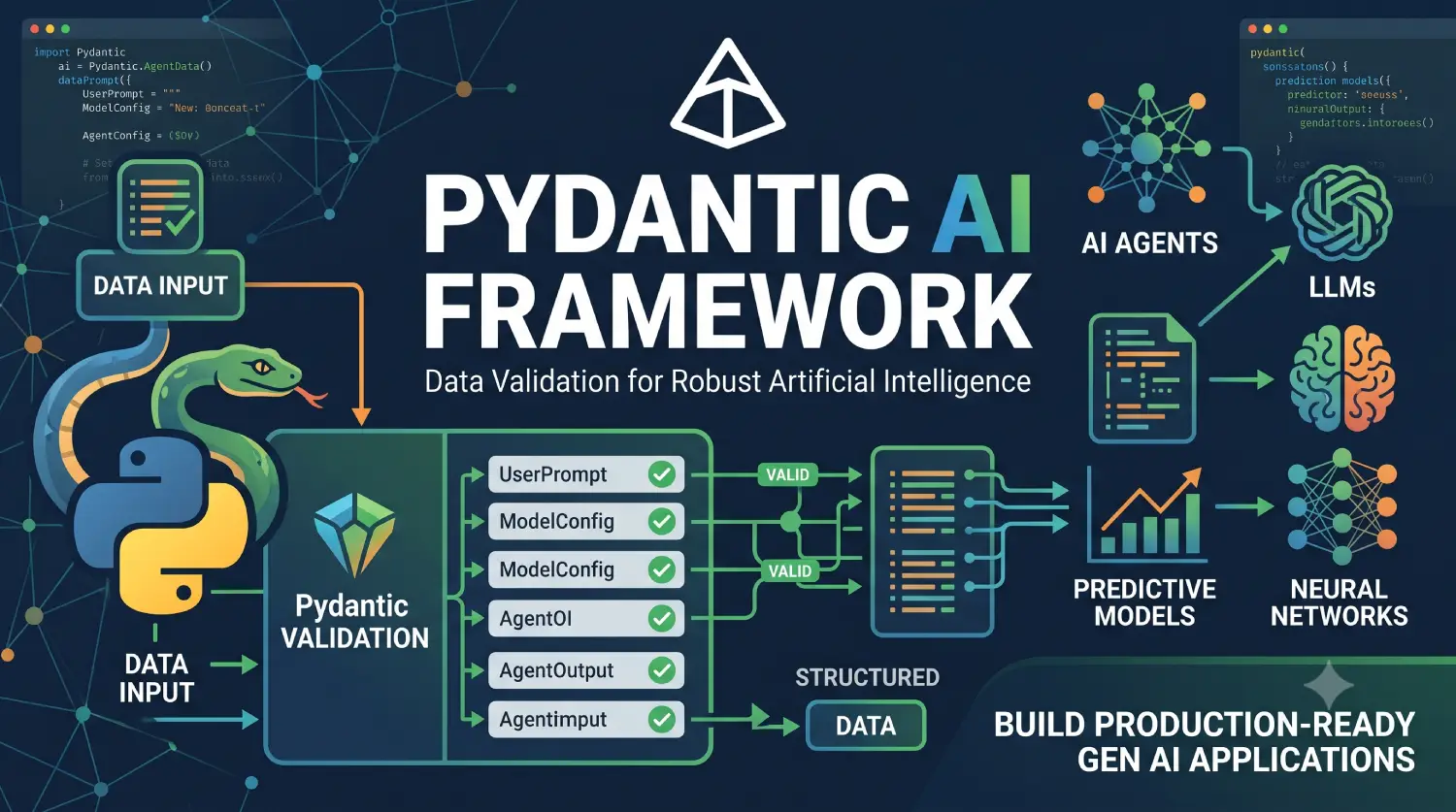
Pydantic AI is a Python framework and SDK for building AI-powered applications and agents with a strong focus on type safety, structured outputs, dependency injection, tool calling, model flexibility, testing, and production reliability.
The project is developed by the team behind Pydantic AI Framework, the same ecosystem widely used for Python data validation. The current Pydantic AI documentation describes it as a typed Python AI SDK with support for agents, realtime voice, image generation, embeddings, multiple model providers, structured outputs, typed dependencies, tools, observability, and evaluation.
As of October 2026, the latest pydantic-ai package release listed on PyPI is 2.53.0, released on October 2, 2026.
In this complete guide, you will learn:
- What Pydantic AI is
- Why Pydantic AI is useful
- How Pydantic AI agents work
- How to install Pydantic AI
- How to configure an AI model
- How to create your first agent
- How to use system prompts
- How to define structured outputs
- How to create Pydantic AI tools
- How dependency injection works
- How to pass application context to agents
- How to use multiple AI model providers
- How to build practical AI applications
- How to handle errors and validation
- How to test Pydantic AI agents
- What Pydantic Evals is
- Pydantic AI versus traditional LLM API development
- Pydantic AI versus other agent frameworks
- Advantages and limitations
- Best practices
- Frequently asked questions
What Is Pydantic AI?
Pydantic AI is a Python framework for building production-oriented applications and AI agents using large language models (LLMs).
Its main goal is to bring familiar Python development practices such as:
- Type hints
- Validation
- Dependency injection
- Structured data
- Testing
- Explicit application logic
into AI application development.
Instead of treating an LLM response as an arbitrary string, Pydantic AI allows developers to define what kind of result they expect.
For example, an application might ask an AI model to analyze a customer message and return:
{
    "category": "billing",
    "priority": "high",
    "sentiment": "negative"
}
Rather than manually parsing that response, you can define a typed Python model:
from pydantic import BaseModel


class CustomerAnalysis(BaseModel):
    category: str
    priority: str
    sentiment: str
The Pydantic AI agent can then use this model as its expected output.
This approach is particularly useful when AI output becomes part of normal application logic.
The current Pydantic AI documentation emphasizes this typed, end-to-end approach, where models, tools, dependencies, and structured outputs can be represented using Python types.
Why Do Developers Need Pydantic AI?
Calling an LLM API directly can be simple.
For example, a basic application might:
- Send a prompt.
- Receive text.
- Parse the text.
- Call an API manually.
- Validate the response.
- Handle errors.
- Store application state.
As the application grows, this becomes increasingly complicated.
Consider an AI customer-support application.
The agent may need to:
- Read the customer’s question.
- Identify the customer.
- Query a database.
- Check an order.
- Call a payment API.
- Return structured information.
- Ask for additional information.
- Escalate the conversation.
You could implement all of this manually.
Pydantic AI provides abstractions for many of these common requirements.
The framework provides concepts such as:
- Agents
- Models
- Tools
- Dependencies
- Structured outputs
- Validation
- Streaming
- Usage tracking
- Testing
- Observability
This makes it possible to keep AI-specific logic integrated with normal Python application architecture.
Pydantic AI Key Features
Some of the most important Pydantic AI capabilities include the following.
1. Type-Safe Pydantic AI Agents
Pydantic AI is designed around Python’s type system.
You can define:
from pydantic_ai import Agent
and specify expected output types.
This allows your IDE, static type checker, and application code to understand what an agent is expected to return.
2. Structured Outputs
AI models normally produce text.
Production applications frequently need structured information.
For example:
class ProductRecommendation(BaseModel):
    product_name: str
    reason: str
    confidence: float
The application can then work with an actual Python object instead of parsing arbitrary text.
This is one of the major advantages of combining Pydantic AI Framework validation capabilities with AI applications.
3. Tools
An Pydantic AI agent often needs access to external functionality.
For example:
User
 ↓
AI Agent
 ↓
Tool
 ↓
Database/API
 ↓
Tool Result
 ↓
AI Agent
 ↓
Final Answer
A tool can represent a Python function that the model is allowed to call.
Examples include:
get_weather()search_products()get_customer()calculate_price()get_order_status()
4. Dependency Injection
Real applications need access to application services.
An agent may need:
- Database connections
- Authentication information
- User IDs
- Configuration
- API clients
- Service classes
Pydantic AI supports typed dependencies so these values can be provided to an agent without hard-coding them into prompts or global variables.
5. Multiple Model Providers
Pydantic AI is designed to be model-agnostic.
The current documentation describes support for many providers, including OpenAI, Anthropic, Google, Amazon Bedrock, Azure AI Foundry, Groq, Mistral, xAI, Ollama, and others.
This means your application architecture does not necessarily need to be tightly coupled to a single LLM provider.
6. Evaluation
AI applications need more than traditional unit tests.
A normal function might have:
assert add(2, 3) == 5
But an Pydantic AI agent may produce several acceptable answers.
Pydantic provides Pydantic Evals as a separate package for evaluating agent behavior and AI application outputs. The documentation describes datasets, cases, evaluators, and serialization formats such as YAML and JSON.
7. Observability
AI applications can be difficult to debug because the final response may depend on:
- Model input
- System instructions
- Tool calls
- Tool results
- Validation
- Model output
- Retries
- Application dependencies
Pydantic’s ecosystem includes Pydantic Logfire for AI observability and tracing. The official Pydantic AI documentation also describes OpenTelemetry-based instrumentation.
Pydantic AI Architecture
A simplified Pydantic AI architecture looks like this:
                    User
                      |
                      v
                +-----------+
                |   Agent   |
                +-----------+
                      |
          +-----------+-----------+
          |           |           |
          v           v           v
       Model        Tools    Dependencies
          |           |           |
          v           v           v
       LLM/API    Functions    App Services
          |
          v
   Structured Output
          |
          v
      Application
The Agent is the central abstraction.
The agent coordinates communication with the selected model and can use tools, dependencies, validation, and structured output.
Installing Pydantic AI
The simplest installation is through pip.
Create a virtual environment first.
Create a Python Virtual Environment
On Windows:
python -m venv .venv
Activate it:
.venv\Scripts\activate
On Linux or macOS:
python3 -m venv .venv
source .venv/bin/activate
Then install Pydantic AI:
pip install pydantic-ai
You can verify the installed package using:
pip show pydantic-ai
As of October 2026, PyPI lists version 2.53.0 as the latest release.
Because Pydantic AI is actively developed, avoid hard-coding an old version in a new tutorial unless your project specifically requires version pinning.
Creating Your First Pydantic AI Agent
The fundamental object is the Agent.
A simple example is:
from pydantic_ai import Agent

agent = Agent(
    'openai:gpt-5',
    instructions='You are a helpful Python programming assistant.'
)
You can then run the agent:
result = agent.run_sync('Explain Python decorators.')

print(result.output)
The exact model identifier you use depends on the provider and model you have configured.
The important concept is that the Agent defines the behavior and model configuration, while run_sync() or the asynchronous API executes it.
Understanding the Agent
An agent can be thought of as a reusable AI application component.
For example:
agent = Agent(
    'openai:gpt-5',
    instructions='You are an expert web development assistant.'
)
Instead of recreating the entire prompt every time, your application can reuse the same agent.
Conceptually:
Agent
 ├── Model
 ├── Instructions
 ├── Tools
 ├── Dependencies
 ├── Output Type
 └── Validation
This makes the AI application easier to organize.
System Instructions
Instructions tell the agent how it should behave.
For example:
agent = Agent(
    'openai:gpt-5',
    instructions="""
    You are a professional PHP developer.
    Provide practical explanations.
    Prefer secure and maintainable solutions.
    """
)
This can be useful for specialized assistants.
Examples:
PHP Assistant
Laravel Assistant
WordPress Assistant
Customer Support Assistant
SQL Assistant
Documentation Assistant
The application can create different agents for different responsibilities.
Running an Agent
Pydantic AI supports asynchronous application development, which is important for modern Python web applications.
A basic asynchronous example can look like:
import asyncio

from pydantic_ai import Agent


agent = Agent(
    'openai:gpt-5',
    instructions='You are a helpful programming assistant.'
)


async def main():
    result = await agent.run(
        'What is dependency injection?'
    )

    print(result.output)


asyncio.run(main())
For synchronous scripts, run_sync() is convenient:
result = agent.run_sync(
    'Explain dependency injection in simple terms.'
)

print(result.output)
For FastAPI, async applications, workers, and other modern Python services, the asynchronous API is generally the better fit.
Structured Output with Pydantic AI
One of the most useful features is structured output.
Suppose you are building a customer-feedback analyzer.
You want the AI to return:
Category
Sentiment
Priority
Summary
Instead of parsing plain text, define a Pydantic AI Framework model.
from pydantic import BaseModel
from pydantic_ai import Agent


class FeedbackAnalysis(BaseModel):
    category: str
    sentiment: str
    priority: str
    summary: str
Then create an agent with that output type:
agent = Agent(
    'openai:gpt-5',
    output_type=FeedbackAnalysis,
    instructions='Analyze customer feedback.'
)
Run it:
result = agent.run_sync(
    'The product arrived late and customer support did not respond.'
)

print(result.output)
The application can now work with a typed object.
For example:
print(result.output.category)
print(result.output.sentiment)
print(result.output.priority)
This is significantly safer than doing something like:
response.split(',')
because the application’s expected structure is explicitly defined.
Why Structured Output Matters
Consider an application that expects:
{
    "name": "John",
    "age": 30
}
If the model instead returns:
John is 30 years old.
your application needs custom parsing.
With typed output, the expected schema is part of the application contract.
This is particularly valuable for:
- APIs
- Database operations
- Data extraction
- Automation
- Classification
- Content processing
- RAG systems
- Business workflows
Pydantic AI validation layer can then help ensure that the result conforms to the expected structure.
Creating Tools
Pydantic AI agents become significantly more useful when they can call application functions.
Suppose you have:
def get_product_price(product_id: int) -> float:
    return 999.99
You can expose a function as an agent tool.
A simplified example:
from pydantic_ai import Agent, RunContext


agent = Agent(
    'openai:gpt-5',
    instructions='You are a shopping assistant.'
)


@agent.tool
def get_product_price(
    ctx: RunContext,
    product_id: int
) -> float:
    return 999.99
The model can then decide when it needs to call the tool.
The important architectural distinction is:
LLM
  |
  | decides what information it needs
  v
Tool
  |
  | executes deterministic application code
  v
Result
  |
  v
LLM
The LLM does not need to implement your database query itself.
Instead, your application provides the capability through a tool.
Practical Tool Example
Imagine an order-support assistant.
You could create:
@agent.tool
def get_order_status(
    ctx: RunContext,
    order_id: int
) -> str:
    return "Shipped"
A user could ask:
Where is order 12345?
The model can determine that it needs order information and invoke the appropriate tool.
Your application remains responsible for the actual business logic.
This is an important design principle:
Let the AI decide when a capability is useful, but keep critical business logic inside normal application code.
Dependency Injection in Pydantic AI
Dependency injection is particularly important for production applications.
Imagine your application has a database service:
class Database:
    def get_order(self, order_id: int):
        return {
            "id": order_id,
            "status": "shipped"
        }
Instead of creating the database connection globally, you can provide it as an agent dependency.
A dependency type can be defined:
from dataclasses import dataclass
@dataclass
class AppDependencies:
    database: Database
The agent can then use this context.
Conceptually:
Application
     |
     v
Dependencies
     |
     +---- Database
     +---- API Client
     +---- User Context
     +---- Configuration
     |
     v
    Agent
This architecture is much easier to test than relying on global variables.
Why Dependency Injection Is Important
Suppose your production application uses PostgreSQL.
During testing, you may want:
Production:
PostgreSQL

Testing:
Fake Database
Dependency injection makes this kind of substitution easier.
For example:
class FakeDatabase:
    def get_order(self, order_id):
        return {
            "id": order_id,
            "status": "testing"
        }
The same agent logic can then be tested using a controlled dependency.
This follows standard software engineering principles and is one reason Pydantic AI is attractive to Python developers who want AI systems to behave more like conventional typed applications.
Dynamic Instructions
Sometimes system instructions need information from your application.
For example, you might want an agent to know:
Current user: 123
User plan: Premium
Language: English
Rather than hard-coding this information, application context can be supplied dynamically.
Conceptually:
User Request
     |
     v
Application Context
     |
     v
Dynamic Instructions
     |
     v
AI Agent
This is especially useful for:
- Personalized assistants
- Customer support
- SaaS applications
- Multi-tenant applications
- User-specific permissions
Model Providers
One important feature of Pydantic AI is model flexibility.
The official documentation describes a broad range of supported providers and model integrations.
Depending on the provider, your model configuration can look conceptually like:
Agent('openai:...')
or:
Agent('anthropic:...')
or another supported provider/model combination.
This makes the agent abstraction independent from the specific model vendor.
That is useful because AI models change quickly.
A company may start with one model and later choose another based on:
- Price
- Latency
- Context window
- Quality
- Availability
- Privacy
- Hosting requirements
A model-agnostic architecture makes those changes easier.
Pydantic AI and Ollama
Local models are increasingly useful for development, privacy-sensitive applications, and experimentation.
Pydantic AI’s current documentation lists Ollama among its supported model integrations.
This allows developers to build applications where the model is hosted locally rather than relying entirely on a cloud API.
A typical architecture might look like:
Python Application
       |
       v
 Pydantic AI Agent
       |
       v
     Ollama
       |
       v
 Local Model
This can be useful when experimenting with local LLMs.
Building a Simple Customer Support Agent
Let’s combine several concepts.
from dataclasses import dataclass

from pydantic import BaseModel
from pydantic_ai import Agent, RunContext
@dataclass
class SupportDependencies:
    customer_id: int
class SupportResponse(BaseModel):
    answer: str
    category: str
    needs_human: bool
agent = Agent(
    'openai:gpt-5',
    output_type=SupportResponse,
    instructions="""
    You are a professional customer support assistant.
    Be concise and helpful.
    Escalate sensitive issues to a human.
    """
)


@agent.tool
def get_customer_id(
    ctx: RunContext[SupportDependencies]
) -> int:
    return ctx.deps.customer_id
The application can then provide the dependency when running the agent.
This pattern separates:
- AI behavior
- Application context
- Tool functionality
- Output structure
That separation becomes increasingly valuable as applications grow.
Pydantic AI for RAG Applications
Retrieval-Augmented Generation, commonly called RAG, combines an AI model with external information.
A simplified RAG architecture is:
User Question
      |
      v
Retriever
      |
      v
Documents
      |
      v
AI Agent
      |
      v
Answer
Pydantic AI can be used as the agent layer around such systems.
For example, your application could provide a search tool:
@agent.tool
def search_documents(
    ctx: RunContext,
    query: str
) -> list[str]:
    return [
        "Document result 1",
        "Document result 2"
    ]
The agent can use the search capability and generate a structured answer.
This can be useful for:
- Documentation assistants
- Internal knowledge bases
- Customer support
- Product search
- Company policy assistants
- Technical documentation search
Pydantic AI for API Applications
Pydantic AI fits naturally into Python web applications.
For example, a FastAPI application could expose an endpoint:
POST /ask
The endpoint receives:
{
    "question": "What is dependency injection?"
}
The application calls the Pydantic AI agent and returns the result.
The architecture becomes:
Browser
   |
   v
FastAPI
   |
   v
Pydantic AI
   |
   v
LLM Provider
Because both FastAPI and Pydantic AI Framework are strongly integrated with Python typing and validation, this combination is particularly natural for production Python applications.
Streaming Responses
Waiting for a complete AI response can make applications feel slow.
Streaming allows an application to receive generated content progressively.
Conceptually:
LLM
 |
 +--> Token
 |
 +--> Token
 |
 +--> Token
 |
 +--> Token
 |
 v
Application
This is useful for:
- Chat interfaces
- AI writing tools
- Coding assistants
- Long responses
- Voice applications
Pydantic AI supports streaming capabilities as part of its broader agent architecture.
For production interfaces, streaming can significantly improve perceived responsiveness.
Validation and Error Handling
AI output should never automatically be considered trustworthy.
Even when you define a schema, your application should still consider:
- Invalid input
- Model errors
- Provider failures
- Tool failures
- Timeouts
- Validation errors
- Unexpected model behavior
For example:
try:
    result = agent.run_sync(
        "Analyze this customer message."
    )
except Exception as exc:
    print(f"Agent failed: {exc}")
In production, use more specific exception handling appropriate to the APIs and application architecture.
Do not expose raw provider errors directly to users.
Pydantic AI Agents Are Not Traditional Functions
A useful mental model is:
def add(a, b):
    return a + b
is deterministic.
The same input generally produces the same result.
An AI agent is different.
Input
  |
  v
Model
  |
  +--> Tool?
  |
  +--> Retry?
  |
  +--> Validation?
  |
  v
Output
The result can depend on the model and surrounding context.
This is why testing and evaluation are important.
Testing Pydantic AI Applications
Traditional unit testing is still important.
You should test:
- Tools
- Business logic
- Database functions
- Data validation
- Dependency injection
- Agent integration
For example:
def test_product_price():
    price = get_product_price(None, 10)

    assert price == 999.99
However, AI behavior requires additional testing.
You may want to test whether:
- The correct tool is selected.
- The output follows the required format.
- The response contains important information.
- The model handles expected scenarios.
- The agent avoids inappropriate behavior.
Pydantic Evals
The Pydantic ecosystem includes Pydantic Evals, designed to evaluate AI applications and agent behavior.
Instead of only checking whether a function returns a specific value, an evaluation can use datasets and evaluators.
For example:
from pydantic_evals import Case, Dataset
A dataset can contain:
Input
Expected output
Evaluators
The official Pydantic Evals documentation supports storing datasets in YAML or JSON and includes built-in and custom evaluators.
This makes it possible to maintain evaluation cases alongside your application.
Example Evaluation Dataset
Conceptually, you could define:
Case 1
Input:
"What is your refund policy?"

Expected:
Refund policy information

Case 2
Input:
"My payment failed."

Expected:
Payment troubleshooting

Case 3
Input:
"I want to speak to a human."

Expected:
Human escalation
Then run your agent against the dataset.
This approach is much more reliable than manually testing the chatbot once and assuming it works.
Why AI Evaluation Matters
Imagine that you change your system instructions.
The new prompt improves one scenario but accidentally causes another scenario to fail.
Without evaluations:
Prompt Change
     |
     v
Deploy
     |
     v
Unknown Regression
With evaluations:
Prompt Change
     |
     v
Evaluation Dataset
     |
     +---- Test 1
     +---- Test 2
     +---- Test 3
     +---- Test 4
     |
     v
Evaluation Report
This creates a repeatable development process.
Pydantic AI and Observability
Debugging AI applications can be difficult.
Suppose a customer receives a bad response.
You may need to know:
What prompt was sent?
Which model was used?
What tools were called?
What tool arguments were supplied?
What did the tools return?
What did the model produce?
Was validation triggered?
Was a retry performed?
How much did the request cost?
Observability helps answer these questions.
Pydantic’s current ecosystem includes Pydantic Logfire and OpenTelemetry-oriented instrumentation for tracing AI applications.
For production systems, observability should be considered part of the architecture rather than an optional feature.
Pydantic AI Harness
The current Pydantic AI ecosystem also includes Pydantic AI Harness.
The official documentation describes the Harness as providing additional capabilities for complex, long-running agent work, including areas such as memory, guardrails, sub-agents, planning, context management, and persistence.
This is useful when moving beyond a simple single-agent application.
For example:
Simple Agent
     |
     v
Tools
     |
     v
Dependencies
     |
     v
Complex Agent Workflow
     |
     v
Memory + Persistence + Sub-agents
Not every application needs this level of complexity.
Start with the simplest architecture that solves the problem.
Pydantic AI and Multi-Agent Applications
Some AI applications benefit from multiple specialized agents.
For example:
                 Main Agent
                     |
          +----------+----------+
          |          |          |
          v          v          v
      Research    Support     Billing
       Agent       Agent       Agent
A research agent might specialize in searching information.
A billing agent might specialize in account and payment questions.
A support agent might handle general customer requests.
Pydantic AI can be used as part of these more complex agent architectures, while the current Pydantic ecosystem also provides additional tooling for complex workflows.
However, multi-agent systems should not be introduced simply because they are popular.
If one agent and several tools solve the problem, that architecture may be easier to maintain.
Pydantic AI vs Direct LLM API Calls
| Feature | Direct API | Pydantic AI |
|---|---|---|
| Basic LLM calls | Yes | Yes |
| Agent abstraction | Manual | Built in |
| Type-safe output | Manual | Strong support |
| Pydantic validation | Manual | Native ecosystem |
| Tools | Manual | Built-in abstraction |
| Dependencies | Manual | Typed dependency system |
| Multiple providers | Provider-specific | Model abstraction |
| Evaluation | Manual | Pydantic Evals |
| Observability | Manual/integrations | Pydantic ecosystem |
| Complex workflows | Manual | Supported through ecosystem |
Direct APIs can still be the right choice for very small applications.
Pydantic AI becomes more attractive when application complexity increases.
Pydantic AI vs LangChain
Pydantic AI and LangChain solve overlapping problems but have different philosophies.
Pydantic AI has a strong emphasis on:
- Python typing
- Pydantic models
- Dependency injection
- Explicit application architecture
- Structured outputs
LangChain provides a broad ecosystem for LLM applications, integrations, chains, retrieval, tools, and agents.
The choice depends on the application.
A developer already deeply invested in Pydantic and Python typing may find Pydantic AI particularly natural.
Pydantic AI vs LangGraph
LangGraph focuses strongly on graph-based workflows and explicit state transitions.
Pydantic AI focuses on typed agents and Python application architecture.
For a straightforward agent:
Agent
  |
  +-- Tool
  +-- Tool
  +-- Output
Pydantic AI may be simpler.
For a highly explicit state machine:
Start
 |
 v
Research
 |
 +--> Review
 |
 v
Generate
 |
 v
Human Approval
 |
 v
Publish
a graph-oriented framework may be more appropriate.
Pydantic’s ecosystem also includes Pydantic Graph for typed graph control flow.
Advantages of Pydantic AI
1. Strong Python Integration
Pydantic AI feels natural to Python developers.
It uses familiar concepts:
- Type hints
- Classes
- Functions
- Dataclasses
- Pydantic models
- Async Python
2. Type Safety
Typed outputs and dependencies can catch many problems earlier in development.
3. Structured Data
Pydantic models are excellent for representing structured AI responses.
4. Model Flexibility
Applications are not necessarily locked into one model provider.
The current documentation emphasizes broad provider support.
5. Good Software Architecture
Dependency injection, typed tools, and explicit application logic make it easier to keep AI code maintainable.
6. Testing and Evaluation
Pydantic Evals provides a dedicated approach for evaluating AI behavior.
7. Production-Oriented Ecosystem
The wider Pydantic ecosystem includes:
- Pydantic AI
- Pydantic Evals
- Pydantic Graph
- Pydantic Logfire
- Pydantic AI Gateway
- Pydantic AI Harness
The current documentation positions these as complementary pieces for building, evaluating, observing, and operating AI applications.
Limitations of Pydantic AI
Pydantic AI is powerful, but it is not automatically the best solution for every AI project.
1. You Still Need to Understand LLMs
A framework does not eliminate the need to understand:
- Prompt design
- Context windows
- Model limitations
- Hallucinations
- Token usage
- Tool calling
- Evaluation
2. Model Costs Still Matter
Pydantic AI does not make LLM calls free.
You still need to monitor:
- Input tokens
- Output tokens
- Model pricing
- Request frequency
- Tool usage
The Pydantic ecosystem provides tooling for cost visibility, but your application still needs appropriate budgets and controls.
3. AI Output Is Not Automatically Correct
Structured output ensures structure.
It does not guarantee that the information itself is factually correct.
For example:
{
    "price": 999
}
may be perfectly valid according to the schema but still contain an incorrect price.
Business-critical data should therefore come from trusted tools or databases rather than model guesses.
4. Complex Agent Systems Can Become Complicated
Adding:
- Multiple agents
- Multiple tools
- Memory
- RAG
- Graphs
- Background tasks
can create significant architectural complexity.
Start small.
Pydantic AI Best Practices
1. Use Types Everywhere
Prefer:
class User(BaseModel):
    id: int
    name: str
over loosely structured dictionaries when a stable schema exists.
2. Keep Business Logic Outside the Prompt
Avoid putting important business rules exclusively inside system instructions.
Instead of:
Never allow refunds after 30 days.
implement the actual rule in application code.
The model can help interpret the user’s request, but deterministic business rules should remain deterministic.
3. Use Tools for Trusted Data
If your application has:
Database → Product Price
the agent should call the database through a tool instead of guessing the price.
4. Validate AI Outputs
Always validate data before using it in important application operations.
5. Limit Tool Permissions
Do not expose every application function to every agent.
Use the minimum permissions required.
6. Evaluate Before Production
Create representative evaluation cases.
Do not rely only on manual testing.
Pydantic Evals is designed specifically for this type of workflow.
7. Add Observability
For production applications, you should be able to investigate:
Request
  ↓
Agent
  ↓
Model
  ↓
Tool
  ↓
Tool result
  ↓
Final response
Tracing makes this much easier.
8. Start With One Agent
Do not create five agents when one agent and three tools are sufficient.
A simple architecture is easier to:
- Debug
- Test
- Deploy
- Monitor
- Maintain
Practical Pydantic AI Project Ideas
If you are learning Pydantic AI, the following projects can provide useful portfolio experience.
1. AI Documentation Assistant
Build an assistant that answers questions from your technical articles.
Technology:
Python
Pydantic AI
RAG
Vector Database
FastAPI
2. WordPress Support Agent
Build an agent that can answer WordPress development questions.
Tools could include:
search_posts()
get_plugin_info()
search_wordpress_docs()
3. E-Commerce Product Assistant
Create an AI shopping assistant.
Tools:
search_products()
get_product_details()
check_inventory()
calculate_discount()
4. Job Description Analyzer
The agent can analyze a job description and return:
class JobAnalysis(BaseModel):
    required_skills: list[str]
    experience: int
    technologies: list[str]
    match_score: float
This is an excellent project for demonstrating structured AI output.
5. API Documentation Generator
Give the agent:
PHP source code
and return:
Endpoint
Parameters
Authentication
Example Request
Example Response
This can be combined with Pydantic models for structured documentation.
Pydantic AI Project Structure
A production project could eventually use a structure like:
my-ai-app/
│
├── app/
│   ├── agents/
│   │   ├── support.py
│   │   └── research.py
│   │
│   ├── tools/
│   │   ├── database.py
│   │   └── search.py
│   │
│   ├── models/
│   │   └── schemas.py
│   │
│   ├── services/
│   │   └── customer.py
│   │
│   └── dependencies.py
│
├── tests/
│   ├── test_agents.py
│   └── test_tools.py
│
├── evals/
│   └── support.yaml
│
├── .env
├── requirements.txt
└── main.py
This is only one possible structure.
The exact organization should depend on application size.
When Should You Use Pydantic AI?
Pydantic AI is a good choice when you are building:
- AI assistants
- Pydantic AI agents
- Structured data extraction
- Tool-using applications
- RAG systems
- AI APIs
- Customer support agents
- Automation systems
- Multi-step AI workflows
- Python AI applications requiring strong typing
It may be unnecessary if your application only needs one simple LLM request.
For example:
response = client.generate(prompt)
may be enough for a very small script.
But when you start needing:
Tools
+
Dependencies
+
Structured output
+
Validation
+
Testing
+
Observability
an agent framework becomes increasingly useful.
Is Pydantic AI Good for Beginners?
Yes, especially if you already know Python.
Beginners should learn the concepts in this order:
1. Python
2. Type hints
3. Pydantic
4. LLM API basics
5. Pydantic AI Agent
6. Structured output
7. Tools
8. Dependencies
9. RAG
10. Evaluation
11. Observability
12. Production deployment
Do not begin with multi-agent systems.
First understand a single agent.
Pydantic AI Learning Roadmap
A practical learning roadmap is:
Stage 1 — Python
Learn:
- Functions
- Classes
- Type hints
- Async/await
- Dataclasses
Stage 2 — Pydantic
Learn:
BaseModel- Validation
- Field definitions
- Nested models
- Serialization
Stage 3 — LLM Fundamentals
Learn:
- Prompts
- System instructions
- User messages
- Tokens
- Context
- Model parameters
Stage 4 — Pydantic AI
Learn:
Agent- Models
run()run_sync()- Instructions
- Output types
Stage 5 — Tools
Learn:
- Tool definitions
- Tool parameters
- Tool results
- Tool errors
Stage 6 — Dependencies
Learn:
RunContext- Dependency types
- Database services
- API clients
Stage 7 — Production AI
Learn:
- Streaming
- Evaluation
- Logging
- Observability
- Error handling
- Cost management
Stage 8 — Advanced Agents
Learn:
- RAG
- Multi-agent systems
- Graph workflows
- Persistence
- Long-running agents
Frequently Asked Questions
What is Pydantic AI?
Pydantic AI is a Python SDK/framework for building type-safe AI applications and agents using large language models.
It provides abstractions for agents, models, tools, dependencies, structured outputs, and other production-oriented AI application capabilities.
Is Pydantic AI a Python framework?
Yes. Pydantic AI is designed specifically for Python AI application development.
What is the latest Pydantic AI version?
As of October 5, 2026, PyPI lists Pydantic AI 2.53.0 as the latest release, released on October 2, 2026.
Because releases are frequent, check PyPI and the official documentation before pinning a version in production.
How do I install Pydantic AI?
Use:
pip install pydantic-ai
A virtual environment is recommended for Python projects.
Does Pydantic AI support OpenAI?
Yes. OpenAI is one of the model providers supported by the current Pydantic AI ecosystem.
Does Pydantic AI support Anthropic?
Yes. Anthropic is also listed among supported providers.
Can Pydantic AI use local models?
Yes. The current documentation lists Ollama among supported model integrations.
What is a Pydantic AI Agent?
An Agent is the central abstraction used to define and execute an AI application workflow.
It can combine:
- A model
- Instructions
- Tools
- Dependencies
- Structured output
- Validation
What is Pydantic Evals?
Pydantic Evals is a separate evaluation package in the Pydantic ecosystem for testing AI applications and agent behavior.
It supports datasets, cases, evaluators, and YAML/JSON dataset serialization.
Is Pydantic AI better than LangChain?
Neither is universally better.
Pydantic AI is particularly attractive for developers who prefer:
- Python typing
- Pydantic models
- Dependency injection
- Explicit application architecture
LangChain has a broad ecosystem and many integrations.
Choose based on your application’s requirements.
Is Pydantic AI production ready?
Pydantic AI is designed for production-oriented AI applications, with capabilities around structured outputs, tools, dependencies, testing, observability, and model integrations.
However, production readiness also depends on how you implement:
- Authentication
- Authorization
- Error handling
- Rate limiting
- Monitoring
- Data privacy
- Security
- Cost controls
A framework alone does not make an application production-ready.
References:
Conclusion
Pydantic AI provides a strong Python-oriented approach to building modern AI applications.
Instead of treating an LLM as a simple text-generation API, it allows developers to build structured AI systems around familiar software engineering concepts.
The most important ideas to understand are:
Agent
  ↓
Model
  ↓
Tools
  ↓
Dependencies
  ↓
Structured Output
  ↓
Validation
  ↓
Evaluation
  ↓
Observability
Its strongest advantage is the combination of AI capabilities with Python’s type system and Pydantic’s validation model.
For simple applications, you may only need an agent and a model.
As the project grows, you can introduce:
- Tools
- Dependency injection
- Structured outputs
- RAG
- Evaluation
- Observability
- Graph workflows
- Multi-agent architectures
- Long-running agent capabilities
The current Pydantic AI ecosystem has expanded beyond a basic agent wrapper into a broader collection of tools for building, testing, observing, and operating AI applications. The official documentation currently highlights Pydantic AI, Pydantic Evals, Pydantic Graph, Pydantic AI Harness, Logfire, and the Pydantic AI Gateway as parts of this ecosystem.
For Python developers who want to move from simple LLM API calls toward typed, testable, maintainable AI applications, Pydantic AI is therefore a technology worth learning in 2026.