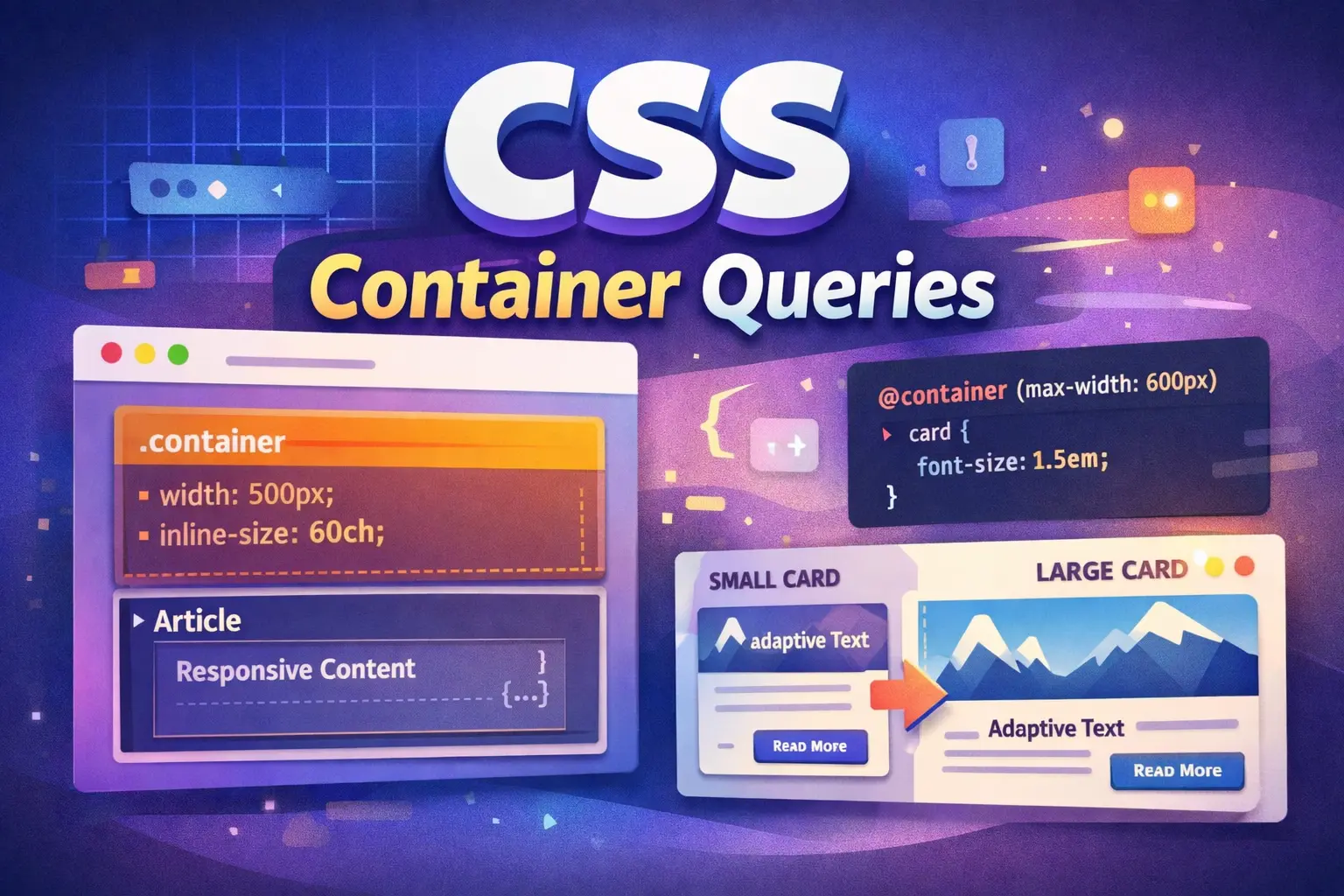
This tutorial will dive deep into how you can use css container queries to build components that are “size-aware,” allowing them to be dropped into any layout—be it a narrow sidebar or a wide hero section—and adapt perfectly without a single line of viewport-based code.
Table of Contents
For years, responsive web design meant one thing — media queries. We designed layouts based on viewport width:
@media (max-width: 768px) {
.card { flex-direction: column; }
}
This worked… until it didn’t.
Modern applications use reusable components: cards, widgets, sidebars, dashboards, modals, and embeddable UI blocks. The problem? Media queries only respond to the screen size, not the size of the component’s parent container.
That’s where Container Queries come in — one of the most important modern CSS features 2026 has to offer.
In this complete CSS container queries tutorial, you’ll learn:
- What css container queries are
- Why they’re better than media queries
- How to use them step-by-step
- Real-world responsive component examples
- Best practices and performance tips
- When to still use media queries
Let’s modernize your CSS.
What Are CSS Container Queries?
CSS Container Queries allow elements to style themselves based on the size of their parent container — not the viewport.
Instead of asking:
“How big is the screen?”
We now ask:
“How big is the container this component lives in?”
This makes components truly reusable.
Container Queries were officially standardized by the World Wide Web Consortium and are now supported in modern browsers including Google Chrome, Mozilla Firefox, and Safari.
They represent a major shift in modern CSS architecture.
Why Media Queries Are Not Enough
Let’s say you build a product card component:
<div class="card">
<img src="product.jpg">
<div class="content">
<h2>Product Title</h2>
<p>Description text...</p>
</div>
</div>
With media queries, layout changes based on screen width:
@media (min-width: 768px) {
.card {
display: flex;
}
}
But what if:
- The card is inside a 400px sidebar?
- Or in a 1200px grid column?
- Or embedded in another website?
The card doesn’t know its actual container size — only the viewport.
This breaks component-based design.
Enter CSS Container Queries
Container queries solve this.
Instead of using @media, we use @container.
But first — we must define a container.
Step 1: Define a Container
To use container queries, mark a parent element as a container:
.card-wrapper {
container-type: inline-size;
}
What does this do?
- container-type: inline-size allows querying the container’s width
- It establishes a queryable container
You can also name containers:
.card-wrapper {
container-type: inline-size;
container-name: card;
}
Step 2: Write a Container Query
Now we write:
@container (min-width: 500px) {
.card {
display: flex;
gap: 1rem;
}
}
Now .card changes layout only when its parent container is at least 500px wide.
Not the screen.
The container.
Full Example: Responsive Card Component
HTML
<div class="layout">
<div class="card-wrapper">
<div class="card">
<img src="https://via.placeholder.com/150">
<div>
<h3>Modern CSS</h3>
<p>Container queries are powerful.</p>
</div>
</div>
</div>
</div>
CSS
.layout {
display: grid;
grid-template-columns: 1fr;
gap: 2rem;
}
.card-wrapper {
container-type: inline-size;
border: 1px solid #ddd;
padding: 1rem;
}
.card {
display: block;
}
@container (min-width: 400px) {
.card {
display: flex;
align-items: center;
}
.card img {
width: 150px;
margin-right: 1rem;
}
}
Now the card layout adapts based on the container width.
If placed inside a narrow column → stacked
If placed inside a wide grid → horizontal
This is real component-level responsiveness.
Container Queries vs Media Queries
| Feature | Media Queries | Container Queries |
|---|---|---|
| Based on | Viewport | Parent container |
| Best for | Page layout | Reusable components |
| Component portability | Limited | Excellent |
| Nested layouts | Hard | Easy |
Use media queries for:
- Global layout changes
- Header/footer restructuring
- Page-level breakpoints
Use container queries for:
- Cards
- Modals
- Widgets
- Dashboard panels
- Reusable UI components
Advanced: Named Containers
You can target specific containers:
.sidebar {
container-type: inline-size;
container-name: sidebar;
}
Then:
@container sidebar (min-width: 300px) {
.widget {
font-size: 1.2rem;
}
}
This is extremely useful in complex layouts.
Container Query Units (Modern CSS Magic)
Container queries introduce new units:
- cqw → 1% of container width
- cqh → 1% of container height
- cqi → inline size
- cqb → block size
Example:
.card h2 {
font-size: 5cqw;
}
Now typography scales based on container size — not viewport.
This is one of the most exciting modern CSS features 2026 developers are adopting.
Real-World Example: Dashboard Widget
Imagine building an analytics widget:
- In sidebar → compact version
- In main area → expanded version
- In mobile → stacked version
With container queries:
.widget-container {
container-type: inline-size;
}
@container (max-width: 350px) {
.widget {
flex-direction: column;
}
}
@container (min-width: 600px) {
.widget {
flex-direction: row;
}
}
One component.
Multiple behaviors.
No viewport dependency.
Real-World Use Cases
1. Dashboard Widgets
Widgets can change layout based on allocated grid space.
2. CMS Blocks (WordPress, Headless)
Reusable blocks adjust automatically depending on content column width.
3. SaaS Admin Panels
Sidebar vs full layout differences handled without media queries.
4. Design Systems
Component libraries become context-independent.
Performance Considerations
Good news: container queries are efficient.
Best practices:
- Only define containers where needed
- Avoid deeply nested containers unnecessarily
- Prefer inline-size unless height queries are required
- Test performance in dev tools
Modern browsers optimize container layout calculations well.
Browser Support (2026)
As of 2026:
- Chrome
- Firefox
- Safari
- Edge
All major evergreen browsers support container queries.
Fallback strategy:
.card {
display: block; /* default layout */
}@supports (container-type: inline-size) {
/* container query styles */
}
When NOT to Use Container Queries
Avoid container queries when:
- Changing entire page structure
- Adjusting global navigation
- Designing breakpoints for entire app layout
They are not replacements for media queries — they complement them.
Architectural Impact: Why This Changes CSS Philosophy
Container queries shift CSS from:
Viewport-based architecture
to
Component-based architecture
This aligns perfectly with:
- React
- Vue
- Svelte
- WordPress Block Editor
- Headless CMS platforms
Responsive web design is no longer page-centric — it is component-centric.
Container Queries + Grid + Flexbox
The real power appears when combined with:
- CSS Grid
- Flexbox
- Subgrid
- Clamp()
- Logical properties
Example:
.card {
display: grid;
gap: clamp(1rem, 2cqw, 2rem);
}
Now spacing scales dynamically based on container size.
That’s modern responsive design.
Practical Project Idea for Screen-Share Tutorial
To make this topic highly visual (perfect for YouTube):
- Build a card component
- Place it in:
- Full-width layout
- Sidebar
- Grid column
- Resize container live
- Show how media queries fail
- Replace with container queries
- Watch component adapt instantly
Final Thoughts: The Future of Responsive Web Design
Container queries are not just a new feature — they represent a philosophical shift in CSS architecture.
From:
Screen-based responsiveness
To:
Component-based responsiveness
For developers building:
- Design systems
- SaaS dashboards
- WordPress blocks
- Shopify themes
- React/Vue components
- Headless CMS layouts
Container queries are now essential.
References
Below are authoritative references for further reading:
- MDN Web Docs: CSS Container Queries
- W3C Specification: CSS Containment Module Level 3
Conclusion
In this CSS container queries tutorial, we covered:
- What container queries are
- How they differ from media queries
- Step-by-step implementation
- Real-world examples
- Modern container units
- Performance and best practices
If you’re still building responsive components using only media queries — you’re missing out on one of the most powerful modern CSS features 2026 has delivered.
The future of responsive web design is container-first.