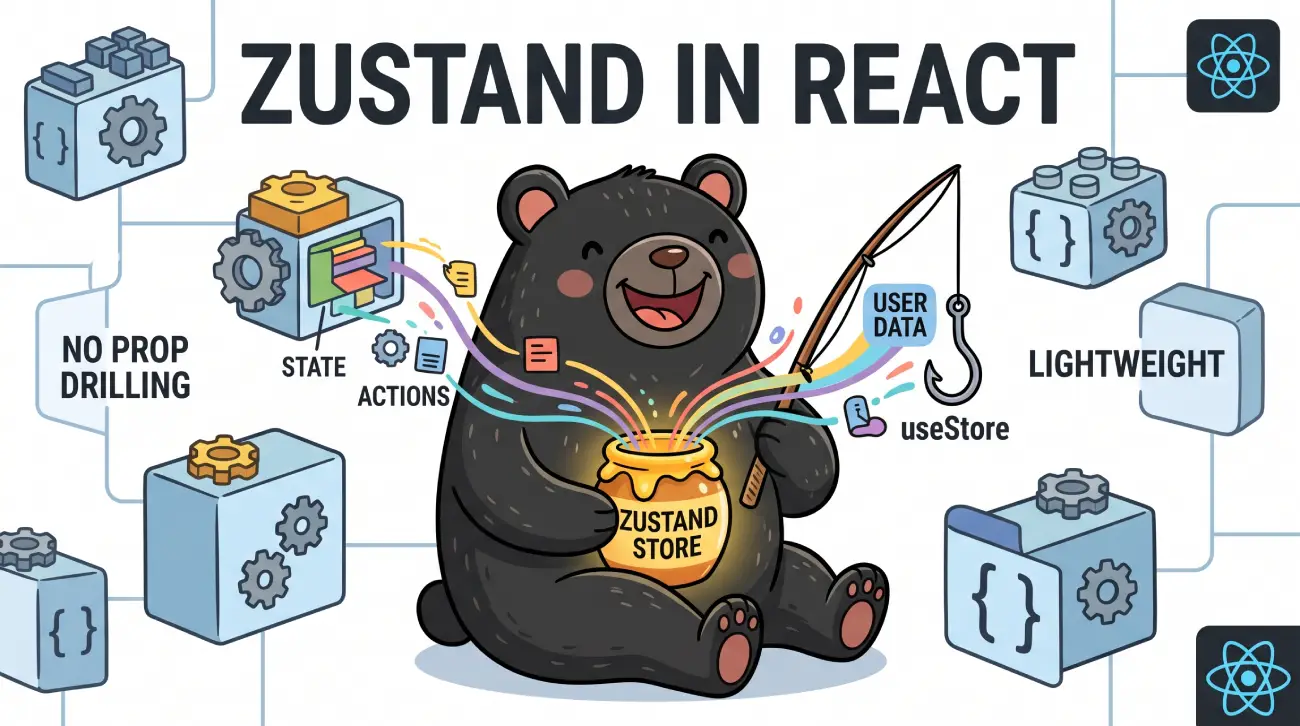
This article walks through everything from the fundamentals to advanced patterns, so you can use Zustand confidently in production applications, including Next.js 15/16 App Router projects.
Table of Contents
State management has long been one of the most debated topics in the React ecosystem. From the early days of prop drilling, to Redux’s rise as the de facto standard, to the Context API’s arrival in React 16.3, developers have continuously searched for a state management solution that is simple, scalable, and doesn’t fight against React’s own model.
Zustand is one of the most successful answers to that search. It is a small, fast, and unopinionated state management library for React that has become a favorite among developers who want Redux-like predictability without Redux-like ceremony.
What is Zustand?
Zustand (German for “state”) is a small state management library created by Poimandres (formerly React Spring / pmndrs), the same collective behind libraries like React Three Fiber, Jotai, and Valtio.
At its core, Zustand gives you a create function that produces a store — a hook you can call from any component to read and update shared state. There’s no Provider wrapping your app (though you can use one if you want), no action types, no reducers, and no boilerplate. A store is just a function that returns an object, and your components subscribe to slices of that object.
Key characteristics:
- Minimal API surface — essentially one function, create, plus a handful of optional middleware.
- Unopinionated — you can structure state however you like: flat, nested, normalized, or split into slices.
- Not tied to React — the core store can be used in plain JavaScript/TypeScript, with a separate react binding for hooks.
- Tiny bundle size — roughly 1KB gzipped for the core.
- No context providers required — stores live outside the React tree by default, avoiding unnecessary re-renders caused by context propagation.
Why Zustand Was Created
Zustand was originally built by Poimandres as an internal tool to manage state in React Three Fiber projects, where performance-sensitive, frequently-updating state (like 3D scene data) made Redux’s dispatch-based model and Context API’s re-render behavior impractical.
The creators wanted something that:
- Avoided the boilerplate of Redux (action creators, reducers, dispatch, combineReducers).
- Avoided the re-render cascade problems of the Context API.
- Didn’t require wrapping the entire app in providers.
- Worked equally well for tiny components and large applications.
- Had first-class TypeScript support without excessive type gymnastics.
It succeeded well beyond its original 3D-focused use case and is now a general-purpose state manager used across all kinds of React (and React Native) applications.
Problems with React State Management
Before Zustand, developers typically reached for one of a few options, each with trade-offs:
Prop drilling — Passing state down through many layers of components. Simple at first, but becomes unmanageable as component trees grow, since intermediate components must accept and forward props they don’t use themselves.
Context API — Solves prop drilling but has a well-known re-render problem: any component consuming a context re-renders whenever the context value changes, even if it only cares about part of that value. Splitting contexts to avoid this adds complexity.
Redux (classic) — Predictable and battle-tested, but historically required significant boilerplate: action types, action creators, reducers, and connecting components via connect() or useSelector/useDispatch. Redux Toolkit reduced much of this, but the mental model (actions, reducers, immutability rules, middleware) is still heavier than many apps need.
Component-local state overuse — Using useState/useReducer everywhere and lifting state up manually leads to “prop drilling in disguise” and tightly coupled component hierarchies.
Zustand addresses these by letting components subscribe directly to a store outside of React’s tree, so updates only trigger re-renders in components that actually use the changed data — without providers, without reducers, and without excessive boilerplate.
When to Use Zustand
Zustand is a good fit when:
- You need global or shared state across components that aren’t in a direct parent-child relationship.
- You want to avoid Context API re-render overhead for frequently-changing state.
- You want a lightweight alternative to Redux without giving up predictability or devtools support.
- You’re building client-side state for things like UI state, auth state, cart state, filters, or app-wide settings.
- You need fine-grained subscriptions — components that only re-render when the specific slice of state they use changes.
Zustand is less ideal (or needs care) when:
- You need server state with caching, deduplication, and background refetching — tools like TanStack Query or SWR are purpose-built for that, and are commonly used alongside Zustand rather than instead of it.
- You need time-travel debugging and strict action-based auditing at a large organizational scale — Redux Toolkit’s ecosystem may still be preferable for very large teams that need strict conventions.
- Your state is genuinely local to one component tree — plain useState/useReducer is simpler and sufficient.
How Zustand Works Internally
Understanding Zustand’s internals helps explain why it performs well.
- The store is just a closure. create returns a hook, but under the hood it creates a plain JavaScript object holding state, plus getState, setState, and subscribe methods. This store exists independently of React.
- Subscriptions, not context. Instead of passing state through React context (which triggers re-renders of all consumers on any change), Zustand components call the store hook with a selector function. The hook subscribes only to the specific slice of state the selector returns, using an equality check (by default, reference equality with Object.is) to decide whether to trigger a re-render.
setStatemerges by default. Calling set(partialState) shallow-merges the given object into the existing state (unless you pass replace: true), similar to the classic this.setState pattern from React class components.- No provider needed. Because the store lives outside React (typically as a module-level singleton), any component can import and use it directly. This is why there’s no <Provider> wrapping required for the common case.
- Middleware wraps the store creator. Features like persist, devtools, and immer are implemented as middleware that wrap the base create function, intercepting set calls to add behavior (like writing to localStorage or logging to Redux DevTools) without changing the core API.
This architecture is what gives Zustand both simplicity and performance: updates are pushed directly to subscribed components via plain function calls, not routed through React’s reconciliation of a context provider tree.
Installation
Install Zustand via your package manager of choice:
npm install zustand
# or
yarn add zustand
# or
pnpm add zustand
# or
bun add zustand
No peer dependencies beyond React (and React is only required if you use the React binding — the vanilla store works standalone).
Creating Your First Store
A Zustand store is created with the create function. You define your state shape and any actions that modify it, all within a single function passed to create.
// store/useCounterStore.js
import { create } from 'zustand';

export const useCounterStore = create((set) => ({
  count: 0,
  increment: () => set((state) => ({ count: state.count + 1 })),
  decrement: () => set((state) => ({ count: state.count - 1 })),
  reset: () => set({ count: 0 }),
}));
That’s it — no provider, no reducer file, no action constants. useCounterStore is now a hook you can call from any component.
function Counter() {
  const count = useCounterStore((state) => state.count);
  const increment = useCounterStore((state) => state.increment);

  return (
    <div>
      <p>Count: {count}</p>
      <button onClick={increment}>+1</button>
    </div>
  );
}
Reading State
The recommended way to read state is with a selector — a function that picks the specific piece of state a component needs:
const count = useCounterStore((state) => state.count);
This ensures the component only re-renders when count changes, not when any part of the store changes.
You can also read the entire store (not recommended for components that only need part of it, since it re-renders on every update):
const { count, increment, decrement } = useCounterStore();
For reading state outside of React (e.g., in an event handler, utility function, or outside a component), use getState():
const currentCount = useCounterStore.getState().count;
Selecting multiple values
When you need several fields, select an object and use a shallow-equality comparer to avoid unnecessary re-renders (Zustand exports useShallow for this):
import { useShallow } from 'zustand/react/shallow';

const { count, increment } = useCounterStore(
  useShallow((state) => ({ count: state.count, increment: state.increment }))
);
Without useShallow, selecting a new object literal on every render would cause a re-render every time, since a new object reference is created each call.
Updating State
State updates go through the set function provided inside the store creator. set accepts either:
A partial object (shallow-merged into state):
set({ count: 5 });
A function of the previous state (useful when the new value depends on the old one):
set((state) => ({ count: state.count + 1 }));
A full replacement, bypassing the merge, using the second argument:
set({ count: 0 }, true); // replaces the entire state object
Because set merges shallowly, updating nested objects requires spreading manually (or using the Immer middleware, covered later):
const useUserStore = create((set) => ({
  user: { name: 'Alice', age: 30 },
  updateAge: (age) =>
    set((state) => ({
      user: { ...state.user, age },
    })),
}));
Actions and Business Logic
A common Zustand convention is to co-locate actions (functions that modify state) directly inside the store, rather than in separate files. This keeps related state and logic together and avoids the action-type boilerplate of Redux.
export const useCartStore = create((set, get) => ({
  items: [],

  addItem: (product) =>
    set((state) => ({
      items: [...state.items, product],
    })),

  removeItem: (id) =>
    set((state) => ({
      items: state.items.filter((item) => item.id !== id),
    })),

  // Actions can read current state via `get`
  getTotal: () => {
    const { items } = get();
    return items.reduce((sum, item) => sum + item.price, 0);
  },

  clearCart: () => set({ items: [] }),
}));
The second argument to the store creator, get, lets actions read the latest state without needing to subscribe to it — useful for computing derived values or validating before an update.
For larger apps, it’s common to separate state and actions conceptually within the same store object, sometimes even splitting them into state and actions namespaces for clarity:
export const useCartStore = create((set, get) => ({
  state: { items: [] },
  actions: {
    addItem: (product) =>
      set((s) => ({ state: { items: [...s.state.items, product] } })),
  },
}));
This is a style choice — Zustand doesn’t enforce any particular structure.
Asynchronous Actions
Because Zustand actions are just plain functions, async logic works exactly as you’d expect — no thunks, sagas, or special middleware required.
export const useUserStore = create((set) => ({
  user: null,
  isLoading: false,
  error: null,

  fetchUser: async (userId) => {
    set({ isLoading: true, error: null });
    try {
      const response = await fetch(`/api/users/${userId}`);
      if (!response.ok) throw new Error('Failed to fetch user');
      const user = await response.json();
      set({ user, isLoading: false });
    } catch (error) {
      set({ error: error.message, isLoading: false });
    }
  },
}));
Usage in a component:
function UserProfile({ userId }) {
  const { user, isLoading, error, fetchUser } = useUserStore();

  useEffect(() => {
    fetchUser(userId);
  }, [userId, fetchUser]);

  if (isLoading) return <p>Loading...</p>;
  if (error) return <p>Error: {error}</p>;
  return <p>{user?.name}</p>;
}
Working with APIs
A typical pattern is to wrap CRUD operations as store actions, keeping components declarative and free of fetch logic.
export const useTodosStore = create((set, get) => ({
  todos: [],
  status: 'idle', // 'idle' | 'loading' | 'success' | 'error'

  fetchTodos: async () => {
    set({ status: 'loading' });
    const res = await fetch('/api/todos');
    const todos = await res.json();
    set({ todos, status: 'success' });
  },

  addTodo: async (title) => {
    const res = await fetch('/api/todos', {
      method: 'POST',
      headers: { 'Content-Type': 'application/json' },
      body: JSON.stringify({ title }),
    });
    const newTodo = await res.json();
    set((state) => ({ todos: [...state.todos, newTodo] }));
  },

  toggleTodo: async (id) => {
    const todo = get().todos.find((t) => t.id === id);
    const updated = { ...todo, completed: !todo.completed };
    await fetch(`/api/todos/${id}`, {
      method: 'PATCH',
      headers: { 'Content-Type': 'application/json' },
      body: JSON.stringify(updated),
    });
    set((state) => ({
      todos: state.todos.map((t) => (t.id === id ? updated : t)),
    }));
  },
}));
For non-trivial applications, many teams pair Zustand for client/UI state with TanStack Query or SWR for server state (caching, revalidation, retries), rather than reimplementing that logic manually inside a Zustand store.
Multiple Stores vs Single Store
Zustand doesn’t prescribe whether you should have one giant store or many small ones — both are supported.
Multiple stores (common, recommended default):
export const useAuthStore = create(() => ({ user: null }));
export const useCartStore = create(() => ({ items: [] }));
export const useThemeStore = create(() => ({ theme: 'light' }));
Pros: clear separation of concerns, smaller files, independent subscriptions, easier to reason about.
Single store with slices (useful for large apps that need cross-slice interactions):
const useAppStore = create((set, get) => ({
  ...createAuthSlice(set, get),
  ...createCartSlice(set, get),
  ...createThemeSlice(set, get),
}));
Pros: one place to look for all app state, easier to persist/devtools the whole app at once, simpler cross-slice actions.
General guidance: start with multiple small stores organized by domain (auth, cart, UI, theme). Move to a single sliced store only if you find yourself needing frequent interactions between “separate” stores.
Selectors and Performance Optimization
Selectors are the primary performance lever in Zustand. A component only re-renders when the selected value changes (per the equality function, Object.is by default).
Anti-pattern — selecting the whole store:
// Re-renders on ANY state change
const store = useCartStore();
Better — selecting only what’s needed:
const itemCount = useCartStore((state) => state.items.length);
Selecting derived values — compute inside the selector so re-renders only happen when the derived result changes:
const total = useCartStore((state) =>
  state.items.reduce((sum, item) => sum + item.price, 0)
);
Multiple values with shallow comparison:
import { useShallow } from 'zustand/react/shallow';

const { name, email } = useUserStore(
  useShallow((state) => ({ name: state.name, email: state.email }))
);
Memoized selectors for expensive computations can be built with libraries like reselect, though for most apps, computing inside the selector is sufficient since Zustand re-runs selectors cheaply.
Persist Middleware
The persist middleware saves store state to storage (localStorage by default) and rehydrates it on load — ideal for things like theme preference, auth tokens, or cart contents.
import { create } from 'zustand';
import { persist, createJSONStorage } from 'zustand/middleware';

export const useThemeStore = create(
  persist(
    (set) => ({
      theme: 'light',
      toggleTheme: () =>
        set((state) => ({ theme: state.theme === 'light' ? 'dark' : 'light' })),
    }),
    {
      name: 'theme-storage', // localStorage key
      storage: createJSONStorage(() => localStorage), // default; can swap for sessionStorage etc.
      partialize: (state) => ({ theme: state.theme }), // choose what to persist
    }
  )
);
Useful options:
partialize— persist only a subset of state (avoid persisting sensitive or transient fields).version+migrate— handle schema changes across app versions.onRehydrateStorage— run logic once persisted state has been loaded.skipHydration— required in SSR contexts (like Next.js) to avoid hydration mismatches; you manually trigger hydration on the client.
DevTools Middleware
The devtools middleware connects a store to the Redux DevTools browser extension, letting you inspect state changes, action names, and time-travel through updates — even though you’re not using Redux.
import { create } from 'zustand';
import { devtools } from 'zustand/middleware';

export const useCartStore = create(
  devtools(
    (set) => ({
      items: [],
      addItem: (item) =>
        set((state) => ({ items: [...state.items, item] }), false, 'cart/addItem'),
    }),
    { name: 'CartStore' }
  )
);
The third argument to set (‘cart/addItem’) is an optional action name shown in DevTools, making debugging much clearer than an unlabeled “anonymous” entry. devtools should typically be the outermost middleware when combined with others.
Immer Middleware
By default, Zustand updates require manual immutable spreading for nested state. The immer middleware lets you write “mutating” logic that’s actually safely immutable under the hood, using Immer’s proxy-based drafts.
import { create } from 'zustand';
import { immer } from 'zustand/middleware/immer';

export const useUserStore = create(
  immer((set) => ({
    user: { name: 'Alice', address: { city: 'Ahmedabad' } },
    updateCity: (city) =>
      set((state) => {
        state.user.address.city = city; // looks like mutation, is actually immutable
      }),
  }))
);
This is especially valuable for deeply nested state (forms, complex objects) where manual spreading becomes error-prone and verbose. Requires the immer package as a dependency.
subscribeWithSelector Middleware
By default, store.subscribe(listener) fires on every state change. The subscribeWithSelector middleware lets you subscribe to a specific slice and get notified only when that slice changes — useful for imperative, non-React subscriptions (e.g., syncing to an external system, logging, or triggering side effects).
import { create } from 'zustand';
import { subscribeWithSelector } from 'zustand/middleware';

export const useStore = create(
  subscribeWithSelector((set) => ({
    count: 0,
    increment: () => set((state) => ({ count: state.count + 1 })),
  }))
);

// Outside React:
const unsubscribe = useStore.subscribe(
  (state) => state.count,
  (count, previousCount) => {
    console.log('count changed from', previousCount, 'to', count);
  },
  { fireImmediately: true }
);
This is commonly used to sync Zustand state with non-React code — canvases, WebSocket connections, browser APIs, or analytics.
Slices Pattern for Large Applications
As applications grow, a single store creator function can become unwieldy. The slices pattern splits store logic into separate files, each responsible for one domain, then combines them into a single store.
// slices/createAuthSlice.js
export const createAuthSlice = (set, get) => ({
  user: null,
  login: (user) => set({ user }),
  logout: () => set({ user: null }),
});

// slices/createCartSlice.js
export const createCartSlice = (set, get) => ({
  items: [],
  addItem: (item) => set((state) => ({ items: [...state.items, item] })),
});

// store/useAppStore.js
import { create } from 'zustand';
import { createAuthSlice } from '../slices/createAuthSlice';
import { createCartSlice } from '../slices/createCartSlice';

export const useAppStore = create((...a) => ({
  ...createAuthSlice(...a),
  ...createCartSlice(...a),
}));
Each slice receives the same set/get/api arguments, so slices can even read or update each other’s state if needed (e.g., clearing the cart on logout), while still living in separate, testable files.
TypeScript Integration
Zustand has strong first-class TypeScript support. The key pattern is using the curried create<T>()() syntax to properly infer types with middleware:
import { create } from 'zustand';
import { devtools, persist } from 'zustand/middleware';

interface CounterState {
  count: number;
  increment: () => void;
  reset: () => void;
}

export const useCounterStore = create<CounterState>()(
  devtools(
    persist(
      (set) => ({
        count: 0,
        increment: () => set((state) => ({ count: state.count + 1 })),
        reset: () => set({ count: 0 }),
      }),
      { name: 'counter-storage' }
    )
  )
);
The extra () after create<CounterState>() is required — Zustand uses this curried form specifically so TypeScript can correctly infer generic types through chained middleware, which plain generic inference can’t always handle.
For slices in TypeScript, define each slice’s type and compose them:
interface AuthSlice {
  user: string | null;
  login: (user: string) => void;
}

interface CartSlice {
  items: string[];
  addItem: (item: string) => void;
}

type AppState = AuthSlice & CartSlice;

const createAuthSlice: StateCreator<AppState, [], [], AuthSlice> = (set) => ({
  user: null,
  login: (user) => set({ user }),
});
Using Zustand with React Context (when needed)
Zustand stores are usually module-level singletons, which works well for most apps. But sometimes you need one store instance per component tree — for example, multiple independent instances of a widget, or SSR apps where state must not leak between requests.
In these cases, combine Zustand with React Context: create the store inside a component (often with useRef to avoid recreating it on every render), and provide it via context.
import { createContext, useContext, useRef } from 'react';
import { createStore, useStore } from 'zustand';

const createCounterStore = () =>
  createStore((set) => ({
    count: 0,
    increment: () => set((state) => ({ count: state.count + 1 })),
  }));

const CounterContext = createContext(null);

export function CounterProvider({ children }) {
  const storeRef = useRef();
  if (!storeRef.current) storeRef.current = createCounterStore();
  return (
    <CounterContext.Provider value={storeRef.current}>
      {children}
    </CounterContext.Provider>
  );
}

export function useCounterStore(selector) {
  const store = useContext(CounterContext);
  return useStore(store, selector);
}
This pattern is the recommended approach for Next.js SSR, where a single module-level store would otherwise be shared across all requests on the server — a serious bug in a multi-user environment.
Using Zustand in Next.js 15/16 (App Router)
Next.js’s App Router blends Server and Client Components, and introduces SSR considerations that don’t exist in a purely client-rendered SPA. The key rules for Zustand in Next.js 15/16:
- Zustand stores only work in Client Components. Add ‘use client’ at the top of any file that creates or consumes a store.
- Avoid a single module-level store on the server. Since the server can handle multiple users’ requests using the same module instance, a shared store risks leaking state between users. Use the per-request store via Context pattern shown above, with the provider mounted in a Client Component near the root of the tree.
- Initialize store state from server-fetched data by passing initial values as props into the store factory, rather than fetching client-side after mount.
// providers/store-provider.tsx
'use client';
import { createContext, useRef, useContext } from 'react';
import { createStore, useStore } from 'zustand';

type State = { count: number };
type Actions = { increment: () => void };

const createAppStore = (initState: State) =>
  createStore<State & Actions>((set) => ({
    ...initState,
    increment: () => set((s) => ({ count: s.count + 1 })),
  }));

const AppStoreContext = createContext(null);

export function AppStoreProvider({ children, initialCount = 0 }) {
  const storeRef = useRef();
  if (!storeRef.current) {
    storeRef.current = createAppStore({ count: initialCount });
  }
  return (
    <AppStoreContext.Provider value={storeRef.current}>
      {children}
    </AppStoreContext.Provider>
  );
}

export function useAppStore(selector) {
  const store = useContext(AppStoreContext);
  if (!store) throw new Error('Missing AppStoreProvider');
  return useStore(store, selector);
}
// app/layout.tsx (Server Component)
import { AppStoreProvider } from '../providers/store-provider';

export default async function RootLayout({ children }) {
  const initialCount = await fetchInitialCount(); // server-side fetch
  return (
    <html>
      <body>
        <AppStoreProvider initialCount={initialCount}>
          {children}
        </AppStoreProvider>
      </body>
    </html>
  );
}
Server Components vs Client Components
Zustand is fundamentally a client-side tool — it relies on React hooks and browser-persistent module state, neither of which exist in Server Components.
- Server Components should fetch data and pass it down as props/initial state. They should never import a Zustand store directly.
- Client Components are where stores are created, provided (via context, for SSR safety), and consumed via selectors.
A common architecture: Server Components fetch data → pass as props into a Client Component boundary → a Client Component provider seeds a Zustand store with that data → descendant Client Components read/update state via the store.
SSR & Hydration Considerations
When persisting state (e.g., via the persist middleware) in an SSR framework like Next.js, the server has no access to localStorage, but the client does. This mismatch can cause hydration errors if the initial client render doesn’t match what the server rendered.
Mitigations:
skipHydration: truein the persist config, then manually call useStore.persist.rehydrate() inside a useEffect on the client, after the initial render has matched the server output.- Render a fallback until hydrated, tracking hydration status with a flag set in
onRehydrateStorageor auseEffect. - Prefer per-request stores (Context pattern) over a shared module singleton in SSR apps, as described above, to prevent cross-request state leakage entirely.
'use client';
import { useEffect, useState } from 'react';
import { useThemeStore } from '../store/useThemeStore';

export function ThemeInitializer() {
  const [hydrated, setHydrated] = useState(false);

  useEffect(() => {
    useThemeStore.persist.rehydrate();
    setHydrated(true);
  }, []);

  if (!hydrated) return null;
  return null;
}
Authentication Example
// store/useAuthStore.ts
import { create } from 'zustand';
import { persist } from 'zustand/middleware';

interface User {
  id: string;
  name: string;
  email: string;
}

interface AuthState {
  user: User | null;
  token: string | null;
  isAuthenticated: boolean;
  login: (email: string, password: string) => Promise<void>;
  logout: () => void;
}

export const useAuthStore = create<AuthState>()(
  persist(
    (set) => ({
      user: null,
      token: null,
      isAuthenticated: false,

      login: async (email, password) => {
        const res = await fetch('/api/auth/login', {
          method: 'POST',
          headers: { 'Content-Type': 'application/json' },
          body: JSON.stringify({ email, password }),
        });
        if (!res.ok) throw new Error('Invalid credentials');
        const { user, token } = await res.json();
        set({ user, token, isAuthenticated: true });
      },

      logout: () => set({ user: null, token: null, isAuthenticated: false }),
    }),
    {
      name: 'auth-storage',
      partialize: (state) => ({ token: state.token, user: state.user }),
    }
  )
);
Best Practices
- Select narrowly. Always use selectors rather than destructuring the whole store, to minimize re-renders.
- Co-locate actions with state. Keep related logic inside the store rather than scattering setState calls across components.
- Split stores by domain. Favor several small, focused stores over one monolithic store, unless slices genuinely need to interact.
- Use
useShallowfor multi-value selections to avoid re-renders from new object references. - Name your actions in devtools using the third
setargument for clearer debugging. - Persist only what’s necessary using partialize, to avoid bloating storage or persisting sensitive/transient data.
- Keep derived state out of the store when possible — compute it in selectors or components instead of duplicating and syncing it manually.
- Use TypeScript’s curried
create<T>()()syntax from the start, even in small projects, to avoid painful refactors later.
Common Mistakes
- Selecting the entire store (const store = useStore()), causing re-renders on every state change.
- Creating new object/array literals in selectors without useShallow, defeating the reference-equality optimization.
- Mutating state directly without the Immer middleware (e.g., state.items.push(x) inside set), which breaks React’s change detection.
- Using a single module-level store in SSR apps, causing state to leak between different users’ requests.
- Forgetting
partializeand persisting the entire store, including large or sensitive fields that shouldn’t be in localStorage. - Overusing a single giant store for unrelated concerns, making the codebase harder to navigate than necessary.
- Not handling hydration mismatches when using persist with SSR frameworks like Next.js.
Zustand vs Redux Toolkit
| Zustand | Redux Toolkit | |
|---|---|---|
| Boilerplate | Minimal — one function | Low-to-moderate — slices, reducers |
| Bundle size | ~1KB core | Larger (includes Redux + RTK) |
| Provider required | No (by default) | Yes |
| DevTools | Via middleware | Built-in |
| Middleware ecosystem | Small, focused (persist, immer, devtools) | Large, mature (thunk, saga, RTK Query) |
| Learning curve | Low | Moderate |
| Best for | Small-to-large apps wanting simplicity | Large apps needing strict conventions, RTK Query |
Redux Toolkit remains a strong choice for large teams that want strict, enforced conventions and built-in data-fetching via RTK Query. Zustand is generally preferred when teams want speed of development and minimal ceremony without sacrificing structure.
Zustand vs Context API
| Zustand | Context API | |
|---|---|---|
| Re-renders | Only subscribed components (via selectors) | All consumers re-render on any context value change |
| Setup | No provider needed by default | Requires Provider wrapping |
| Performance for frequent updates | Good | Poor without manual splitting/memoization |
| Built for | State management | Dependency injection / rarely-changing values |
React Context API is well suited for values that rarely change (theme, locale, authenticated user object) and where you specifically want React’s tree-based propagation. Zustand is better suited for state that changes frequently or needs fine-grained subscriptions.
Zustand vs Jotai
Both come from the same team (Poimandres) but take different approaches:
- Zustand is store-based — one (or a few) centralized stores holding multiple pieces of state.
- Jotai is atom-based — state is split into many small, independent “atoms” that can be composed and derived from one another, closer in spirit to Recoil.
Jotai tends to shine for highly granular, deeply interdependent state (e.g., complex forms with many derived fields), while Zustand tends to be simpler to reason about for typical app-level global state, since it avoids the atom-composition mental model.
Zustand vs Recoil
Recoil, developed by Meta, also uses an atom-based model similar to Jotai, with built-in support for derived state via “selectors” (different concept from Zustand’s selector functions) and experimental concurrent features tied closely to React’s own release cycle.
- Recoil requires a RecoilRoot provider; Zustand does not.
- Recoil’s atom/selector graph is powerful for complex derived-state graphs but has a steeper learning curve.
- Zustand has a smaller bundle size and fewer React-version coupling concerns, and development activity on Recoil has slowed compared to Zustand and Jotai in recent years.
Performance Benchmarks
Exact numbers vary by benchmark methodology and change over time, but the general, widely-observed pattern is:
- Zustand and Jotai typically outperform the Context API significantly for apps with frequently-updating global state, because they avoid the “any consumer re-renders on any change” behavior of context.
- Zustand’s bundle size (~1KB core, before middleware) is meaningfully smaller than Redux + Redux Toolkit combined.
- Redux Toolkit, when properly optimized with memoized selectors (reselect or RTK’s createSelector), can match Zustand’s runtime re-render performance, but requires more manual selector work to get there by default.
- For most real-world apps, the practical performance difference between these libraries is dwarfed by how carefully selectors are written — a poorly-selectored Zustand store can be slower than a well-optimized Context implementation, and vice versa.
If performance is a hard requirement, benchmark with your actual state shape and update patterns rather than relying solely on generic library comparisons.
Advantages
- Minimal boilerplate and a gentle learning curve.
- Extremely small bundle size.
- No required provider — simpler setup for most apps.
- Fine-grained subscriptions via selectors, avoiding unnecessary re-renders.
- Flexible: works with plain objects, slices, Immer, or normalized state — no imposed structure.
- Strong TypeScript support.
- Works outside React too (vanilla store), useful for non-React logic or cross-framework code.
- Active maintenance and wide community adoption.
Disadvantages
- Less strict conventions than Redux — larger teams may need to self-impose structure to avoid inconsistency across a codebase.
- Smaller middleware ecosystem compared to Redux’s mature plugin landscape.
- No built-in server-state features (caching, deduplication, refetching) — needs pairing with TanStack Query/SWR for that.
- SSR requires extra care (per-request store pattern) that isn’t necessary with some other solutions designed with SSR in mind from the start.
- Time-travel debugging and strict action auditing are less “built-in” than in Redux, relying on the devtools middleware rather than being core to the library.
Real-world Use Cases
- E-commerce: cart state, wishlist, applied filters/sorting, recently viewed products.
- SaaS dashboards: UI state like sidebar collapse, active tab, selected date ranges, modal visibility.
- Authentication: current user, session token, permission flags, persisted across reloads.
- Multi-step forms/wizards: form data spanning multiple steps/routes before final submission.
- Real-time apps: chat UI state, notification counts, WebSocket-driven live data synced via subscribeWithSelector.
- 3D/creative coding: React Three Fiber scenes (Zustand’s original use case) where frequent updates need to avoid React’s render cycle entirely for performance-critical paths.
- Design tools/editors: canvas state, selected elements, undo/redo stacks, tool settings.
Frequently Asked Questions (FAQ)
Is Zustand better than Redux? Neither is universally “better” — Zustand suits teams wanting minimal setup and flexibility; Redux Toolkit suits teams wanting strict conventions and a mature plugin ecosystem, especially with RTK Query for server state.
Do I need a Provider with Zustand? No, not by default — stores are module-level singletons usable anywhere. A Provider (via Context) is only needed for per-instance stores or SSR safety.
Can Zustand replace React Query/SWR? Not fully — Zustand manages client state well but doesn’t provide caching, deduplication, or automatic refetching for server data out of the box. Most teams pair Zustand with TanStack Query or SWR.
Is Zustand SSR-safe? Yes, with the correct pattern — use a per-request store created via Context rather than a shared module-level singleton in server-rendered apps.
Does Zustand support React Native? Yes, Zustand works identically in React Native since it doesn’t depend on any DOM-specific APIs (aside from persist’s default storage, which can be swapped for AsyncStorage).
How do I reset a store to its initial state? A common pattern is storing the initial state object separately and adding a reset action that calls set(initialState, true).
Can I use Zustand outside of React entirely? Yes — zustand/vanilla exposes createStore, which works in any JavaScript environment without React.
How does Zustand compare in bundle size to Redux Toolkit? Zustand’s core is roughly 1KB gzipped, versus Redux Toolkit’s combined size, which is typically several times larger due to Redux itself plus RTK’s utilities.
References
- Zustand GitHub repository: https://github.com/pmndrs/zustand
- Zustand documentation: https://zustand.docs.pmnd.rs
- Poimandres (pmndrs) collective: https://pmnd.rs
- Immer documentation: https://immerjs.github.io/immer
- Redux Toolkit documentation: https://redux-toolkit.js.org
- Jotai documentation: https://jotai.org
- Recoil documentation: https://recoiljs.org
- Next.js App Router documentation: https://nextjs.org/docs/app
Conclusion
Zustand has earned its popularity by solving a real problem: giving React developers a state management tool that’s genuinely simple without sacrificing the predictability and performance that larger apps need. Its selector-based subscription model avoids the re-render pitfalls of Context, its API surface is small enough to learn in an afternoon, and its middleware ecosystem (persist, devtools, immer) covers the vast majority of real-world needs without pulling in a heavy dependency tree.
Whether you’re building a small side project or a large Next.js 15/16 application with Server and Client Components, Zustand scales from a single useState-style store to a fully sliced, typed, persisted, and SSR-safe architecture — making it one of the most pragmatic choices in the current React state management landscape.