In this article, we’ll see Sails js Overview.
Table of Contents
In today’s fast-paced digital landscape, developers need frameworks that can handle scalability, real-time communication, and rapid development. With the growing demand for APIs, SaaS platforms, and real-time applications, choosing the right backend framework is more important than ever.
Sails js stands out as a powerful and flexible framework built on Node.js that simplifies the development of enterprise-grade applications. Inspired by the MVC architecture and designed with developer productivity in mind, Sails.js continues to evolve in 2026 as a reliable solution for modern web applications.
In this article, we’ll explore everything you need to know about Sails js, including its features, benefits, installation, architecture, use cases, advantages, and more.
What is Sails JS
Sails.js is a web framework for building enterprise-grade Node.js applications. It is built on top of Express.js and provides a set of features and tools for building scalable and maintainable web applications.
Sails.js uses a Model-View-Controller (MVC) architectural pattern and is designed to make it easy for developers to create and manage complex web applications.
It was built in the year 2015 by Mike McNeil and the Sails Company with inspirations from the Ruby on Rails MVC framework.
Sails.js is suitable for building a wide range of web applications, including single-page apps, real-time chat apps, and enterprise-grade web applications. It is designed to be highly configurable and customizable, allowing developers to easily adapt it to their specific needs.
Why use Sails js
- MVC Architecture: At the core of Sails js lies the MVC architectural pattern, providing developers with a structured approach to building applications. The Model layer handles data storage and retrieval, the View layer presents data to the users, and the Controller layer manages the application’s logic and facilitates communication between the Model and View. This separation of concerns promotes code organization and maintainability, making it easier to manage complex applications.
- Convention over Configuration: Sails js embraces the “convention over configuration” principle, which means it comes with sensible defaults and predefined conventions. This approach reduces the need for repetitive configuration, allowing developers to focus on application logic rather than spending time on tedious setup tasks. Sails.js automates much of the configuration process, enabling rapid development and reducing the learning curve for new developers joining a project.
- Real-Time Capabilities with WebSockets: One of the standout features of Sails.js is its built-in support for real-time communication through WebSockets. The framework utilizes the Socket.IO library, which enables bidirectional, event-based communication between the server and the client. With Sails.js, you can easily implement real-time features like chat applications, collaborative editing, or live data updates without having to handle the complexities of low-level WebSocket protocols.
- ORM and Database Agnostic: Sails js incorporates an Object-Relational Mapping (ORM) layer called Waterline, which provides a consistent API for interacting with different databases, such as MySQL, PostgreSQL, MongoDB, and more. This ORM abstraction allows developers to work with their preferred database without having to write database-specific code. It simplifies data modeling, query building, and database migration, making it easier to switch between databases if needed.
- Scalability and Performance: Sails js is designed to handle high levels of traffic and scale horizontally. With its built-in support for clustering, you can take advantage of multiple CPU cores to distribute the load across multiple instances of your application. Additionally, Sails.js offers support for microservices architecture, allowing you to break your application into smaller, manageable services that can be independently scaled.
- Extensibility and Community Support: Sails js benefits from a vibrant and active community that contributes plugins and modules, extending its functionality. These community-driven extensions cover a wide range of features, including authentication, authorization, API documentation, email integration, and more. Leveraging the power of these plugins, developers can accelerate development and take advantage of battle-tested solutions.
- Testing and Debugging: Sails.js provides robust tools for testing and debugging applications. It offers integration with popular testing frameworks like Mocha and provides utilities for writing unit tests and integration tests. Additionally, the framework incorporates error-handling middleware and provides detailed error logging to facilitate debugging and troubleshooting.
Sails.js Installation
Installing Sails.js is a straightforward process. The first step is to make sure that you have Node.js and npm (Node Package Manager) installed on your system. Once you have those prerequisites, you can use npm to install Sails.js.
1) Open a terminal and run the “npm install -g sails” command to install the Sails.js. This will install Sails globally on your system, allowing you to use the Sails command line interface (CLI) from anywhere on your system.
2) Create a new directory for your Sails.js application. Navigate to the new directory and run the “sails new myapp” command to create a new Sails.js application. During installation, it will ask for a template selection like below
Choose a template for your new Sails app:
1. Web App · Extensible project with auth, login, & password recovery
2. Empty · An empty Sails app, yours to configure
Select option 1 and proceed. This will create a new Sails.js application in the “myapp” directory, with a basic file structure and some example code to get you started.
3) Once the installation is completed, go to the directory by running the “cd myapp” command in your terminal
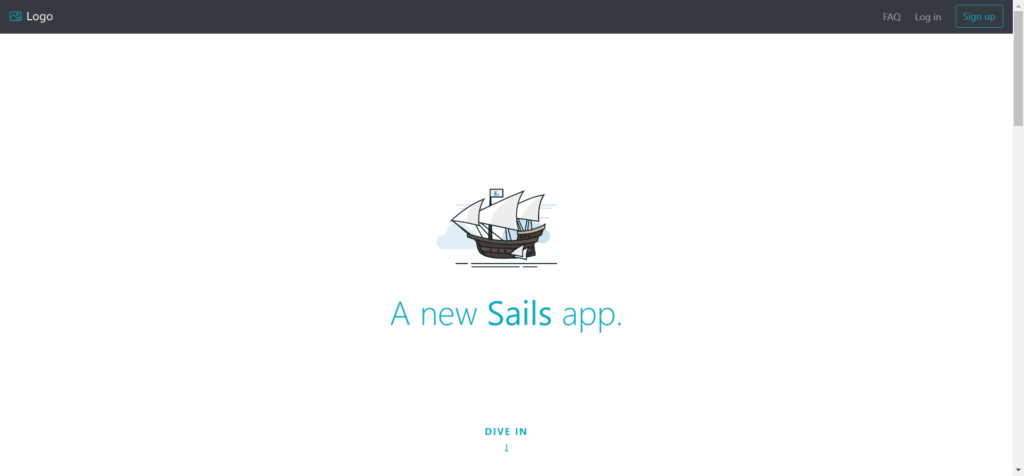
4) To run your application run the “sails lift” command in your terminal to Start the Sails.js server. This will start the Sails.js server and the application will be running on http://localhost:1337 by default, you can access your application in your browser at that address. see below screenshot for output.
You can follow the below video for the whole installation process.
Use Cases of Sails.js
Sails.js is highly versatile and suitable for:
- Real-time chat applications
- SaaS platforms
- RESTful APIs
- Social networking apps
- IoT dashboards
- Collaboration tools
Advantages of Sails.js
- Easy to learn for JavaScript developers
- Built-in real-time features
- Flexible and customizable
- Database agnostic
- Strong community support
- Ideal for rapid development
Disadvantages of Sails.js
- Smaller ecosystem compared to frameworks like NestJS
- Can feel heavy for small projects
- Less frequent updates compared to newer frameworks
- Learning curve for Waterline ORM
Sails.js vs Other Frameworks (2026)
| Feature | Sails.js | Express.js | NestJS |
|---|---|---|---|
| Architecture | MVC | Minimal | Modular |
| Real-time | Built-in | Manual | With adapters |
| ORM | Waterline | External | TypeORM/Prisma |
| Scalability | High | Medium | High |
| Learning Curve | Medium | Easy | Medium |
Best Practices for Sails js in 2026
- Use API-first approach for modern apps
- Separate services for better maintainability
- Use environment-based configuration
- Integrate with frontend frameworks (React, Vue)
- Implement proper authentication and authorization
References
- Official Documentation: https://sailsjs.com
- Getting Started Guide: https://sailsjs.com/get-started
- GitHub Repository: https://github.com/balderdashy/sails
- Node.js Official Site: https://nodejs.org
Conclusion
Sails js remains a powerful and flexible framework in 2026 for building scalable, real-time, and enterprise-grade applications. Its MVC architecture, real-time capabilities, and database-agnostic ORM make it an excellent choice for developers who want structure without sacrificing flexibility.
Whether you’re developing a SaaS product, REST API, or real-time dashboard, Sails js provides the tools needed to build modern web applications efficiently.
If you’re already familiar with JavaScript and Node.js, Sails js can significantly accelerate your development workflow and help you deliver high-performance applications.