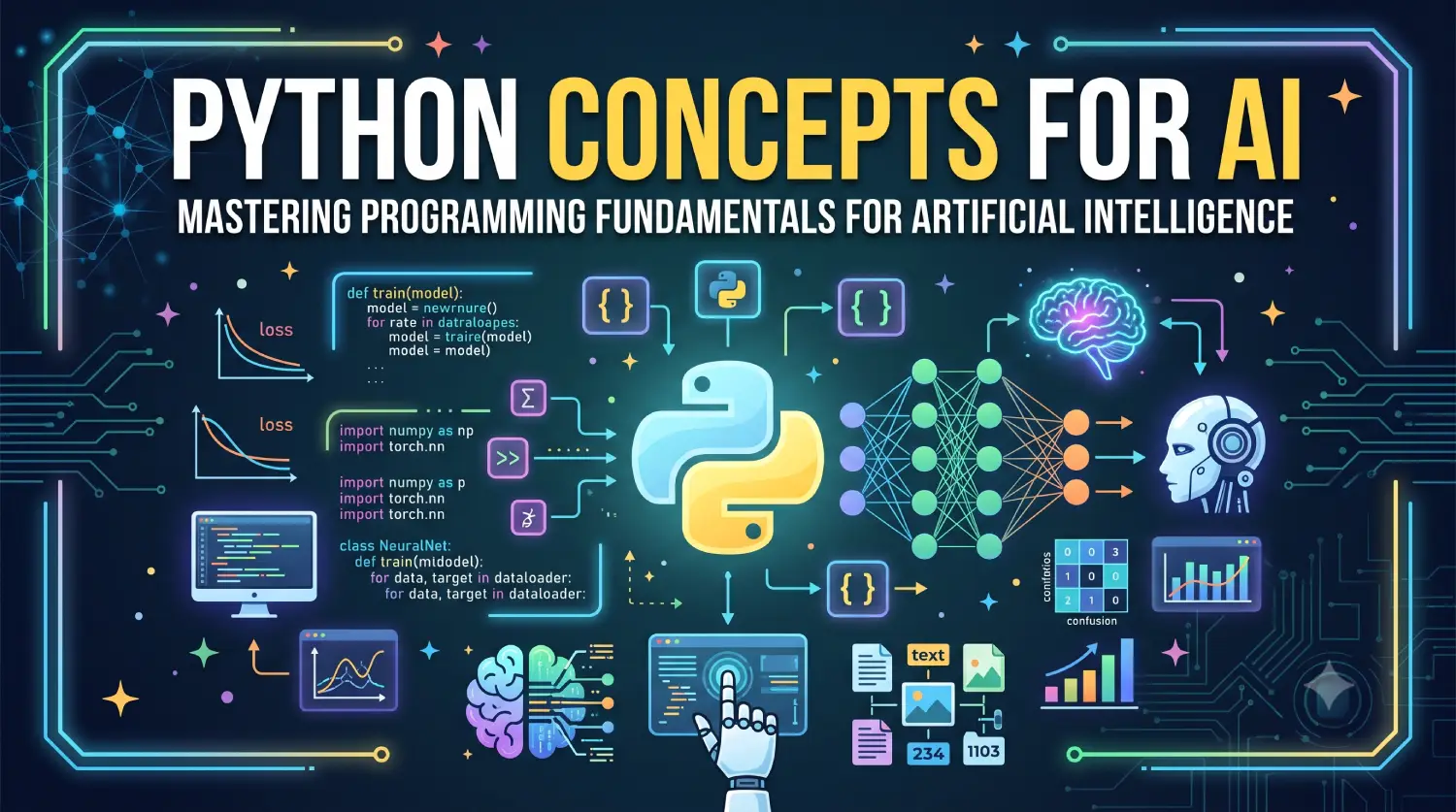
In this article, we’ll explore the essential Python concepts for AI developer. Whether you’re a beginner entering the world of AI or an experienced programmer looking to strengthen your foundation, these concepts will help you build more efficient and scalable AI solutions.
Table of Contents
Artificial Intelligence (AI) has become one of the most transformative technologies of the modern era. From recommendation systems and chatbots to self-driving cars and medical diagnostics, AI applications are revolutionizing industries worldwide. Behind most AI solutions lies one programming language that has consistently remained the top choice for developers and researchers—Python.
Python’s popularity in AI is not accidental. Its simple syntax, extensive ecosystem of libraries, readability, and large community support make it an ideal language for building machine learning models, deep learning systems, and intelligent applications.
However, before diving into advanced frameworks like TensorFlow, PyTorch, LangChain, or large language models (LLMs), developers should have a solid understanding of the fundamental Python concepts that power AI applications.
Why Python is Popular for AI Development
Python has become the dominant language for AI because it offers several advantages:
- Simple and readable syntax
- Massive collection of AI and ML libraries
- Platform independence
- Strong community support
- Rapid prototyping capabilities
- Easy integration with C, C++, and Java
- Excellent data manipulation libraries
- Rich visualization tools
Popular AI libraries built on Python include:
- NumPy
- Pandas
- Matplotlib
- Scikit-learn
- TensorFlow
- PyTorch
- Hugging Face Transformers
- LangChain
Core Python Concepts for AI
1. Variables and Data Types
Variables are containers that store information in memory, and one of the Python concepts for AI. AI applications constantly work with datasets, configurations, model parameters, and predictions.
Example
name = "ChatGPT"
accuracy = 98.5
is_trained = True
epochs = 100
Common Data Types
Integer
age = 25
Float
learning_rate = 0.001
String
model_name = "BERT"
Boolean
is_gpu_enabled = True
None
prediction = None
AI Usage
- Learning rates
- Number of training epochs
- Model names
- Hyperparameters
- Prediction results
2. Lists
Lists are ordered and mutable collections and one of the Python concepts for AI.
AI systems frequently store:
- Datasets
- Features
- Predictions
- Model outputs
Example
scores = [89, 91, 87, 95]
Access Elements
print(scores[0])
Output:
89
Add Elements
scores.append(99)
Iterate Through List
for score in scores:
    print(score)
AI Example
features = [
    "age",
    "salary",
    "experience"
]
3. Tuples
Tuples are ordered and immutable collections and one of the Python concepts for AI.
Example
shape = (224, 224, 3)
In AI and computer vision, tuples commonly represent:
- Image dimensions
- Coordinates
- Model configurations
Because tuples cannot be modified, they help protect important values from accidental changes.
4. Dictionaries
Dictionaries store data in key-value pairs, and one of the Python concepts for AI.
AI applications heavily use dictionaries for:
- Model configurations
- API responses
- Hyperparameters
- Dataset metadata
Example
model = {
    "name": "ResNet50",
    "epochs": 50,
    "learning_rate": 0.001
}
Access Value
print(model["epochs"])
Output:
50
Add New Value
model["batch_size"] = 32
5. Sets
Sets store unique values.
Example
labels = {
    "cat",
    "dog",
    "bird"
}
AI Usage
Sets are useful when:
- Removing duplicate labels
- Finding unique categories
- Performing set operations
predicted = {"cat", "dog"}
actual = {"dog", "bird"}

common = predicted.intersection(actual)
print(common)
6. Conditional Statements
AI systems continuously make decisions based on conditions.
Example
accuracy = 92

if accuracy > 90:
    print("Excellent model")
else:
    print("Needs improvement")
Multiple Conditions
score = 75

if score >= 90:
    print("A")
elif score >= 70:
    print("B")
else:
    print("C")
AI Usage
- Classification decisions
- Model evaluation
- Recommendation systems
- Validation rules
7. Loops
Loops execute a block of code repeatedly and one of the Python concepts for AI.
For Loop
for i in range(5):
    print(i)
While Loop
count = 0

while count < 5:
    print(count)
    count += 1
AI Usage
Loops are used in:
- Model training
- Data preprocessing
- Batch processing
- Evaluation metrics
Example:
for epoch in range(100):
    train_model()
8. Functions
Functions allow code reuse and modular programming and one of the Python concepts for AI.
Example
def square(number):
    return number * number

print(square(5))
Output:
25
AI Example
def calculate_accuracy(correct, total):
    return correct / total
Functions are everywhere in AI libraries:
model.fit()
model.predict()
model.evaluate()
9. Lambda Functions
Lambda functions are anonymous functions and one of the Python concepts for AI.
Example
square = lambda x: x * x

print(square(5))
Output:
25
AI Usage
Data transformations:
numbers = [1, 2, 3]

squared = list(
    map(lambda x: x * x, numbers)
)
10. List Comprehensions
List comprehensions provide a concise way to create lists.
Traditional Method
squares = []

for i in range(5):
    squares.append(i * i)
List Comprehension
squares = [i * i for i in range(5)]
AI Usage
Feature engineering:
normalized = [
    x / 100
    for x in scores
]
11. Exception Handling
AI applications often deal with:
- Missing values
- Invalid inputs
- File errors
- Network failures
Example
try:
    result = 10 / 0
except ZeroDivisionError:
    print("Cannot divide by zero")
AI Example
try:
    dataset = load_data()
except FileNotFoundError:
    print("Dataset not found")
Proper exception handling makes AI systems more reliable.
12. File Handling
AI systems constantly read and write files.
Examples:
- CSV files
- JSON datasets
- Images
- Model checkpoints
Reading File
with open("data.txt", "r") as file:
    content = file.read()
Writing File
with open("result.txt", "w") as file:
    file.write("Training completed")
13. Object-Oriented Programming (OOP)
Modern AI frameworks heavily use object-oriented programming.
Class Example
class Model:

    def __init__(self, name):
        self.name = name

    def train(self):
        print("Training", self.name)

model = Model("CNN")
model.train()
Output:
Training CNN
OOP Concepts
- Encapsulation
- Inheritance
- Polymorphism
- Abstraction
AI Example
class NeuralNetwork:
    pass

class CNN(NeuralNetwork):
    pass
Libraries like TensorFlow and PyTorch are built extensively using OOP principles.
14. Modules and Packages
Python modules help organize code and one of the Python concepts for AI.
Example
import math

print(math.sqrt(25))
AI Libraries
import numpy as np
import pandas as pd
import matplotlib.pyplot as plt
15. NumPy Fundamentals
NumPy is the foundation of scientific computing and AI and one of the Python concepts for AI.
Create Array
import numpy as np

numbers = np.array([1, 2, 3, 4])
Mathematical Operations
numbers * 2
numbers + 10
Matrix Example
matrix = np.array([
    [1, 2],
    [3, 4]
])
Why NumPy Matters
AI algorithms depend heavily on:
- Vectors
- Matrices
- Tensor operations
- Linear algebra
Without NumPy, modern machine learning would be significantly slower.
16. Generators
Generators produce values one at a time and one of the Python concepts for AI.
Example
def numbers():
    for i in range(5):
        yield i

for num in numbers():
    print(num)
AI Usage
Generators are useful when working with:
- Large datasets
- Streaming data
- Batch processing
Example:
def batch_generator(dataset):
    for batch in dataset:
        yield batch
Generators save memory and improve performance.
17. Iterators
An iterator allows objects to be traversed one element at a time.
Example
numbers = [1, 2, 3]

iterator = iter(numbers)

print(next(iterator))
print(next(iterator))
AI Usage
- Dataset traversal
- Streaming pipelines
- Batch processing
18. Decorators
Decorators modify the behavior of functions.
Example
def logger(func):

    def wrapper():
        print("Starting")
        func()
        print("Finished")

    return wrapper

@logger
def train():
    print("Training model")

train()
AI Usage
Decorators are useful for:
- Logging
- Performance monitoring
- Model timing
- Authentication
19. Virtual Environments
AI projects usually have many dependencies.
Create environment:
python -m venv ai-env
Activate:
Windows
ai-env\Scripts\activate
Linux/macOS
source ai-env/bin/activate
Install packages:
pip install numpy pandas scikit-learn
20. Type Hints
Type hints improve readability and maintainability.
Example
def predict(age: int) -> str:
    return "Approved"
AI Benefits
- Better IDE support
- Easier debugging
- Improved documentation
- Cleaner large codebases
Recommended Learning Path for AI Developers
Stage 1: Python Concepts
- Variables
- Data types
- Operators
- Lists
- Dictionaries
- Loops
- Functions
Stage 2: Intermediate Python
- OOP
- Exception handling
- File handling
- Modules
- Generators
- Decorators
Stage 3: Scientific Computing
- NumPy
- Pandas
- Matplotlib
Stage 4: Machine Learning
- Scikit-learn
- TensorFlow
- PyTorch
Stage 5: Generative AI
- Transformers
- LangChain
- Vector Databases
- Agentic AI Frameworks
Best Practices for Writing Python Code for AI
- Write modular functions.
- Use meaningful variable names.
- Follow PEP 8 coding standards.
- Prefer NumPy operations over loops.
- Use virtual environments.
- Handle exceptions properly.
- Add type hints.
- Document your code.
- Write reusable classes.
- Profile and optimize performance.
References
- Python Documentation – https://docs.python.org/3/
- NumPy Documentation – https://numpy.org/doc/
- Pandas Documentation – https://pandas.pydata.org/docs/
- Scikit-learn Documentation – https://scikit-learn.org/stable/documentation.html
- TensorFlow Documentation – https://www.tensorflow.org/
- PyTorch Documentation – https://pytorch.org/docs/
- PEP 8 Style Guide – https://peps.python.org/pep-0008/
- Python Packaging User Guide – https://packaging.python.org/
- Python Type Hints Documentation – https://docs.python.org/3/library/typing.html
- Python Data Model Documentation – https://docs.python.org/3/reference/datamodel.html
Conclusion
Python has established itself as the leading language for Artificial Intelligence because of its simplicity, readability, and powerful ecosystem of libraries. However, becoming an effective AI developer requires much more than learning machine learning frameworks. A strong understanding of core Python concepts forms the foundation upon which successful AI applications are built.
Concepts such as variables, data structures, functions, object-oriented programming, generators, exception handling, and NumPy are used extensively in every stage of AI development, from data preprocessing and model training to deployment and monitoring. Mastering these fundamentals not only makes learning advanced AI technologies easier but also enables developers to write cleaner, more efficient, and scalable code.
As AI continues to evolve in 2026 and beyond, developers who possess strong Python concepts for AI will be better prepared to work with machine learning, deep learning, large language models, and next-generation intelligent systems.