
Mobile application development has become an essential part of modern software development. Businesses want applications that work seamlessly on both Android and iOS platforms, but building separate native apps for each platform can be expensive and time-consuming.
Table of Contents
This is where React Native becomes extremely useful. React Native is a powerful open-source framework that allows developers to build cross-platform mobile applications using JavaScript and React. Instead of writing two separate codebases, developers can write a single codebase and deploy it on both Android and iOS.
It was developed and maintained by Meta Platforms (formerly Facebook) and released to the public in 2015. Since its release, it has become one of the most popular frameworks for mobile development.
Major applications such as Facebook, Instagram, and Discord use React Native in parts of their mobile applications.
In this article, we will explore the React Native introduction, its features, architecture, installation process, advantages, disadvantages, and core concepts.
What is React Native?
React Native is a JavaScript-based mobile application framework used to build native mobile applications for Android and iOS.
Unlike traditional hybrid frameworks that render web pages inside a browser component, React Native uses real native UI components. This allows applications to achieve performance close to fully native apps.
React Native uses React concepts such as:
- Components
- Props
- State
- JSX syntax
Developers write application logic using JavaScript, and React Native converts it into native platform components.
For example:
| React Native Component | Android Equivalent | iOS Equivalent |
|---|---|---|
| View | Android View | UIView |
| Text | TextView | UILabel |
| Image | ImageView | UIImageView |
This architecture allows developers to reuse a large portion of code across platforms.
Prerequisites for Learning React Native
Before starting React Native development, developers should have basic knowledge of:
- HTML
- CSS
- JavaScript
- React fundamentals
- Node.js environment
A JavaScript runtime such as Node.js must also be installed to run development tools and manage dependencies.
Hello World Example in React Native
Below is a simple example of a React Native application.
import React from "react";
import { View, Text } from "react-native";

const App = () => {
return (
<View>
<Text>Hello, World!</Text>
</View>
);
};

export default App;
Explanation
- React is imported to create components.
- View acts as a container similar to <div> in web development.
- Text is used to display text.
- The component is exported so it can be rendered as the main application component.
This simple program displays “Hello, World!” on the mobile screen.
How React Native Works
React Native works by connecting JavaScript code with native mobile components.
Its architecture consists of several layers.
1. JavaScript Thread
This layer runs the application logic written in JavaScript.
The code executes using a JavaScript engine such as:
- Hermes
- JavaScriptCore
2. JavaScript Bridge
The Bridge connects JavaScript code to native platform modules.
It allows communication between:
- JavaScript layer
- Native Android / iOS code
This communication occurs asynchronously to avoid blocking the user interface.
3. Native Modules
Native modules allow developers to access device features such as:
- Camera
- GPS
- File system
- Bluetooth
These modules are written using platform languages such as:
- Java or Kotlin for Android
- Swift or Objective-C for iOS.
4. Native UI Rendering
React Native maps UI components to actual native widgets, which ensures:
- smooth animations
- native look and feel
- better performance
Why Use React Native?
It is widely used because it offers several benefits:
1. Cross-Platform Development
With it, developers can build Android and iOS apps using the same codebase, saving significant development time.
2. Faster Development
It provides features such as Hot Reloading, allowing developers to instantly see changes in the app without recompiling.
3. Large Developer Community
It has a large community of developers contributing libraries, tools, and plugins.
4. Native Performance
Since it uses native components, apps perform better compared to typical hybrid frameworks.
5. Reusable Code
A large portion of code can be shared across platforms, reducing duplication.
History of React Native
It was first introduced by Meta (Facebook) in 2015 during the React.js Conference.
Before it, Facebook faced difficulties maintaining separate mobile apps for Android and iOS. To solve this issue, Facebook engineers developed a system where JavaScript code could control native mobile components.
The framework quickly gained popularity and is now used by thousands of companies worldwide.
Key milestones include:
| Year | Event |
|---|---|
| 2015 | React Native open-sourced by Facebook |
| 2016 | Major adoption by companies |
| 2018 | Performance improvements and architecture updates |
| 2022+ | Introduction of the new architecture (Fabric & TurboModules) |
Key Features of React Native
1. Native Components
It uses real native components, which makes applications feel like native apps.
Example components include:
- View
- Text
- Image
- ScrollView
Example code:
import React from 'react';
import { Text, View } from 'react-native';const App = () => {
return (
<View>
<Text>Hello React Native!</Text>
</View>
);
};export default App;
2. Hot Reloading
Hot reloading allows developers to see code changes instantly without restarting the application.
Benefits include:
- Faster development
- Quick debugging
- Improved productivity
3. Large Ecosystem
It has a massive ecosystem including libraries for:
- Navigation
- State management
- API integration
- UI frameworks
Some popular libraries include:
- React Navigation
- Redux
- Axios
4. Third-Party Plugin Support
Developers can integrate native modules written in Java, Kotlin, Swift, or Objective-C.
5. Strong Community Support
Thousands of developers contribute to improving React Native, creating tutorials, libraries, and tools.
React Native Architecture
It works using a bridge architecture that connects JavaScript code with native components.
Main components include:
1. JavaScript Thread
This is where the application logic runs using JavaScript.
2. Native Thread
Handles native UI rendering using platform-specific APIs.
3. Bridge
The bridge allows communication between the JavaScript layer and native modules.
However, newer versions introduce the New Architecture, including:
- Fabric Renderer
- TurboModules
- JSI (JavaScript Interface)
These improvements significantly increase performance.
Installation of React Native
There are two main ways to install React Native:
- React Native CLI
- Expo CLI
Method 1: React Native CLI Installation
Step 1: Install Node.js
First, install Node.js from its official website.
Verify installation:
node -v
npm -v
Step 2: Install Android Studio
Install Android Studio for Android development.
It provides:
- Android SDK
- Emulator
- Build tools
Step 3: Create React Native Project
Run the following command:
npx react-native init MyApp
Navigate to the project directory:
cd MyApp
Step 4: Run the Application
Start the Android application:
npx react-native run-android
Start the iOS application:
npx react-native run-ios
Method 2: Expo CLI Installation
Another easy way to start with React Native is using Expo.
Install Expo CLI
npm install -g expo-cli
Create Project
npx create-expo-app myApp
Start Project
cd myApp
npm start
Now, open “http://localhost:8081/” url and you see output like below:
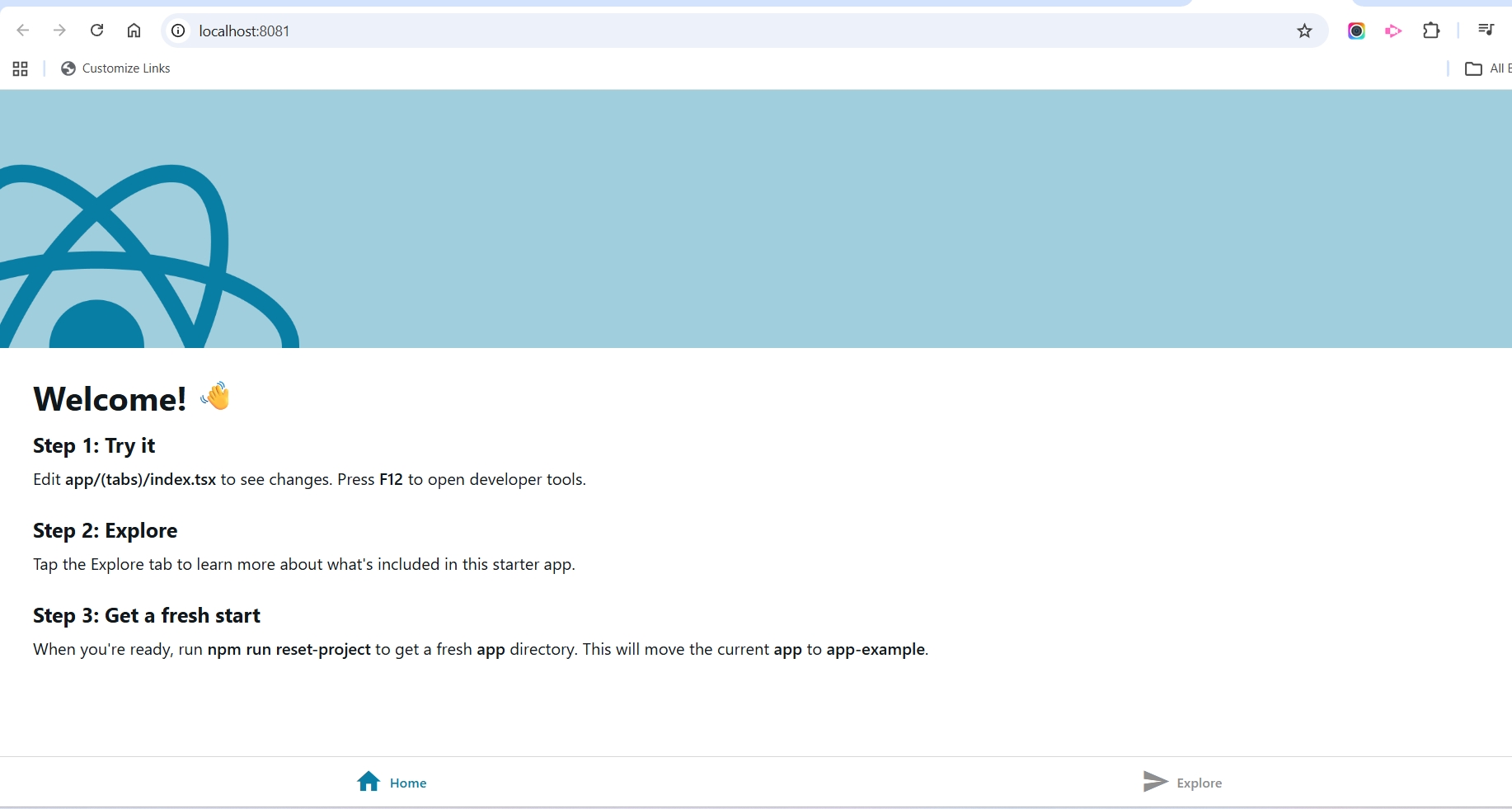
Expo provides an easier development environment without configuring Android Studio or Xcode initially.
Core Concepts of React Native
Understanding the following concepts is essential when learning it.
Components
React Native apps are built using reusable components.
Example:
const Header = () => {
return <Text>Welcome to My App</Text>;
};
Props
Props allow data to be passed between components.
Example:
const Greeting = ({ name }) => {
return <Text>Hello {name}</Text>;
};
State
State is used to manage dynamic data within a component.
Example:
import React, { useState } from 'react';
import { Button, Text, View } from 'react-native';export default function App() {
const [count, setCount] = useState(0);return (
<View>
<Text>{count}</Text>
<Button title="Increase" onPress={() => setCount(count + 1)} />
</View>
);
}
Styling
It uses a styling system similar to CSS but implemented in JavaScript.
Example:
import { StyleSheet } from 'react-native';

const styles = StyleSheet.create({
container: {
padding: 20,
backgroundColor: '#eee'
}
});
Advantages
1. Faster Development
One codebase supports multiple platforms.
2. Cost Efficient
Reduces development cost significantly.
3. Strong Community
Thousands of open-source libraries are available.
4. Easy Learning Curve
Developers familiar with React can quickly learn it.
5. Code Reusability
Most application logic can be reused across Android and iOS.
Disadvantages
1. Performance Limitations
For extremely complex animations or heavy graphics, native development may perform better.
2. Native Dependencies
Some advanced features still require native coding.
3. Larger App Size
React Native apps sometimes have larger bundle sizes.
Popular Apps Built with React Native
Many well-known apps use it, including:
- Discord
- Shopify
These companies adopted it because it allows faster development and easier maintenance.
When to Use It
It is best suited for:
- Startup mobile apps
- MVP development
- Cross-platform mobile applications
- Apps with moderate performance requirements
It may not be ideal for:
- High-performance games
- Applications with heavy native graphics processing
Future of React Native
It continues to evolve rapidly. The introduction of the New Architecture with Fabric and TurboModules is improving performance significantly.
With increasing adoption by startups and enterprises, it is expected to remain one of the top mobile development frameworks for many years.
References
- React Native Official Documentation
https://reactnative.dev/docs/getting-started - Expo Documentation
https://docs.expo.dev - React Documentation
https://react.dev - Meta Engineering Blog
https://engineering.fb.com
Conclusion
It has revolutionized mobile app development by allowing developers to create cross-platform mobile applications using JavaScript and React. It combines the benefits of native development with the flexibility of web technologies.
With features like hot reloading, reusable components, and strong community support, It is an excellent choice for modern mobile development. Whether you are a beginner or an experienced developer, learning it can open many opportunities in the mobile development ecosystem.