JavaScript Events (2026): Complete Guide with Examples, Types, and Best Practices
JavascriptApr 25, 2026
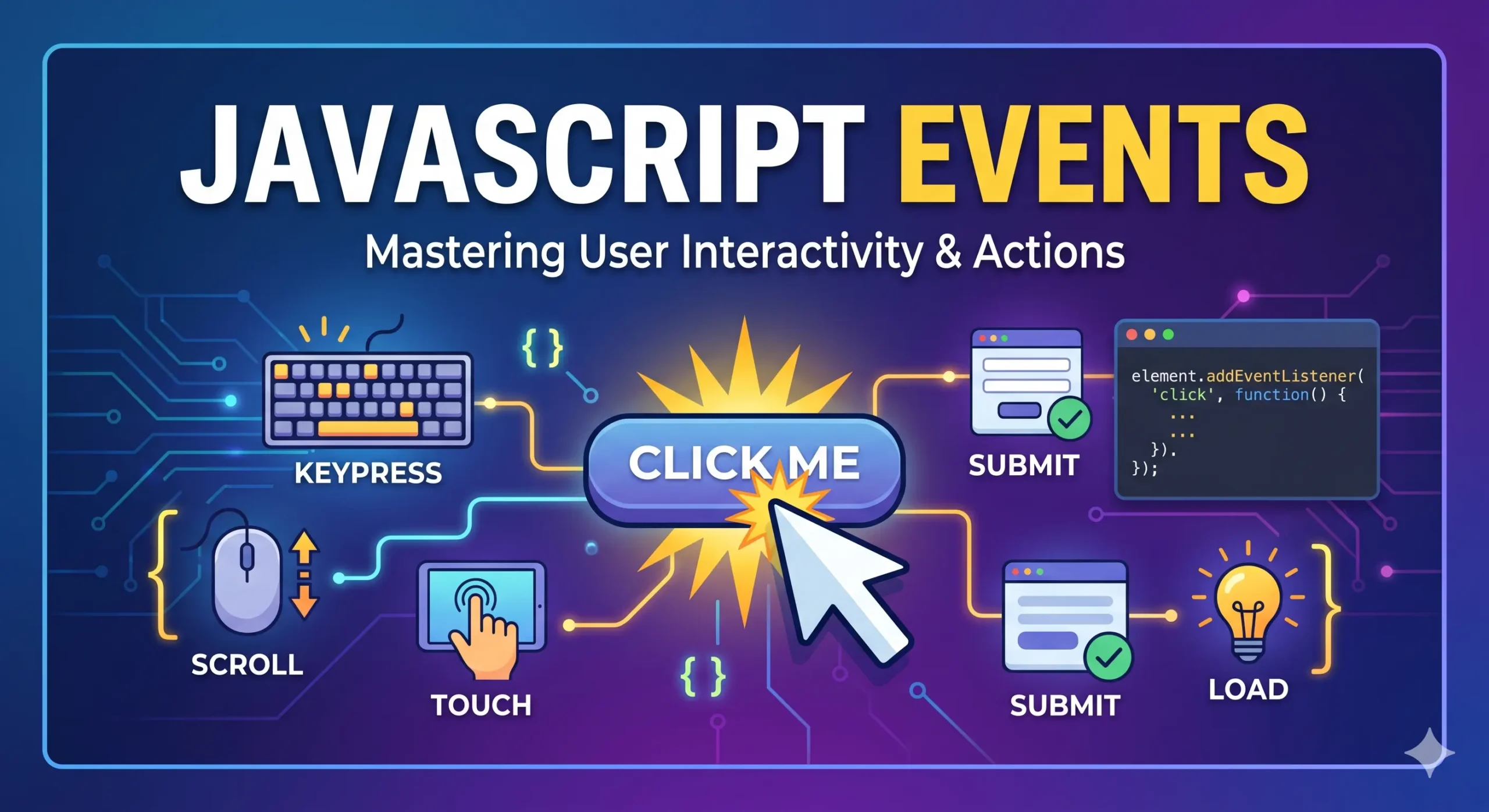
JavaScript events are at the heart of modern web interactivity. Every click, scroll, key press, or touch you perform on a website triggers an event. In 2026, as web applications become more dynamic and responsive, understanding JavaScript events is essential for every developer.
Table of Contents
Whether you’re building a simple form, an advanced dashboard, or a real-time application, events allow your application to respond to user actions and system changes efficiently.
In this comprehensive guide, you’ll learn:
- What JavaScript events are
- How event handling works
- All types of events with examples
- Event propagation (bubbling & capturing)
- Event delegation
- Modern best practices (2026)
- Real-world use cases
What are JavaScript Events?
A JavaScript events are an action or occurrence that happens in the browser, which JavaScript can detect and respond to.
Examples of events:
- A user clicks a button
- A page finishes loading
- A user types in an input field
- A video starts playing
JavaScript listens for these javascript events using event listeners and executes code when they occur.
How Event Handling Works
JavaScript uses an event-driven programming model.
Basic Syntax:
element.addEventListener("event", function);
Example:
const button = document.querySelector("#btn");

button.addEventListener("click", () => {
  alert("Button clicked!");
});
Ways to Add Events in JavaScript
1. Inline Event Handlers (Not Recommended)
<button onclick="alert('Clicked!')">Click Me</button>
Not recommended due to poor separation of concerns.
2. DOM Property
button.onclick = function () {
  alert("Clicked");
};
Overwrites existing handlers.
3. addEventListener() (Best Practice)
button.addEventListener("click", handler);
Allows multiple handlers
Supports capturing and bubbling
Types of JavaScript Events
1. Mouse Events
Triggered by mouse interactions.
Common Mouse Events:
- click – When element is clicked
- dblclick – Double click
- mousedown – Mouse button pressed
- mouseup – Mouse button released
- mouseover – Pointer enters element
- mouseout – Pointer leaves element
- mousemove – Mouse movement
Example:
button.addEventListener("mouseover", () => {
  console.log("Mouse over button");
});
2. Keyboard Events
Triggered when keys are pressed.
Common Keyboard Events:
- keydown – Key pressed
- keyup – Key released
Example:
document.addEventListener("keydown", (e) => {
  console.log(`Key pressed: ${e.key}`);
});
3. Form Events
Used in forms for validation and interaction.
Common Form Events:
- submit – Form submission
- change – Input value changed
- input – Input changes in real-time
- focus – Element gains focus
- blur – Element loses focus
Example:
form.addEventListener("submit", (e) => {
  e.preventDefault();
  console.log("Form submitted");
});
4. Window Events
Triggered by browser window actions.
Common Window Events:
- load – Page fully loaded
- DOMContentLoaded – HTML loaded
- resize – Window resized
- scroll – Page scrolled
Example:
window.addEventListener("scroll", () => {
  console.log("Scrolling...");
});
5. Clipboard Events
Triggered during copy/paste actions.
Events:
- copy
- cut
- paste
document.addEventListener("paste", () => {
  console.log("Content pasted");
});
6. Drag and Drop Events
Used for draggable UI elements.
Events:
- dragstart
- drag
- dragover
- drop
- dragend
Example:
element.addEventListener("drop", () => {
  console.log("Item dropped");
});
7. Touch Events (Mobile)
Important for mobile-first development.
Events:
- touchstart
- touchmove
- touchend
element.addEventListener("touchstart", () => {
  console.log("Touch started");
});
8. Pointer Events (Modern Standard)
Unified input model for mouse, touch, and pen.
Events:
- pointerdown
- pointerup
- pointermove
9. Media Events
Used with audio/video elements.
Events:
- play
- pause
- ended
- volumechange
10. Animation & Transition Events
Used in CSS animations.
Events:
- animationstart
- animationend
- transitionend
11. Network Events
Used in online/offline detection.
Events:
- online
- offline
12. Storage Events
Triggered when localStorage/sessionStorage changes.
window.addEventListener("storage", () => {
  console.log("Storage updated");
});
Event Object
When an event occurs, JavaScript provides an event object containing details.
Example:
document.addEventListener("click", (event) => {
  console.log(event.target);
  console.log(event.type);
});
Important Properties:
- target – Element that triggered event
- type – Event type
- clientX, clientY – Mouse position
Event Propagation
Events travel through the DOM in two phases:
1. Capturing Phase
Top → Target
2. Bubbling Phase
Target → Top
Example:
element.addEventListener("click", handler, true); // capturing
stopPropagation() and preventDefault()
preventDefault()
Stops default browser behavior:
form.addEventListener("submit", (e) => {
  e.preventDefault();
});
stopPropagation()
Stops event from bubbling:
event.stopPropagation();
Event Delegation (Important Concept)
Instead of adding events to multiple elements, attach one event to a parent.
Example:
document.querySelector("#list").addEventListener("click", (e) => {
  if (e.target.tagName === "LI") {
    console.log(e.target.textContent);
  }
});
Benefits:
- Better performance
- Less memory usage
- Works for dynamic elements
Passive Event Listeners (Performance Optimization)
Used to improve scrolling performance.
window.addEventListener("scroll", handler, { passive: true });
Once Event Listeners
Runs only once:
button.addEventListener("click", handler, { once: true });
Removing Event Listeners
element.removeEventListener("click", handler);
Custom Events
You can create your own events.
const event = new Event("myEvent");

element.addEventListener("myEvent", () => {
  console.log("Custom event triggered");
});

element.dispatchEvent(event);
Real-World Use Cases
- Form validation
- Infinite scrolling
- Drag-and-drop UI builders
- Real-time search
- Interactive dashboards
Best Practices (2026)
- Use addEventListener()
- Prefer event delegation
- Use passive listeners for scroll
- Avoid inline events
- Clean up event listeners
- Use pointer events for cross-device support
Common Mistakes to Avoid
- Adding too many listeners
- Forgetting preventDefault()
- Ignoring event propagation
- Memory leaks (not removing listeners)
References
- https://developer.mozilla.org/en-US/docs/Web/Events
- https://javascript.info/events
- https://www.w3schools.com/js/js_events.asp
- https://html.spec.whatwg.org/multipage/webappapis.html#events
- https://dom.spec.whatwg.org/#events
Conclusion
JavaScript events are the foundation of interactive web development. In 2026, with advanced APIs and improved browser support, events have become more powerful and efficient than ever.
Mastering events allows you to:
- Build responsive UIs
- Optimize performance
- Handle user interactions seamlessly
If you understand events deeply, you unlock the true power of JavaScript.