We are currently living through a fundamental shift in software architecture. Artificial Intelligence has rapidly evolved from an experimental academic concept into a foundational layer of the modern technology stack. Today, intelligent customer support agents, automated content generation pipelines, predictive analytics, and semantic search are no longer just “nice-to-have” features—they are the baseline expectations for competitive web applications.
Table of Contents
For a long time, the dominant narrative in the tech industry has suggested that if you want to build AI applications, you must use Python. While it is true that Python is the undisputed king of training machine learning models and running heavy data science workloads, PHP is arguably the most practical language for consuming and orchestrating these models.
PHP continues to power the vast majority of the web, running the world’s largest Content Management Systems (like WordPress and Drupal), massive eCommerce engines (like Magento and WooCommerce), and countless bespoke enterprise SaaS applications. If you are a PHP developer, you are in a highly advantageous position.
The heavy computational lifting of AI is now handled on the massive GPU clusters of providers like OpenAI, Google, and Anthropic. Your application’s role is to act as the intelligent orchestrator.
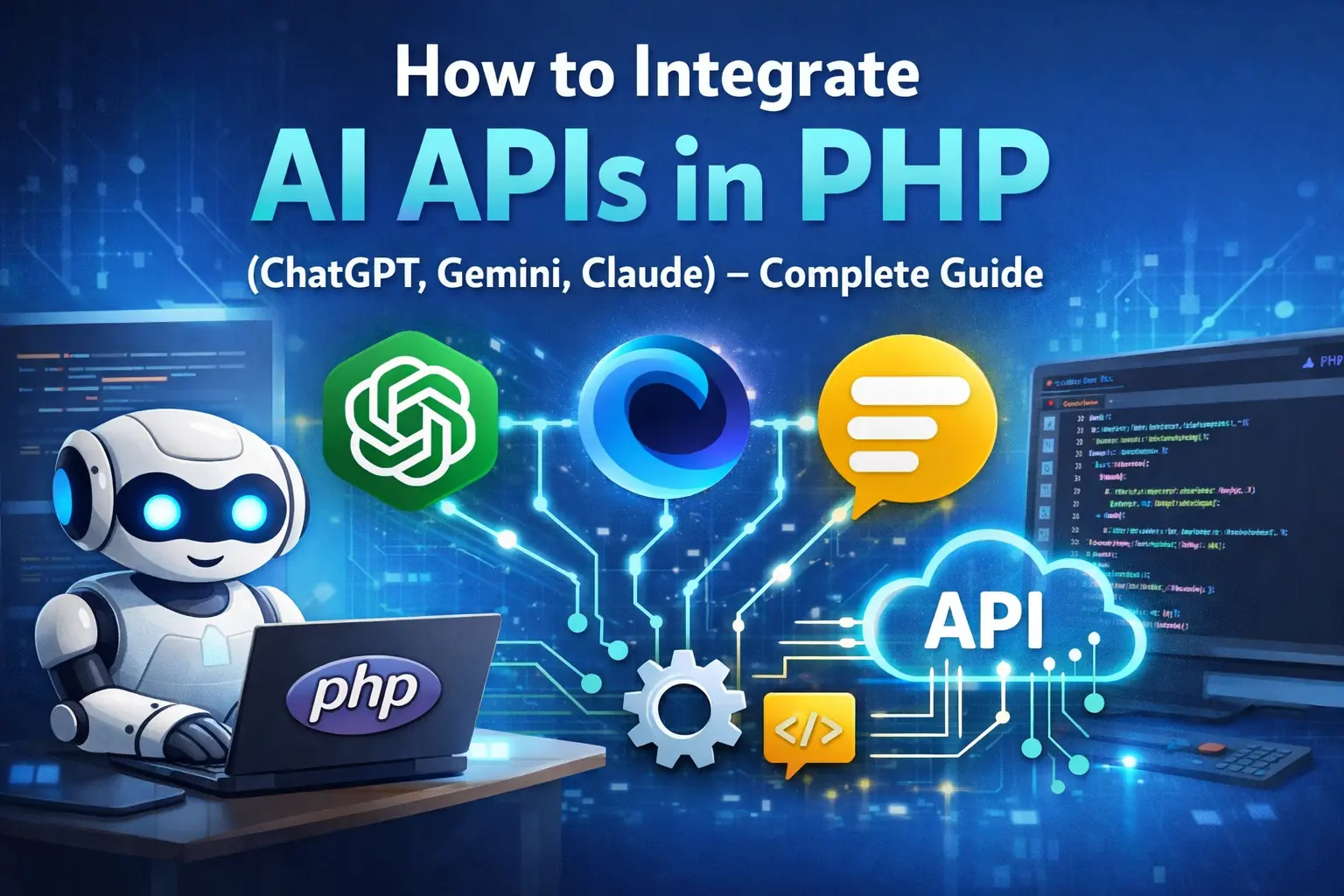
In this comprehensive guide, we will bypass bloated, third-party wrapper libraries. Instead, we will build lightweight, production-ready, and highly secure AI integrations using native PHP tools, specifically cURL and REST APIs. By the end of this article, you will possess a deep, practical understanding of how to seamlessly weave the capabilities of ChatGPT, Gemini, and Claude directly into your PHP applications.
Core Concepts: Demystifying AI APIs for Web Developers
Before we write a single line of code, it is crucial to understand the mechanics of how modern AI Application Programming Interfaces (APIs) operate. If you understand these core concepts, learning the specific syntax of OpenAI or Google becomes trivial.
What is an LLM API?
Large Language Models (LLMs) like GPT-4o, Gemini 1.5, and Claude 3.5 Sonnet are complex neural networks trained on vast amounts of text. When you use their APIs, you are essentially sending a text string (the “prompt”) to a remote server. The server processes this text, predicts the most logical continuation based on its training, and sends the resulting text back to you.
The Role of REST and JSON
Almost all major AI providers use RESTful architecture. This means you interact with AI APIs by sending HTTP POST requests to specific URLs (endpoints).
-
The Request: You send a request containing a JSON (JavaScript Object Notation) payload. This payload includes your prompt, the specific model you want to use, and various configuration parameters (like “temperature,” which controls creativity).
-
The Headers: You must pass specific HTTP headers. The most important header is always authentication, usually in the form of an API Key passed as a Bearer token or a custom header.
-
The Response: The AI provider processes your request and returns a JSON object containing the generated response, along with metadata like how many tokens were consumed.
Understanding Tokens
AI models do not process text word-by-word; they process text in chunks called “tokens.” A token can be a single character, a part of a word, or a whole word. As a general rule of thumb in the English language, 1 token is roughly equal to 4 characters, or 0.75 words. Understanding tokens is vital because AI APIs bill you based on token usage. You are charged for the tokens you send in your prompt (Input Tokens) and the tokens the AI generates in its response (Output Tokens).
Professional Environment Setup and Security
Calling APIs with hardcoded keys in your PHP files is a severe security risk. If a file with an exposed API key is committed to a public GitHub repository, automated bots will scrape it and abuse your account within seconds, potentially costing you thousands of dollars. We must establish a professional, secure environment.
Prerequisites
To follow this guide, ensure your server or local development environment meets the following criteria:
- PHP 8.1 or higher: We will utilize modern PHP syntax, including typed properties and arrays.
- cURL Extension: This extension must be enabled in your php.ini file. cURL is the industry standard for making HTTP requests in PHP.
- Composer: The PHP package manager, which we will use to handle environment variables safely.
Step 1: Secure Environment Variables
If you are using a modern framework like Laravel or Symfony, environment variable handling is built-in. If you are building a custom script or a WordPress plugin, you should use the vlucas/phpdotenv library.
Open your terminal, navigate to your project directory, and run:
composer require vlucas/phpdotenv
Next, create a file named .env in the root of your project. This file must never be committed to version control (add it to your .gitignore immediately). Add your API keys to this file:
OPENAI_API_KEY=sk-proj-your-very-long-openai-key-here
GEMINI_API_KEY=AIzaSy-your-google-gemini-key-here
CLAUDE_API_KEY=sk-ant-your-anthropic-claude-key-here
At the very top of your main PHP execution file (e.g., index.php or a bootstrap file), load these variables into your environment:
<?php
require 'vendor/autoload.php';

// Initialize Dotenv to load variables from the .env file
$dotenv = Dotenv\Dotenv::createImmutable(__DIR__);
$dotenv->load();

// You can now access keys securely using $_ENV
// echo $_ENV['OPENAI_API_KEY'];
Deep Dive: Integrating the OpenAI (ChatGPT) API
OpenAI remains the most recognized name in the generative AI space. The ChatGPT API is exceptionally versatile, excelling at everything from conversational chatbots to structured data extraction and complex coding assistance. We will focus on the /v1/chat/completions endpoint, which is the standard for modern OpenAI models.
The Request Structure
OpenAI relies on a “Messages” array. Instead of just sending a single block of text, you send a conversational history where each message has a specific “role”:
- system: Used to set the behavior, tone, and strict rules for the AI. (e.g., “You are a senior PHP developer who only replies in code.”)
- user: The actual prompt or question from the human.
- assistant: Previous replies from the AI (used when building a continuous chat history).
Basic Implementation Using cURL
Here is a robust, well-commented function to call the OpenAI API.
<?php

/**
 * Sends a prompt to the OpenAI API and returns the generated text.
 *
 * @param string $userPrompt The question or instruction for the AI.
 * @return string The AI's response or an error message.
 */
function generateOpenAIResponse(string $userPrompt): string {
    // 1. Retrieve the secure API key
    $apiKey = $_ENV['OPENAI_API_KEY'];

    // 2. Define the endpoint URL
    $endpoint = 'https://api.openai.com/v1/chat/completions';

    // 3. Construct the JSON payload
    $data = [
        'model' => 'gpt-4o-mini', // gpt-4o-mini is highly capable and cost-effective
        'messages' => [
            [
                'role' => 'system',
                'content' => 'You are a helpful assistant specialized in PHP web development. Provide clear, concise answers.'
            ],
            [
                'role' => 'user',
                'content' => $userPrompt
            ]
        ],
        'temperature' => 0.7, // 0.0 is strict and deterministic, 1.0 is highly creative
        'max_tokens' => 1000  // Limit the response length to control costs
    ];

    // 4. Initialize cURL
    $ch = curl_init($endpoint);

    // 5. Configure cURL options
    curl_setopt_array($ch, [
        CURLOPT_RETURNTRANSFER => true, // Return the response as a string instead of outputting it
        CURLOPT_POST => true,           // Ensure we are making a POST request
        CURLOPT_POSTFIELDS => json_encode($data), // Attach our JSON payload
        CURLOPT_HTTPHEADER => [
            'Content-Type: application/json',
            'Authorization: Bearer ' . $apiKey // Standard Bearer token authentication
        ],
        CURLOPT_TIMEOUT => 30 // Wait up to 30 seconds for the AI to respond
    ]);

    // 6. Execute the request
    $response = curl_exec($ch);

    // 7. Handle network errors (e.g., DNS failure, connection timeout)
    if (curl_errno($ch)) {
        $error = curl_error($ch);
        curl_close($ch);
        return "cURL Error: " . $error;
    }

    curl_close($ch);

    // 8. Decode the JSON response into a PHP associative array
    $decodedResponse = json_decode($response, true);

    // 9. Handle API-level errors (e.g., invalid key, rate limits)
    if (isset($decodedResponse['error'])) {
        return "OpenAI API Error: " . $decodedResponse['error']['message'];
    }

    // 10. Safely extract and return the generated text
    return $decodedResponse['choices'][0]['message']['content'] ?? 'No content generated.';
}

// Example Execution
$prompt = "Explain the difference between include and require in PHP.";
echo generateOpenAIResponse($prompt);
Advanced OpenAI: Enforcing JSON Mode
A common struggle for PHP developers is taking a block of text returned by an AI and trying to save it to a MySQL database. Parsing natural language is fragile. OpenAI’s “JSON Mode” solves this by guaranteeing the output is a valid JSON string that you can immediately run through json_decode().
To enable this, you must do two things in your $data payload:
- Add ‘response_format’ => [‘type’ => ‘json_object’].
- Explicitly instruct the model to output JSON in your system prompt.
$data = [
    'model' => 'gpt-4o-mini',
    'response_format' => ['type' => 'json_object'], // Force JSON
    'messages' => [
        [
            'role' => 'system',
            'content' => 'Extract the user details. You must respond in valid JSON matching this structure: {"name": string, "age": int, "city": string}.'
        ],
        ['role' => 'user', 'content' => 'My name is John Doe, I just turned 34, and I live in Seattle.']
    ]
];
Deep Dive: Integrating the Google Gemini API
Google’s Gemini models are engineered for extreme speed and possess massive context windows—meaning they can read and analyze entire books or massive codebases in a single request. Gemini’s API structure is notably different from OpenAI’s, and crucially, authentication is often handled via a URL query parameter rather than a Bearer header.
The Request Structure
Gemini uses a nested array structure consisting of contents and parts. This design is intentional, allowing you to seamlessly mix text and multimodal data (like images or audio) in the same request array.
Basic Text Generation with Gemini
<?php

/**
 * Sends a prompt to the Google Gemini API.
 *
 * @param string $userPrompt The text prompt.
 * @return string The AI's response.
 */
function generateGeminiResponse(string $userPrompt): string{
    $apiKey = $_ENV['GEMINI_API_KEY'];

    // Note: The API key is appended securely in the URL query string
    $model = 'gemini-1.5-flash'; // Flash is highly recommended for standard text tasks
    $endpoint = "https://generativelanguage.googleapis.com/v1beta/models/{$model}:generateContent?key={$apiKey}";

    // Gemini's specific payload structure
    $data = [
        'contents' => [
            [
                'parts' => [
                    ['text' => $userPrompt]
                ]
            ]
        ]
    ];

    $ch = curl_init($endpoint);

    curl_setopt_array($ch, [
        CURLOPT_RETURNTRANSFER => true,
        CURLOPT_POST => true,
        CURLOPT_POSTFIELDS => json_encode($data),
        CURLOPT_HTTPHEADER => [
            'Content-Type: application/json'
        ],
        CURLOPT_TIMEOUT => 30
    ]);

    $response = curl_exec($ch);

    if (curl_errno($ch)) {
        return "cURL Error: " . curl_error($ch);
    }

    curl_close($ch);
    $decodedResponse = json_decode($response, true);

    if (isset($decodedResponse['error'])) {
        return "Gemini API Error: " . $decodedResponse['error']['message'];
    }

    // Navigating Gemini's nested response object
    return $decodedResponse['candidates'][0]['content']['parts'][0]['text'] ?? 'No content generated.';
}
Advanced Gemini: Multimodal Vision (Analyzing Images)
One of Gemini’s most powerful features is native vision capabilities. If you are building a PHP application that handles user uploads (like a classifieds site or an expense tracker), you can send images directly to Gemini for analysis.
To achieve this in PHP, you must read the image file from your server and convert it into a base64 encoded string.
// Assuming you have an image saved locally
$imagePath = '/var/www/html/uploads/receipt.jpg';
$mimeType = mime_content_type($imagePath); // e.g., 'image/jpeg'
$base64Image = base64_encode(file_get_contents($imagePath));

$data = [
    'contents' => [
        [
            'parts' => [
                // Part 1: The instruction
                ['text' => 'Analyze this receipt and extract the total amount and the date.'],
                // Part 2: The actual image data
                [
                    'inline_data' => [
                        'mime_type' => $mimeType,
                        'data' => $base64Image
                    ]
                ]
            ]
        ]
    ]
];
This single API call eliminates the need for complex, legacy OCR (Optical Character Recognition) libraries in your PHP stack.
Deep Dive: Integrating the Anthropic Claude API
Anthropic’s Claude models—particularly the Claude 3.5 and 3.7 Sonnet variations—are widely regarded by developers as the best models for writing code, drafting human-sounding text, and maintaining strict adherence to complex instructions. Claude is heavily focused on safety and reducing “hallucinations” (instances where AI invents false information).
The Request Structure and Strict Headers
The Claude API is similar to OpenAI in its use of the messages array, but Anthropic is incredibly strict about HTTP headers. If you omit the anthropic-version header, your cURL request will fail immediately. Furthermore, the max_tokens parameter is strictly required in the JSON payload.
Basic Implementation Using cURL
<?php

/**
 * Sends a prompt to the Anthropic Claude API.
 *
 * @param string $userPrompt The text prompt.
 * @return string The AI's response.
 */
function generateClaudeResponse(string $userPrompt): string{
    $apiKey = $_ENV['CLAUDE_API_KEY'];
    $endpoint = 'https://api.anthropic.com/v1/messages';

    $data = [
        'model' => 'claude-3-5-sonnet-20240620', // Using a stable, highly capable Sonnet version
        'max_tokens' => 2048, // REQUIRED parameter by Anthropic
        'messages' => [
            [
                'role' => 'user',
                'content' => $userPrompt
            ]
        ]
    ];

    $ch = curl_init($endpoint);

    curl_setopt_array($ch, [
        CURLOPT_RETURNTRANSFER => true,
        CURLOPT_POST => true,
        CURLOPT_POSTFIELDS => json_encode($data),
        CURLOPT_HTTPHEADER => [
            'x-api-key: ' . $apiKey,                    // Anthropic uses a custom header, not Bearer
            'anthropic-version: 2023-06-01',          // REQUIRED: The API version date
            'content-type: application/json'
        ],
        CURLOPT_TIMEOUT => 45 // Claude can process large contexts, allow more time
    ]);

    $response = curl_exec($ch);

    if (curl_errno($ch)) {
        return "cURL Error: " . curl_error($ch);
    }

    curl_close($ch);
    $decodedResponse = json_decode($response, true);

    if (isset($decodedResponse['error'])) {
         return "Claude API Error: [" . $decodedResponse['error']['type'] . "] " . $decodedResponse['error']['message'];
    }

    // Claude returns content as an array of blocks
    return $decodedResponse['content'][0]['text'] ?? 'No content generated.';
}
Architectural Best Practices: The Unified AI Wrapper
As a professional developer, writing isolated functions like the ones above scattered throughout your codebase is an anti-pattern. If Anthropic changes their endpoint URL tomorrow, you do not want to hunt down every instance of curl_init(‘https://api.anthropic.com/v1/messages’) in your project.
To build production-grade software, we utilize Object-Oriented Programming (OOP) principles, specifically the Interface and Strategy/Adapter patterns. This allows your core application to ask for AI generation without needing to know which provider is currently handling the request.
Step 1: The Interface
First, we define a contract. Any AI provider class we build must guarantee it has a generateText method.
<?php

interface AIProviderInterface{
    /**
     * Generate text based on a prompt.
     *
     * @param string $prompt The input text.
     * @param array $options Optional configuration (e.g., temperature).
     * @return string The generated response.
     */
    public function generateText(string $prompt, array $options = []): string;
}
Step 2: The Concrete Class (Example: OpenAI Adapter)
Next, we wrap our previous procedural code into a class that implements this interface.
<?php

class OpenAIService implements AIProviderInterface{
    private string $apiKey;
    private string $endpoint = 'https://api.openai.com/v1/chat/completions';

    public function __construct(string $apiKey) {
        $this->apiKey = $apiKey;
    }

    public function generateText(string $prompt, array $options = []): string{
        $data = [
            'model' => $options['model'] ?? 'gpt-4o-mini',
            'messages' => [['role' => 'user', 'content' => $prompt]],
            'temperature' => $options['temperature'] ?? 0.7
        ];

        // ... execute cURL request as shown previously ...

        $response = $this->executeRequest($data);
        return $response['choices'][0]['message']['content'] ?? '';
    }

    private function executeRequest(array $data): array{
         // Handle cURL logic here, throwing custom Exceptions on failure
         // Return decoded JSON array
    }
}
Step 3: Execution in Your Application
Now, your main application logic becomes incredibly clean and decoupled.
<?php
// Initialize the service based on configuration
$aiService = new OpenAIService($_ENV['OPENAI_API_KEY']);

// If later you decide Claude is better, you simply swap one line of code:
// $aiService = new ClaudeService($_ENV['CLAUDE_API_KEY']);

$result = $aiService->generateText("Write a short welcoming message for a new user.");
echo $result;
This architecture ensures your application is scalable, testable, and future-proof against changes in the rapidly moving AI landscape.
Advanced PHP Techniques for Production AI
If you intend to launch an AI feature to actual users, basic cURL requests are not enough. You must address user experience and security.
Solving the “Spinner” Problem: Server-Sent Events (Streaming)
When you ask an AI to write a 1,000-word blog post, the API might take 15 to 30 seconds to generate the entire response. A standard PHP script will block the execution and force the user to stare at a loading spinner for that entire duration. This feels broken.
Modern AI interfaces (like the ChatGPT web UI) solve this by “streaming” the response—displaying the text word-by-word as it is generated. PHP can achieve this using Server-Sent Events (SSE) and a specific cURL option: CURLOPT_WRITEFUNCTION.
By enabling CURLOPT_WRITEFUNCTION, you tell PHP: “Do not wait for the whole HTTP request to finish. Every time a chunk of data arrives from the AI server, execute this function immediately.“
<?php
// 1. Tell the browser to expect a continuous stream of events
header('Content-Type: text/event-stream');
header('Cache-Control: no-cache');
header('Connection: keep-alive');

$data = [
    'model' => 'gpt-4o-mini',
    'messages' => [['role' => 'user', 'content' => 'Write a story about a brave knight.']],
    'stream' => true // CRITICAL: Tell OpenAI to stream the response
];

$ch = curl_init('https://api.openai.com/v1/chat/completions');
curl_setopt_array($ch, [
    CURLOPT_POST => true,
    CURLOPT_POSTFIELDS => json_encode($data),
    CURLOPT_HTTPHEADER => [
        'Content-Type: application/json',
        'Authorization: Bearer ' . $_ENV['OPENAI_API_KEY']
    ],
    // 2. The Write Function Callback
    CURLOPT_WRITEFUNCTION => function($curl, $chunk) {
        // AI streams return data prefixed with "data: "
        $lines = explode("\n", $chunk);

        foreach ($lines as $line) {
            if (strpos($line, 'data: ') === 0) {
                $jsonData = substr($line, 6);

                // OpenAI sends [DONE] when the stream is finished
                if (trim($jsonData) == '[DONE]') {
                    break;
                }

                $parsed = json_decode($jsonData, true);
                $word = $parsed['choices'][0]['delta']['content'] ?? '';

                // 3. Output the word and force PHP to flush it to the browser
                echo $word;
                ob_flush();
                flush();
            }
        }
        // cURL requires you to return the length of the chunk processed
        return strlen($chunk);
    }
]);

curl_exec($ch);
curl_close($ch);
Implementing streaming drastically improves the perceived performance of your application.
Defensive Programming: Rate Limiting and Sanitization
- Rate Limiting: AI APIs cost money. If you expose a chatbot endpoint on your public website, malicious bots can trigger it thousands of times, generating massive bills. You must implement rate limiting on your PHP backend (e.g., using a Redis counter to limit users to 10 requests per minute based on IP or User ID) before the script attempts to call the AI API.
- Output Sanitization: Never trust the output of an AI. If you are rendering the AI’s response in a web browser, it might hallucinate HTML tags or malicious JavaScript. Always sanitize the output using functions like htmlspecialchars() or a robust HTML purifier library before echoing it to the DOM to prevent Cross-Site Scripting (XSS) vulnerabilities.
Conclusion
The integration of Artificial Intelligence into PHP applications is not a complex, insurmountable challenge reserved only for Python developers. As demonstrated throughout this guide, interacting with state-of-the-art models from OpenAI, Google, and Anthropic is fundamentally an exercise in orchestrating HTTP requests and managing JSON payloads—tasks that PHP handles with exceptional stability and speed.
By setting up secure environment variables, understanding the distinct endpoint structures and strict header requirements of each provider, and organizing your code using robust Object-Oriented patterns, you can seamlessly bring advanced intelligence into any existing PHP ecosystem.
Moving forward, the true value you provide as a developer will not be in knowing how to call the API, but in engineering precise prompts and architecting systems that connect your proprietary databases to these powerful LLM engines.
The barrier to entry is gone. Equip your applications with these integrations, respect security best practices, and begin building the next generation of intelligent web experiences today.